
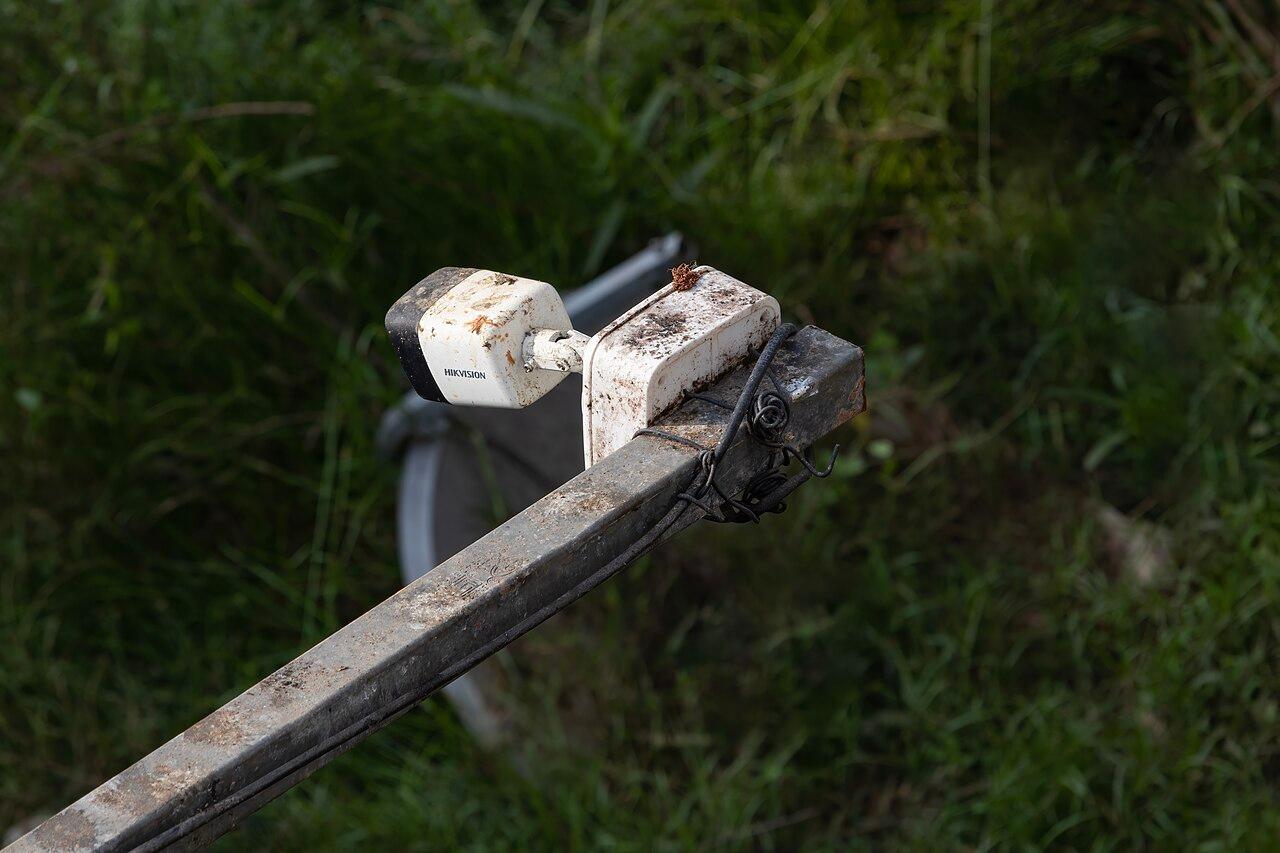
When a camera looks dirty, check the evidence before cleaning
Distinguish dirt, scratches, reflections, weather, and scene changes before choosing a safe camera inspection and maintenance response.
Quick answer: A cloudy or blurred camera image is a symptom, not proof that the lens needs cleaning. Compare when the problem occurs, inspect the accessible exterior safely, and follow the exact product's maintenance instructions. Verify the recorded result afterward, because dirt, scratches, reflections, lighting, and changed surroundings require different responses.
A night image develops a bright haze, and the first suggestion is often to wipe the camera. That might help if contamination on the viewing surface is involved. It might accomplish little if the cause is a nearby reflective object, damaged material, or a lighting change.
Useful maintenance begins with a description of the problem before anyone touches the equipment. The business does not need to diagnose optical faults itself, but it can provide evidence that makes the service visit more effective and avoids unnecessary handling of a camera that was not dirty in the first place.
Describe when the image becomes unusable
Record whether the problem is constant or appears only under particular conditions. Does it begin after rain, during darkness, when a light switches on, or at a particular time of day? Those observations help the technician choose what to inspect and when to verify the result.
Compare current and earlier recordings from reasonably similar conditions. A sunny reference image is a poor basis for judging a rainy night scene. Look for the change that affects the camera's intended task, such as lost detail at the entrance or a reflection across the relevant area.
Preserve a suitable example with the camera identifier and time. Avoid sending unnecessary footage or personal information through informal channels. The approved support process should give the technician enough evidence to investigate without distributing the site's recordings more widely than needed.
Use the camera installation checklist to keep the intended view in focus. Maintenance is successful when that view works for its agreed purpose, not merely when the exterior looks freshly cleaned.
Distinguish the optical surface from the whole scene
People often say lens when they mean the external dome or front glass. The distinction matters because those surfaces are part of a specific product design. Unnecessary opening, substitution, or abrasive treatment can introduce a new problem rather than correct the existing one.
Axis's focus troubleshooting guidance explains that dirty or scratched domes and front glass can degrade image quality and affect focus. It also cautions against polishing and excessive cleaning. Those warnings support a careful product-specific approach, not a blanket instruction to scrub every camera on a fixed schedule.
Have the responsible technician identify the installed model and appropriate maintenance procedure. A cleaning method suitable for one material or housing should not be assumed safe for another. Use the actual manufacturer's instructions for any action taken on the device.
If the visible surface is damaged, acknowledge that cleaning may not resolve it. The next decision could involve an approved replacement component or further diagnosis. Repeatedly treating a scratch as dirt wastes effort and can make the surface condition worse.
Look for reflections and changed surroundings
A new object close to the camera can affect the image even when it does not block the main view. Lighting, nearby surfaces, and the camera's illumination arrangement deserve review when the problem is strongly tied to darkness or a changed scene.
Axis's image-quality guide includes IR reflections and sunlight among the factors that can affect a surveillance image. That broader troubleshooting context is useful when a symptom has been casually labeled a dirty lens. The appropriate response depends on the actual equipment and conditions.
Check recent site changes. A sign, protective cover, decorative lighting, or stored material may explain when the problem began. Ask the staff who work nearby what changed rather than assuming the camera developed an internal fault at the same moment.
For a hypothetical storefront, a newly installed sign could create a night-time problem while the daytime view remains acceptable. Cleaning the camera without reviewing that change would leave the underlying issue in place. The example illustrates a diagnostic question, not a universal explanation for night haze.
Plan safe access before booking the work
The service visit needs a practical access plan. Camera height, nearby traffic, operating hours, restricted areas, and the mounting location can affect how an inspection is carried out. Include those conditions in the request so the responsible team can arrange appropriate equipment and personnel.
Do not ask unprepared staff to climb, open equipment, or reach across machinery to check a camera. A remote image review and a safe ground-level observation can still provide useful information. Work at height and other site hazards belong with the appropriate trained team and approved site process.
Clarify whether maintenance of the surrounding area is part of the visit. Removing an obstruction, addressing vegetation, or coordinating a lighting repair may involve a different responsible party. A camera technician should not be expected to alter unrelated property without authorization.
Agree how any interruption will be handled. If the camera must be unavailable during maintenance, the business should know which view is affected and follow its own operating arrangements. The scope should describe the work and verification rather than promise an unsupported universal completion time.
Give the technician a focused inspection brief
A concise brief can save a return visit by bringing the relevant evidence and conditions together. Avoid prescribing a repair before the inspection establishes the cause. The service request should describe what the recording fails to show and what conditions make that failure visible.
Include the following information:
- Camera identifier, location, and the affected viewing task.
- Representative times and conditions when the problem occurs.
- Recent changes near the camera or in the scene lighting.
- Safe access arrangements and any operating restrictions.
- The expected verification after inspection or maintenance.
State whether anyone has already changed settings, cleaned a surface, or replaced a component. That history may explain the current result and prevents the next technician from treating every condition as original. Keep the account factual rather than guessing which earlier action caused the problem.
If the cause remains uncertain, request a diagnosis and proposed next step within the agreed service scope. An unresolved condition should not become an automatic authorization for a different camera, new lighting, or other unpriced work.
Verify the result under the condition that failed
After maintenance, inspect the recording through the normal operator workflow. Confirm the intended view, useful detail, and any relevant movement. A clean exterior and a connected status are not substitutes for checking the image the business will actually retrieve.
Repeat the conditions that exposed the problem where practical. A night-only reflection needs a night review. A symptom tied to weather may require a later observation rather than an immediate claim that it has been permanently eliminated.
If a setting or position changed during the visit, assess the rest of the camera's job. A correction that removes glare but loses a necessary approach may require a wider design decision. The accepted outcome should account for both requirements.
The PoE camera network planning guide can help when the observed issue includes interruptions rather than only optical degradation. Keep image problems, recording faults, and network behavior distinguishable so maintenance does not chase the wrong cause.
Adjust maintenance to the site's actual pattern
Use inspection findings to decide what ongoing attention the location needs. A camera exposed to recurring contamination may require a different plan from one in a protected indoor area. The maintenance arrangement should reflect observed conditions, manufacturer guidance, and the consequences of an unusable view.
Avoid equating more cleaning with better maintenance. Unnecessary handling can damage surfaces or disturb the accepted position. The useful objective is to preserve the required image and identify developing problems, not to maximize the number of times someone touches the equipment.
Repeated problems deserve a design review. A difficult location may need a different approved mounting arrangement, housing choice, or treatment of the surrounding environment. Those options should be assessed against the intended view and property constraints instead of applying the same temporary remedy indefinitely.
Keep a brief history of the symptom, action, and verified result. Over time, that record can show whether the issue follows a seasonal condition, a site process, or a particular physical exposure. It gives the next service decision evidence rather than another guess.
The takeaway
A degraded camera image deserves a targeted inspection, not an automatic cleaning instruction. Timing, scene changes, surface condition, and the installed product's guidance help distinguish problems that may look similar on a monitor.
Plan safe access, preserve useful evidence, and verify the recorded result under the relevant conditions. If the same problem keeps returning, use the maintenance history to evaluate a more durable design response.
Review the camera location and scope
Talk with BlueHouse through the security camera installation service about your business views, environmental conditions, and project requirements.
FAQ
Does a hazy night image always mean the camera is dirty? No. Contamination is one possibility, but reflections, lighting, damage, and changed surroundings can also matter. Describe the conditions and use product-specific inspection before choosing a remedy.
Should every camera dome be cleaned on the same schedule? A universal schedule can lead to unnecessary handling. Follow the manufacturer and the site's assessed maintenance needs, considering actual exposure, image condition, and the importance of the view.
Can ordinary glass cleaner be used on any camera? Do not assume so. Materials and coatings vary. The responsible technician should follow the exact product's maintenance instructions and avoid methods that can damage the optical surface.
When can a maintenance item be called complete? When the agreed work and relevant verification are finished. If the reported symptom requires a night or weather condition that has not occurred, keep that observation pending rather than claiming it passed.