
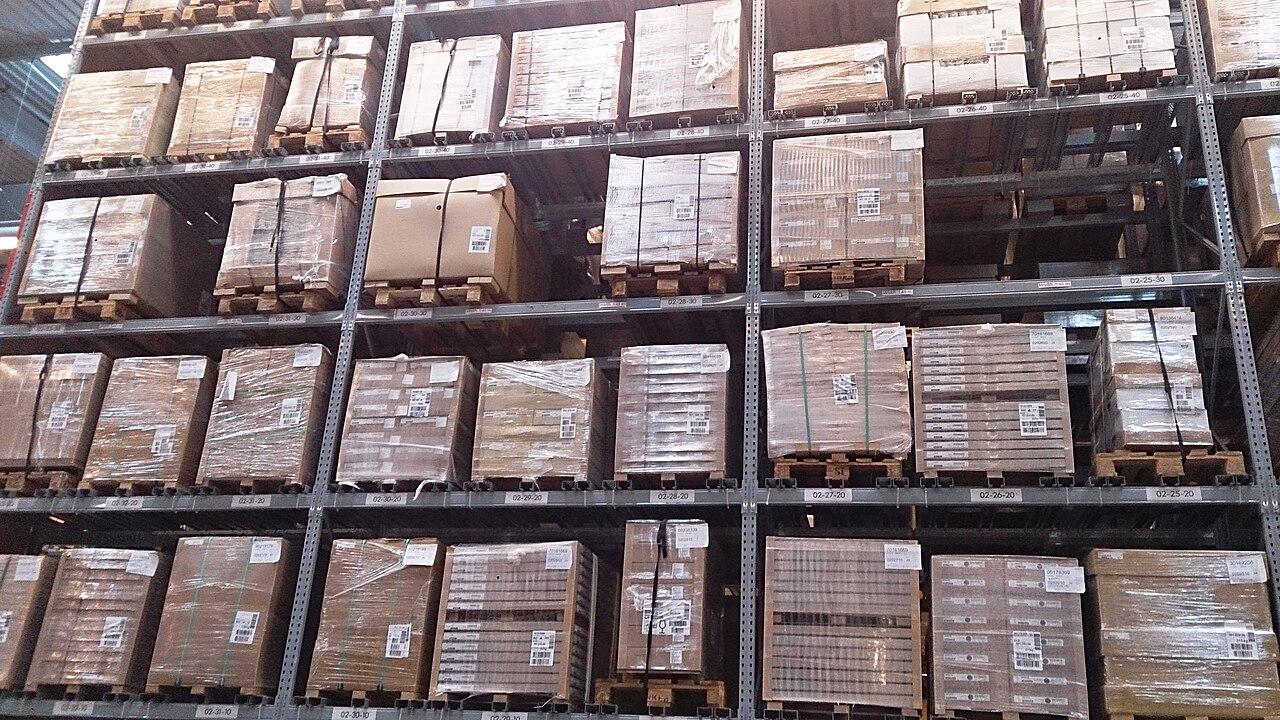
Review Warehouse Wi Fi After Rack and Inventory Changes
Reassess warehouse wireless performance when racks, stock, or working routes change, using the current floor conditions.
Quick answer: Treat a major rack or inventory change as a reason to review the warehouse's wireless assumptions. Compare the new layout and working routes with the accepted design, then test affected areas using actual handhelds and applications. Select corrections from observed problems and repeat the same operating checks afterward.
A wireless survey describes a particular warehouse at a particular time. When storage moves, aisles change, or the goods on the racks differ substantially, that old report may no longer answer the question operators are asking today. The access points can remain in exactly the same places while the environment around them changes.
This is a planning guide for reviewing those differences, not a recipe for adjusting radio settings from a floor plan. A qualified wireless specialist and the warehouse's operations and application teams should agree on the relevant observations. The useful outcome is a tested current design with its remaining limits clearly stated.
Record what changed in the working space
Start with the operational change. Identify new rack positions and heights, altered aisles, different stock types, and new working areas. Include temporary storage that has become a regular feature of the building, even if it never made it onto the formal drawing.
HPE Aruba Networking's warehouse design guidance identifies metal shelving, changing inventory levels, and layout changes as factors in wireless planning. Use that as a reason to inspect the actual environment, not as proof that any particular rack caused a reported failure.
Ask operations which routes now matter most. A rearrangement may move the busiest picking path into an area that was previously used only occasionally. The review should follow that new work pattern. Repeating the old route without considering the reason for the layout change risks measuring the wrong part of the warehouse very carefully.
Keep the original design as a comparison
Preserve the accepted drawing, equipment positions, survey conditions, and relevant configuration reference. These provide a baseline for understanding the change. Do not overwrite the old report with a new picture before someone has compared the assumptions.
Mark the differences explicitly. A current drawing should show what moved and which areas were added, while the test notes should explain changes in stock or operating conditions that a drawing cannot fully capture. A dated photograph can help the team understand a location, subject to the site's documentation rules.
I would be skeptical of an argument that the network must be fine because it passed last year. The earlier result may be accurate and still irrelevant to today's changed aisle. The right response is to find what the original test established, identify the new condition, and decide which observation would connect the two.
Separate a location problem from a device problem
Collect reports with enough detail to compare them. Record the handheld configuration, task, time, and physical location of an interruption. Ask whether several supported devices fail in the same area or whether one configuration has trouble across many routes.
Those patterns can guide the investigation, but they do not establish the cause by themselves. Have the relevant specialists compare wireless observations with device and application behavior. A failure that appears after a rack move may still involve a separate software or authentication change made around the same time.
Avoid changing several settings at once merely to see whether complaints stop. Where practical, choose a controlled comparison and record its result. The warehouse needs an explanation that can be maintained after the investigation ends. An undocumented combination of changes can leave the next support team unable to distinguish a deliberate design from an experiment.
Survey the warehouse in representative conditions
Agree on the conditions that the review needs to represent. Consider normal stock levels, doors, working routes, and the periods relevant to the reported problem. If a seasonal condition cannot be reproduced now, identify it as a later validation task rather than silently treating the current state as equivalent.
The wireless specialist should choose the survey and measurement approach for the actual devices and applications. Operations should help determine safe access and useful timing. A technically detailed survey conducted in an unrepresentative condition can still answer the wrong operating question.
Use the business network hardware guide to organize the equipment and cabling discussion around the results. Keep the environmental observations attached to the proposal. Otherwise, an access-point adjustment can be approved without anyone retaining the evidence that explained why it was recommended or which routes it was intended to improve.
Test the route through the changed area
Repeat approved warehouse tasks using the supported handhelds that normally work in the affected zone. Include the transition into and out of that zone, not only a stationary test in the center. Observe the application result as well as the device's connection.
A useful trial records:
- The route and physical conditions present during the test.
- The device and application configuration used.
- The specific task completed or interrupted.
- The action needed to resume work and any unresolved task state.
Zebra's Wireless Analyzer documentation includes connection and roaming analysis for supported devices. A qualified team can use an appropriate diagnostic tool to compare connection events with the operating observation. Tool availability and licensing must be confirmed for the fleet; the acceptance method should not assume every scanner exposes the same information.
Keep the observation focused enough that the same task can be repeated after a correction.
Choose a correction that addresses the evidence
Ask the designer to explain how each proposed change relates to the observed problem. Options may involve equipment placement, supported antenna arrangements, cabling, configuration, or a change in the operating layout. The appropriate choice depends on the site and the measured conditions.
Consider the practical consequences of the proposal. A new equipment position may require installation access, additional cable routing, or a maintenance arrangement. Those details affect the cost and schedule even when the change looks small on a diagram.
Do not assume more access points or higher power will automatically improve every route. Have the specialist explain the intended design and validate it with the relevant client devices. A proposal should be judged by the resulting warehouse work and supporting measurements, not by the number of new devices added to the equipment list.
Retest nearby work as well as the original complaint
After the approved correction, repeat the original failed or degraded task under comparable conditions. Then check other routes that the change could reasonably affect. This helps distinguish a local improvement from a broader result that has introduced a new weak area.
Keep before-and-after evidence together. Note any condition that changed between trials, such as stock level or handheld version. A better result is encouraging, but it should not be attributed entirely to the network adjustment if several relevant conditions also changed.
Have operations and the application owner review the outcome with the wireless specialist. If the technical measurements look acceptable while the warehouse task still stalls, the investigation remains open. The warehouse does not receive the practical benefit until the work behaves acceptably under the agreed test, or the remaining limitation is clearly understood and addressed through an approved plan.
Add wireless review to the layout-change process
Give the facilities or operations team a short description of changes that should trigger a network review. Focus on changes with a plausible effect on coverage or working routes, rather than requiring a technical approval for every ordinary inventory movement.
Name the person who receives the proposed layout and the point in the planning process when it should be shared. Early review can allow equipment and cabling decisions to be coordinated with other site work. Late review may leave the team investigating complaints after the new racks are already full.
For multi-site planning, the logistics connectivity overview can help organize a consistent process. Keep the acceptance evidence local to each warehouse. Similar buildings can contain different goods and working patterns, so a standard review method is more defensible than copying one site's conclusion onto every location.
The takeaway
A rack or inventory change can make an earlier wireless assessment incomplete without making the earlier work wrong. Preserve the baseline, describe the new operating conditions, and test the affected routes with the devices that employees use. That gives the investigation a specific question to answer.
Choose corrections from the evidence and verify them through the warehouse task. The most useful final document is a current record of the layout, tested conditions, and accepted results, with any seasonal or unresolved limitation kept visible for the next review.
Review the changed warehouse layout
Request a warehouse wireless review with the old and new rack plans, handheld models, stock conditions, and the routes where employees report interrupted work.
FAQ
Do new racks always require new access points? No. They justify reviewing the changed environment and testing affected work. The appropriate response depends on the actual conditions, devices, measurements, and application results.
Can we reuse an old wireless survey? Keep it as a baseline, but check which assumptions still apply. An old survey cannot establish performance in a newly configured or differently stocked area without relevant additional observations.
Should we increase radio power when a scanner loses connection? Have the wireless specialist investigate the specific failure and select a supported correction. A power change is not a universal answer and should be evaluated with the actual device and route.
What should operations share before moving racks? Provide the proposed layout, rack dimensions, expected goods, changed working routes, and timing. Early coordination makes it easier to plan installation access and validation alongside the physical move.