
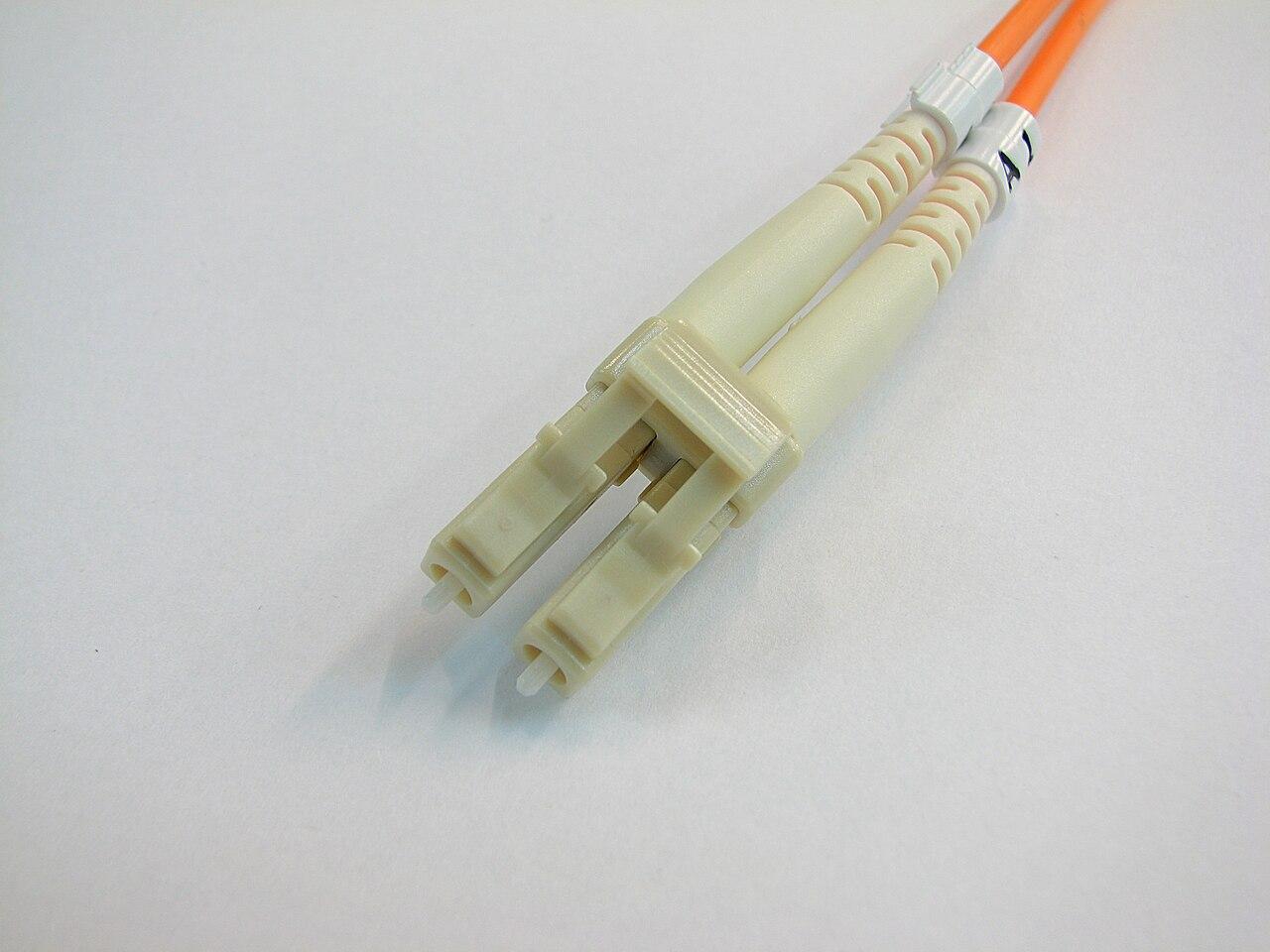
LC or SC: choose fiber connectors around the equipment
Compare LC and SC in a business fiber project by endpoint interfaces, panel space, maintenance access, and the complete patching plan.
Quick answer: Choose LC or SC by the interfaces your equipment and cabling system require, then check polish, fiber type, panel capacity, and service access. A connector format is not a network-speed rating. An existing SC panel may remain useful with an approved patching arrangement even when new equipment uses LC, so evaluate the complete link before replacing it.
A switch replacement often exposes a difference that was hidden in the original design: the building panel and the new equipment use different fiber connectors. That can look like a reason to replace the whole panel. Sometimes it is; sometimes the appropriate work is a clearly specified patch cord and a careful review of the existing link.
The purchasing decision should be based on the route from one optical interface to the other. It must account for how the connection will be installed, tested, identified, and serviced. That approach keeps a minor component choice from becoming an unnecessary building project or an improvised rack arrangement.
Identify the physical format without treating it as a speed class
The Fiber Optic Association's connector identifier describes SC as a push-pull connector with a 2.5 mm ferrule and LC as a smaller format using a 1.25 mm ferrule. These details help identify the physical connection. They do not state the supported speed of the whole optical link.
A buyer should therefore avoid descriptions such as faster LC cable or old slow SC fiber. The installed fiber, optical interfaces, channel length, component performance, and application requirements need their own review. Replacing the connector format alone does not establish that an existing route can support a different application.
Use photographs to help the technical team identify what is present, but preserve exact product information where available. A panel overview, port label, and assembly part number are more useful together than a close photograph with no location context. Record which observations are confirmed and which still require an on-site check.
Let the equipment interface anchor the decision
List the endpoint devices and optical modules before selecting the patch cords. Read the interface requirements for the actual part number. Cisco's SFP+ module data sheet, for example, specifies connector details alongside optical application and fiber requirements. The port's complete specification should drive the purchase.
If the equipment belongs to a carrier or another service provider, confirm the authorized handoff and responsibility before planning changes. A customer-owned patch panel may be available for your project while a nearby provider connection must remain under its existing support process. Write that boundary into the work order.
For new installations, coordinate the equipment and panel choices while both remain flexible. The network hardware buying guide helps organize the equipment side. Avoid buying a panel solely because it matches the last project when the current endpoints, strand count, and room layout have different needs.
Decide whether the existing panel needs replacement
Start with its condition, ownership, available capacity, identification, and documentation. Determine whether the current terminations are suitable for the intended application. A panel may have enough physical openings while the useful strands are untested, poorly labeled, or already allocated to another service.
Ask the designer to compare retaining the panel with a supported patching arrangement against replacing or reterminating it. Include outage requirements, access, testing, and record updates in both options. The comparison should show what work each approach actually avoids or introduces rather than assuming newer-looking connectivity is automatically the better investment.
In a hypothetical office upgrade, the existing SC panel might serve a documented fiber route that remains suitable, while the new switch requires LC at the equipment. That is a reason to evaluate a properly specified transition cord. If the panel is damaged or lacks room for planned connections, a replacement may have a separate business justification. Keep those reasons distinct in the quote.
Specify the cord beyond LC and SC
A complete cord description names both ends, their polish, the fiber category, length, and required construction. Corning's cable assembly portfolio includes LC and SC variants with different finishes. The catalog illustrates why a request for one LC-to-SC lead still leaves important choices unresolved.
Check the mating surfaces at each end. Fluke Networks' APC guidance warns against directly mating APC and UPC endfaces. A compatible connector format does not resolve an incompatible polish. Have the technical team identify each interface before ordering and label any approved transition so its orientation is clear.
For a duplex application, record the strand relationship and required polarity through the entire path. Do not assume that a cord's color or the arrangement of two visible connectors proves the final mapping. The installed path includes any intermediate panel connections, and the handover should explain which equipment interface each strand reaches.
Compare usable panel capacity and service access
Smaller connectors can support compact layouts, but the panel's published capacity is only a starting point. Ask how many fibers the proposed configuration terminates, how many usable application links it provides, and how much room remains for the planned expansion. Keep fibers, connector positions, and links as separately labeled quantities.
Consider how someone will reach a connector after the rack is populated. Dense patching can make labels, inspection access, and cord routing harder to manage if the layout is not planned. Review door clearance, cable management, and the ability to service one connection without disturbing neighboring links. Use the selected panel's actual installation requirements rather than a generic spacing assumption.
Before approving the arrangement, check:
- Current strand assignments and the expansion capacity actually required.
- Front and rear access for the selected panel and termination method.
- A clear route for each cord without strain or obstructed equipment access.
- Readable port labels that correspond to the final drawing.
- Appropriate spare components and inspection accessories for the interfaces.
This review turns density into an operating decision instead of a simple comparison of the largest number on a product page.
Make the acceptance scope match the final patching
State which parts of the cabling path are included in testing and which operational checks follow equipment connection. Identify the final patch cords and intermediate components so the test plan does not describe a shorter or different path from the one placed in service.
Ask for test records linked to the panel, port, and strand identifiers used in the drawing. If the installation includes an approved LC-to-SC transition, preserve that detail in the material list. The fiber testing guide provides a framework for agreeing on the deliverables before the work starts.
When the installation changes, update both the records and the relevant acceptance checks. A last-minute cord substitution may look minor to purchasing but still alter the approved component list. The closeout should describe the installed result, including any accepted exception. Do not leave the maintenance team with a drawing that represents the original quote rather than the operating network.
Standardize replacement stock around verified site needs
Create a small inventory of the cord types and panel components actually used at each location. Name both connector ends and tie the stock item to a verified part or approved specification. Keep ambiguous legacy spares out of the ready-to-use supply until their details are identified.
For a nationwide business, standardize the inventory fields and ordering process while allowing supported site variations. A branch with an existing SC panel and another with LC throughout need not be forced into a disruptive retrofit solely to make a spreadsheet uniform. Record the exception and its maintenance implications so future projects can make an informed choice.
Review stock after a major equipment change. Obsolete or unidentified items can create confusion during the next urgent replacement. Preserve what remains useful with clear labels, and document which new parts need replenishment. A manageable range of known components is more valuable than a large drawer of cords whose purpose depends on somebody remembering the original installation.
The takeaway
LC and SC describe physical interfaces within a larger optical design. Start with the equipment requirements, evaluate the existing cabling and panel, and specify every patch cord completely. Replace infrastructure when the evidence supports the work, with outage and acceptance requirements included in the comparison.
The final result should be easy to operate: clear port records, accessible patching, traceable tests, and known replacement parts. Those details matter long after the connector choice disappears from the purchasing conversation.
Review your building's fiber connections
BlueHouse Telecom helps businesses nationwide plan fiber installation and connection work. Share your equipment changes, panel information, and expansion needs to define the practical scope.
FAQ
Is LC faster than SC? The connector format alone does not determine link speed. Evaluate the optical interfaces, fiber, length, channel components, and supported application as a complete system.
Must an SC patch panel be replaced for an LC switch interface? Not automatically. A designer can evaluate whether a properly specified patching arrangement supports the intended link. Panel condition, capacity, and test evidence also matter.
Is LC-to-SC enough information to order a cord? No. Specify the polish at both ends, fiber category, length, and required construction, and confirm the intended mating interfaces and strand mapping.
Should all locations have identical panels? Consistency can simplify support, but existing conditions and equipment may justify differences. Standardize records and approval criteria, then document the accepted configuration at each site.