
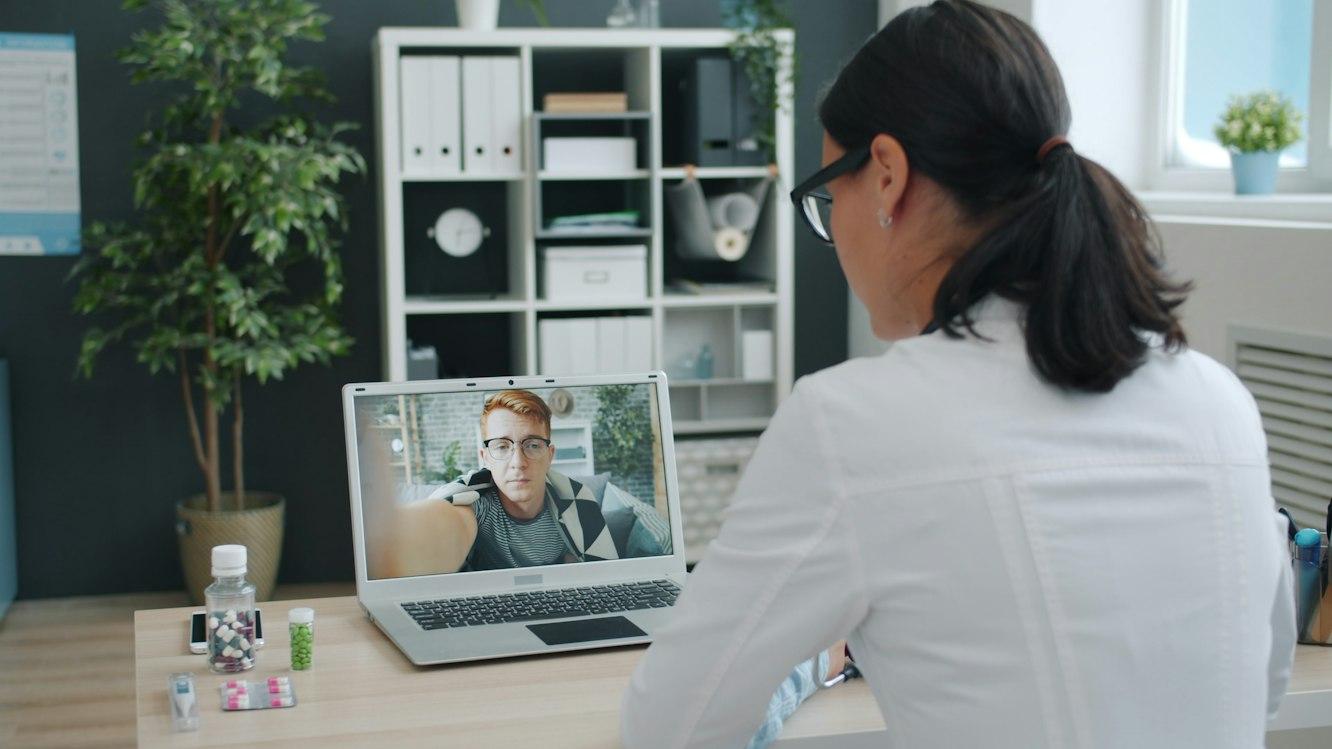
Plan Telehealth Room Connectivity and Support
Plan a telehealth room around the actual visit workflow, clear audio, supported connections, and a usable help path.
Quick answer: Test the entire telehealth appointment workflow from the room where the clinician will work, using the approved platform and actual equipment. Check audio, video, joining, and support under representative conditions. Have the clinical team decide how an interrupted visit is handled; a network backup does not by itself define an appropriate care alternative.
A room with a fast connection can still produce an awkward video visit. The microphone may pick up the corridor, the camera may frame the doorway, or the clinician may need to leave the appointment screen to find a support number. These problems are visible only when someone rehearses the work from the room.
This planning guide focuses on the infrastructure and operating arrangements behind that rehearsal. The clinic's clinical, privacy, and application owners decide which platform, care processes, and contingency options are appropriate. The aim is to give them a room that behaves predictably and a support path that does not depend on improvisation.
Walk through the appointment before choosing equipment
Ask the clinical and administrative teams to describe how a visit is scheduled, how the invitation reaches the patient, how the clinician joins, and what applications are needed during the appointment. Identify the steps performed inside the room and the steps handled elsewhere.
HHS's telehealth workflow guidance treats staffing, technology, and patient access as connected planning questions and recommends a practice run with a colleague. For the room project, translate that into an approved rehearsal with named observers and a clear description of what will be tested.
I would choose the camera and display after this walkthrough. A device that looks impressive in a demonstration may be inconvenient for the clinician's actual tasks. The point of the room is to support the visit, so its layout should follow the work rather than force the work around a product presentation.
Obtain requirements for the exact platform
Ask the platform provider for its current supported devices, browsers or applications, connection requirements, and approved troubleshooting methods. Include any integration the clinic intends to use. A specification for a generic video call may not describe the clinic's chosen arrangement.
Have the network team review those requirements against the available internet service and local network. Evaluate the expected number of simultaneous sessions and other significant activity sharing the connection. Avoid presenting a single speed-test result as proof that every planned visit can run at the same time.
The business network hardware guide can help organize switches, access points, and local cabling, but platform-specific requirements still govern the application trial. Keep the tested device and software versions in the room record. Otherwise, a later replacement may quietly turn a proven combination into an untested one.
Listen to the room before judging the camera
Run a practice conversation from the clinician's normal seated position. Ask the remote participant to describe intelligibility, room noise, and interruptions. Test with the door in its intended position and with ordinary nearby activity represented as far as practical.
A microphone mounted neatly on a desk can still be a poor fit for that room. The appropriate arrangement depends on the platform, the room's use, and the clinic's privacy expectations. Have the responsible team compare supported options through listening tests rather than assuming the most expensive device will be best.
Keep the clinical content out of a technical rehearsal. Use non-patient test material and the clinic's approved process. Record the equipment settings and the observed problem, not a sensitive conversation. If the room layout allows others to overhear or view the session, bring that concern to the clinic's privacy and facilities owners before accepting the room.
Check the image from the remote participant's view
Evaluate the picture at the receiving end. Ask a colleague to observe the clinician's position, lighting, and background while the clinician performs ordinary supported tasks. A camera preview on the local computer is only one view of the experience.
Check whether moving to a second screen changes the clinician's position substantially and whether the chosen furniture makes the device easy to use. If the room supports more than one clinician, repeat the trial with the range of seating adjustments expected in normal use. Avoid fixing the setup around one person's posture and calling it a shared-room standard.
Have the clinic decide what may be visible in the background, including screens, papers, and the doorway. The network team can help arrange the equipment, but the clinic owns the privacy and workflow decision. A camera placement that captures the intended participant clearly is only acceptable if its surrounding view is also appropriate.
Test the connection while the clinic is working
Choose representative times and an approved test method for observing the room alongside other expected activity. Compare the application experience with the network team's measurements. Record whether a problem affects sound, picture, joining, or another specific part of the workflow.
A useful room trial includes:
- Joining an approved test appointment from the normal room account and device.
- Sustaining a conversation while using the supported applications needed for the visit.
- Checking a representative period with other clinic activity present.
- Following the approved response to a simulated connection problem.
Do not create disruption to live care in order to make the test realistic. The clinic determines appropriate scheduling and safeguards. Where a condition cannot be reproduced, state that limit and agree how it will be observed later. A qualified result is more useful than an unsupported claim that the room has been tested under every possible load.
Give the patient side its own preparation path
A clinic-controlled room cannot determine the patient's device or connection. Assign responsibility for helping patients understand the approved joining process and for identifying technical barriers before the appointment where possible. Keep this support distinct from the clinician's room setup.
HHS's patient technology preparation guidance recommends checking device and connection availability, providing setup instructions, and offering a practice appointment when possible. Use those recommendations within the clinic's chosen workflow rather than assuming that a familiar app is equally familiar to every patient.
Test the invitation and instructions with someone unfamiliar with the setup. Ask them to explain where they would seek help if the expected screen does not appear. If the only help link is inside the screen they cannot open, the support design needs work before the room is declared ready.
Agree who takes over when a session fails
The room needs a reachable support contact and a short way to describe a technical problem. Decide who checks the local equipment, who checks the platform, and who communicates with the patient. These roles may be handled by different people, but the clinician should not have to discover the arrangement during an appointment.
Have clinical leadership define the appropriate response to an interrupted visit, including whether and how an alternative arrangement may be used. Technical staff should not decide that changing to a different communication method is suitable for every clinical situation. The room instructions should reflect the clinic's approved process.
If a backup connection is proposed, test its application behavior and the transition through an approved rehearsal. Record what the clinician must do after the change and whether the visit remains connected or needs to be rejoined. Keep the result specific to the tested configuration; do not promise an invisible transition without evidence.
Leave a room record that survives staff changes
Keep the approved equipment list, device configuration reference, support contacts, and test results accessible to authorized staff. Include a concise startup check and a clear route for reporting a fault. The document should be usable by someone who did not attend the installation demonstration.
Identify who maintains the room after a software update, a device replacement, or a furniture change. Each can affect the tested experience in a different way. Decide which changes require another rehearsal and how the current room instructions will be updated.
For a broader clinic rollout, the healthcare connectivity overview can help frame location and support needs. Preserve the room-specific observations within that standard. Two rooms with identical equipment may differ in noise, light, or the way staff use the space, and those differences deserve direct attention rather than a copied acceptance result.
The takeaway
A telehealth room is ready when the clinic can rehearse the intended work and explain how help is obtained when part of it fails. Connection quality matters, but so do the microphone, the joining instructions, and the responsibilities that surround the appointment.
Accept the room through a practical trial using approved methods and non-patient test material. Keep the technical findings separate from clinical decisions, then give the responsible teams a clear record of what worked, what was limited, and what needs another check after a change.
Review the room and connection plan
Request a healthcare network review with your telehealth platform, room count, expected simultaneous sessions, and the clinical and application contacts responsible for acceptance.
FAQ
Is a fast speed test enough to approve a telehealth room? No. Test the approved application, actual room equipment, and expected workflow under representative conditions. Record the specific connection and application behavior instead of relying on a single download result.
Should the room use Wi-Fi or a wired connection? Evaluate supported options against the room's layout, equipment, and operating needs. Have the network and platform teams test the chosen arrangement and explain its limits before the clinic accepts it.
Can a backup connection replace a failed video visit automatically? Only the tested configuration can establish what happens to the application session. Clinical leadership still determines the appropriate response to an interrupted appointment and any permitted alternative.
Who should maintain the room instructions? Assign an owner within the clinic's support structure and include the relevant platform and equipment contacts. Update the instructions after changes that affect joining, devices, support access, or the approved workflow.