
Plan Construction Trailer Connectivity Through Project Phases
Plan jobsite internet and trailer Wi-Fi around mobilization, changing work areas, and the final move out.
Quick answer: Plan construction connectivity as a sequence of project phases, not a single trailer installation. Identify where people will work, which applications they need, and when those requirements change. Review service availability, equipment placement, and support arrangements again whenever the site layout moves materially.
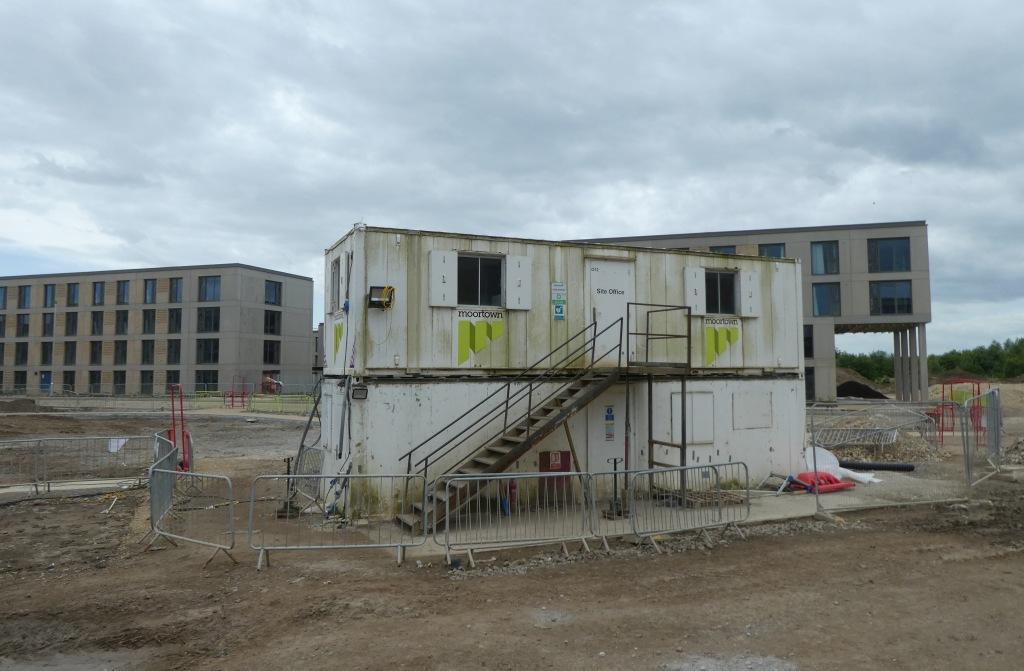
The trailer location on the first site drawing may disappear halfway through the project. A temporary office can move, another crew can arrive, and a work area can shift behind a newly completed structure. A connectivity plan tied only to the first layout has no answer ready for those changes.
Begin with the construction schedule and the people using the connection. The hypothetical planning approach below covers ordinary business internet and Wi-Fi for a jobsite. It does not assume that a single service type suits every location or that a provider's advertised coverage proves performance inside a particular trailer.
Describe the work in each project phase
Ask the project team to identify the places where staff will need to retrieve drawings, submit reports, join calls, or coordinate deliveries. Separate the initial mobilization period from the main build and closeout. The number of users matters, but their tasks and locations explain the actual requirement.
For each phase, identify which work can tolerate a delay and which needs an active connection at the point of use. Avoid grouping every application under general office internet. A large model download, a live meeting, and a short status update place different demands on the connection and the user's device.
Include the expected changes in staffing and work areas. A plan can remain flexible without pretending that the future layout is settled. Mark tentative dates and locations, then assign a review point before the project reaches them. That is more useful than buying for an assumed final state that later changes.
Confirm service at the actual installation point
Have prospective providers evaluate the site address and proposed installation location. Ask about the service options, lead times, contract conditions, and equipment requirements that apply to this project. A neighboring property's connection is useful context, but it is not confirmation that the trailer can receive the same service.
For wireless options, arrange an appropriate assessment at the intended location with the proposed equipment. Record the conditions under which the assessment occurred and the tasks tested. A result from a phone outside the gate may not represent a router inside the office or the workload during a busy period.
I would keep the service decision open until the physical installation details are understood. The easiest offer to order can become awkward if its equipment placement conflicts with the site plan. Discuss mounting, power, authorized access, and any required permissions before treating the quote as a finished solution.
Plan the trailer network around the people using it
Draw the workstations, meeting area, printers, and other approved business devices inside the trailer. Ask which require wired connections and which will use Wi-Fi. Have the network specialist assess the actual layout rather than assuming one device in a convenient corner will serve every occupied space.
Decide how visitors and project participants obtain the access they need. The design should reflect the business's access policy and the applications involved. A shared password passed informally between crews can become difficult to manage as the project grows and people leave.
Use the business network hardware guide to organize the equipment discussion. Choose devices for the agreed workload and installation environment, then confirm the supported power and mounting arrangements. Keep equipment choices connected to the jobsite plan rather than building a shopping list from familiar brand names.
Prepare mobile applications before crews leave the office
Offline access depends on the application and what has actually been downloaded. Procore's iOS drawing guidance explains that drawings must be downloaded and that later markups or versions require a connected sync to obtain current information. Confirm the relevant behavior for the devices and tools your crew uses.
Autodesk's mobile file guidance also distinguishes downloaded project content from content remaining in the cloud. Its current documentation uses Autodesk Forma naming. Verify the app, project, and permissions in your own environment instead of assuming every Autodesk product behaves identically.
Treat preparation as a work step. Ask an application owner to show staff how they confirm required information is available and current, then test that process using approved project content. Connectivity planning should account for synchronization before and after field work, not merely whether a file can be opened once.
Put layout changes on the connectivity schedule
Review the network whenever a planned site change could affect its placement or users. Useful review triggers include:
- Moving a trailer, equipment enclosure, or occupied work area.
- Adding a substantial group of users or a new application workflow.
- Changing the route or access conditions for installed connectivity equipment.
- Preparing to hand an area over while temporary offices remain active.
These triggers are planning prompts, not claims that every change will require new hardware. The appropriate specialist should assess the effect and recommend any adjustment. The value is in examining the change before staff discover that yesterday's working arrangement no longer serves today's location.
Keep the construction and connectivity contacts in the same conversation. A revised site drawing should reach the person responsible for network equipment early enough to plan access and any required service changes. Otherwise, the team may learn about the move only when someone starts packing the trailer.
Test the workload before accepting each phase
Agree on a small set of representative tasks for the current phase. Have authorized users retrieve the required project information, perform an approved upload, and use the communication tools that matter to their work. Record the device, location, and operating conditions so the result has a clear meaning.
Include the places where staff will actually use the service. Testing only beside the router can miss a meeting room or work area that the plan was supposed to support. Where connectivity is intentionally unavailable, make sure the approved offline process has also been demonstrated.
Keep the acceptance statement limited to what was tested. A successful afternoon check does not establish every future condition, and a mobile application test does not validate unrelated site systems. Identify any remaining observation needed during ordinary work and give the team a route for reporting problems.
Make support reachable from the jobsite
Give site staff a short support path that identifies the project, service location, and equipment owner. Distinguish an application problem from a connectivity problem enough to collect useful information, without expecting a supervisor to perform technical troubleshooting beyond the approved procedure.
Ask what happens when the primary contact is away or when the connection itself is unavailable. Provide an appropriate alternate communication method and confirm the provider's actual support arrangements. Do not describe support as round-the-clock unless the selected service and internal coverage establish that commitment.
Our construction connectivity page describes the wider project context. The practical support question is who takes responsibility for coordinating the issue from the site to the right provider or application team. Staff should not have to rediscover that relationship every time a new phase begins.
Budget for moving and ending the service
Include possible relocations, equipment handling, and closeout in the project budget discussion. Ask providers which changes require notice, a revised order, or new installation work. The answers depend on the actual agreement, so keep the relevant terms with the project's commercial records.
Before demobilization, identify which systems still rely on the temporary connection and who authorizes their transition. Construction completion and connectivity retirement may occur on different dates. Plan the overlap deliberately so the project does not remove service while closeout staff still need it.
Assign responsibility for equipment return, subscription review, and final billing checks. These tasks are easier to complete when the service records already identify the owner and location. A temporary connection should have an intended ending even if the exact date remains subject to the construction schedule.
The takeaway
A jobsite network needs a plan for change. Start with the work in each project phase, confirm the service at the intended location, and revisit the design when the site moves around it. The initial installation is only one point in the project's operating life.
Keep application preparation, support, and demobilization in the same plan. Those details determine whether crews can use the connection and whether the business can retire it cleanly afterward. A flexible schedule with clear review triggers is more credible than a promise that the first setup will suit every phase.
Plan the jobsite connection
Request a construction connectivity review from BlueHouse Telecom with the site location, project phases, and expected trailer moves.
FAQ
Can a temporary jobsite use a permanent business internet service? It may be possible, subject to provider availability, installation requirements, and contract terms. Compare the actual project duration and relocation needs before choosing a service based only on its advertised speed.
Does offline access remove the need for jobsite internet? No. Supported offline workflows still require preparation and later synchronization, and some tasks need an active connection. Verify the exact application and device behavior with the project application owner.
Should the network be reviewed after a trailer move? Yes. Confirm the service arrangement, equipment placement, power, and user workflows at the new location. A working setup at the previous position does not establish acceptance at the next one.
Who should coordinate connectivity changes with the schedule? Assign a project contact who can connect the construction team with the network and service providers. That person needs timely notice of layout changes and authority to route decisions to the appropriate owners.