
Outdoor camera ratings are only part of the placement plan
Match outdoor cameras to temperature, exposure, accessories, mounting, and maintenance; a housing rating alone does not prove useful coverage.
Quick answer: Select an outdoor camera for the conditions at its actual mounting point, including temperature, water exposure, physical contact, and service access. Verify the complete installed arrangement, not just the housing's rating. Then test whether the image remains useful in the relevant light and weather conditions, because a camera can keep operating while its view becomes unusable.
A device can survive outside and still fail the business's recording task. Water on the viewing surface, a nearby light reflecting into the image, or dirt accumulating in front of the lens can obscure the event without taking the camera offline. Equipment health and useful evidence are related but different checks.
The buying conversation should therefore include the setting around the camera. A protected office entrance, an exposed parking pole, and a loading area near vehicle movement present different conditions. A standard outdoor model chosen by habit may not be appropriate for all three.
Describe the mounting point in concrete terms
Record where the camera will sit and what happens around it. Include exposure to rain, direct sun, airborne material, cleaning activity, and nearby equipment. The designer needs the conditions at that point, not only a city name or a statement that the camera is outdoors.
Ask facilities staff about seasonal and operational changes. A loading area may be washed differently from an office facade; a pole may be exposed to wind and difficult to reach; a sheltered entrance may still collect dirt or reflected light. Local knowledge can reveal conditions absent from a short daytime visit.
For a hypothetical service yard, the most convenient network route may end beside an activity that repeatedly coats nearby surfaces. Moving the camera a short distance or choosing an approved protective arrangement could matter more than increasing its resolution.
Use the camera installation checklist to turn those observations into proposal requirements. If a condition cannot be evaluated yet, identify the pending review. Do not quietly assume that a catalog description covers every exposure at the site.
Read ratings as separate pieces of evidence
Review the exact model's specifications and installation instructions. An ingress rating, impact rating, operating temperature range, and stated outdoor suitability describe different aspects of the product. One favorable number should not be used as a substitute for all the others.
Axis's environmental guidance explicitly warns that an IP classification alone does not establish outdoor suitability. It also treats temperature and exposure to physical interference as separate concerns. The practical response is to match the selected product to the location, not rank cameras by one rating label.
Ask the supplier to explain any environment-specific requirement using the manufacturer's documentation. Where a site has unusual chemicals, salt exposure, washdown procedures, or another demanding condition, obtain a suitable product review instead of assuming a generic outdoor enclosure covers it.
Keep the installed configuration in view. Accessories, cable entries, mounting orientation, and the way a housing is assembled may matter to the supported arrangement. A suitable camera body should be installed with the components and method the manufacturer specifies for the actual location.
Include temperature behavior in the power review
Confirm the expected operating conditions against the selected product's requirements. Ask whether startup, heating, illumination, or other features change the supporting power design. The installer should review the complete arrangement rather than base it on a convenient daytime measurement.
Axis's power-consumption paper distinguishes typical and maximum consumption and the conditions behind those figures. Its discussion is a useful reminder that a camera's quiet operation on a mild day does not define every demand it may place on the supply.
Have the network and power design account for the actual equipment and required operating state. Include the switch or injector, permitted cabling, and any other devices at the location. Do not convert a camera-only figure into a complete outdoor installation power budget without reviewing the remaining components.
For a hypothetical remote corner, a camera may work during a daytime test but use additional features under colder or darker conditions. Acceptance should establish the planned support for those conditions, with untested seasonal behavior clearly identified. It should not become a promise that one observed power reading covers the entire year.
Protect the view without creating another obstruction
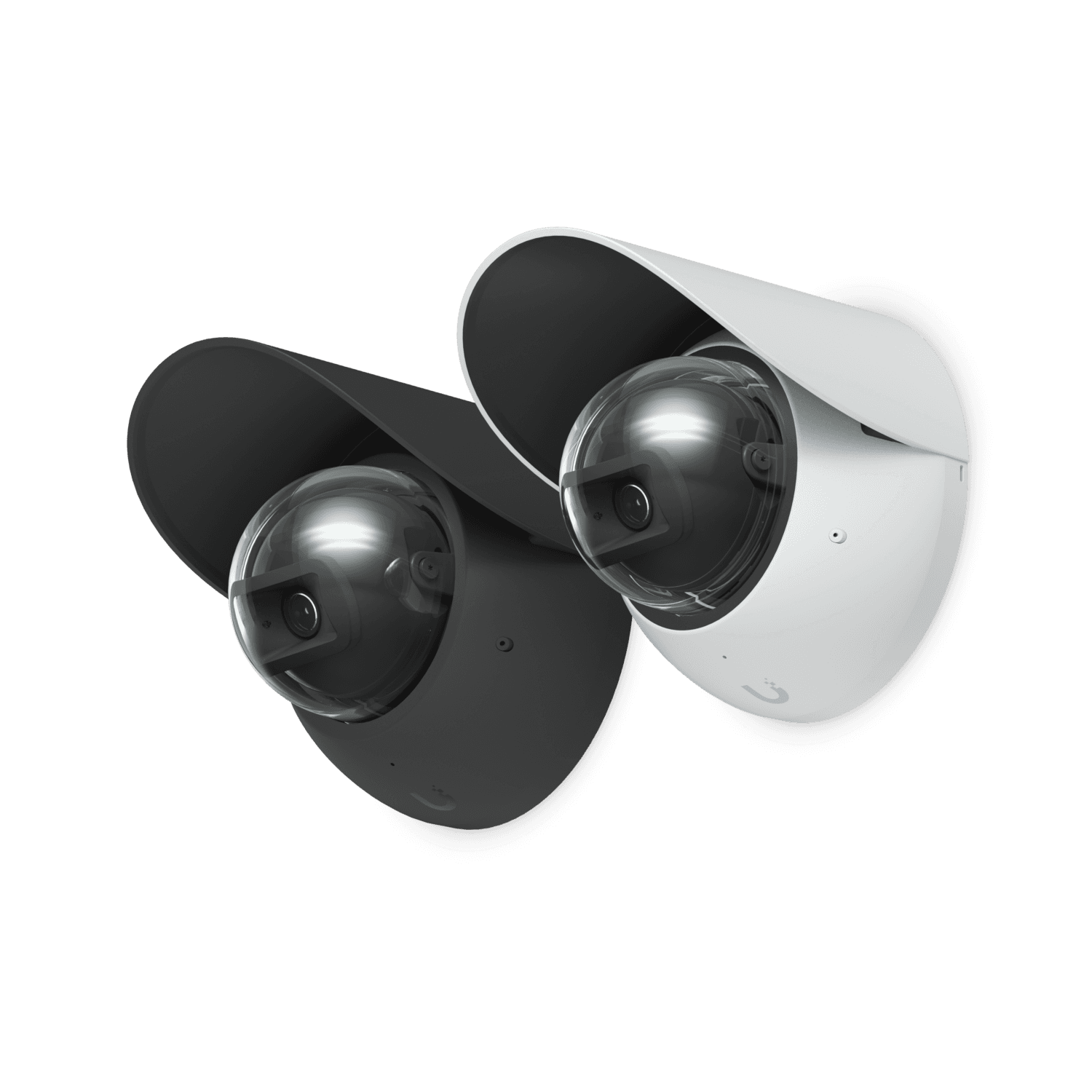
A weather shield or other supported accessory may help a particular installation, but it needs to suit the model and mounting arrangement. Confirm what problem the accessory addresses and whether it affects the view, illumination, maintenance access, or surrounding equipment.
Consider nearby reflective surfaces and objects close to the lens. A wall edge, canopy, or poorly placed fixture can interfere with the intended image. Test the proposed viewpoint after the final mounting and accessories are installed, including the lighting modes the business expects to use.
Avoid modifying a housing or improvising covers to solve a problem without manufacturer approval. The responsible installer should use a supported solution and review any effect on environmental protection and image performance. The owner's role is to require a usable result, not invent construction details at the ladder.
If the location cannot deliver the agreed view under relevant conditions, reconsider placement. A more protected mounting point may be worth a different cable route, while a seemingly convenient position may require ongoing attention the business cannot realistically provide.
Make maintenance access part of the purchase
Ask how the viewing surface and mounting will be inspected and maintained. Include the safe access method, scheduling constraints, and any equipment needed to reach the device. A camera positioned beyond practical service access can become expensive to support even when its initial installation looks tidy.
Discuss what routine site activity may affect the view. Landscaping growth, new signs, dust, and changes in nearby lighting can reduce usefulness gradually. The business needs a way to notice those changes before an incident reveals that weeks of recording were difficult to interpret.
A maintenance discussion should cover:
- The approved inspection and cleaning method for the selected camera.
- Practical access to the mounting location.
- Who checks image usability and how faults are reported.
- Which scene changes require a placement review.
- How accessories and cable entries are inspected after service.
- How the intended view is restored and checked after adjustment.
Confirm whether image checks and scheduled maintenance are included in the proposal or remain the owner's responsibility. Agree on the required service scope and responsibilities for the project. The useful decision is whether the proposed arrangement can be maintained with the resources the business will actually have.
Test image usefulness through relevant conditions
Begin with the event the camera must explain. A vehicle passage, doorway interaction, and general perimeter overview can require different kinds of detail. Use an authorized demonstration of that event and review the saved result, rather than accepting a bright still picture of an empty scene.
Include available conditions that challenge the view: changing light, darkness, ordinary activity, and relevant weather where practical. Do not expose equipment or people to unsafe improvised tests. The installer can identify an appropriate demonstration and any manufacturer evidence needed for conditions that cannot be observed during the visit.
Label limitations honestly. A dry afternoon test does not establish performance during every storm, and a winter specification does not prove a particular lens will remain unobstructed in every location. The owner should understand which aspects were demonstrated and which depend on the approved design and maintenance plan.
Review playback and export using the actual operational account. The camera's outdoor suitability is only one part of the system; the relevant recording must still be available, understandable, and accessible to the authorized person who investigates an event.
Compare the complete outdoor alternatives
Put the proposed camera, mount, accessories, cable route, power support, and service access into the comparison. An inexpensive housing can require a costly location or an impractical maintenance arrangement. A different position may deliver a better result without requiring the most expensive camera in the catalog.
Ask each proposal to address the same conditions and evidence task. If one includes a weather accessory or access equipment and another does not, resolve the difference before comparing totals. A lower number is not meaningful when it omits work necessary for the selected location.
For a hypothetical parking approach, a wall position with an appropriate angle may be easier to service than a distant pole. A pole could still be justified if it supplies essential detail the wall cannot. The survey and demonstration should explain that tradeoff rather than rely on a preferred installation habit.
At handover, retain the installed model and accessory references, accepted images, and relevant maintenance instructions. Future replacements should be checked against the same location requirements. A camera that fits the existing bracket is not automatically an equivalent substitute for the original outdoor task.
The takeaway
Outdoor suitability is a combination of product requirements, site exposure, installation details, and continued image usability. A rating on a specification sheet is evidence to interpret, not a complete placement plan.
Choose the camera and location together, verify the supporting power and accessories, and make service access realistic. Acceptance should show the required recorded event under the agreed conditions while making remaining limitations clear.
Scope the camera for its actual environment
BlueHouse Telecom helps businesses plan security camera installations nationwide, including outdoor placement, supporting equipment, and practical acceptance requirements.
FAQ
Does an IP rating alone prove a camera is suitable outdoors? No. Review the exact product's stated application, temperature limits, installation requirements, and the site's exposure. Ingress protection is one part of the selection.
Can a working outdoor camera still produce unusable footage? Yes. Dirt, water on the viewing surface, obstructions, and difficult lighting can affect the image while the device remains online. Include image checks in the maintenance process.
Should the power design use the camera's typical consumption? Have the responsible designer review the manufacturer's requirements and the features needed under relevant conditions. A typical figure is not automatically sufficient for supply selection or the complete installation budget.
When should placement change instead of adding accessories? Reconsider the location when supported accessories cannot deliver the required view or when service access is impractical. Compare the full installation and maintenance consequences of each suitable alternative.