
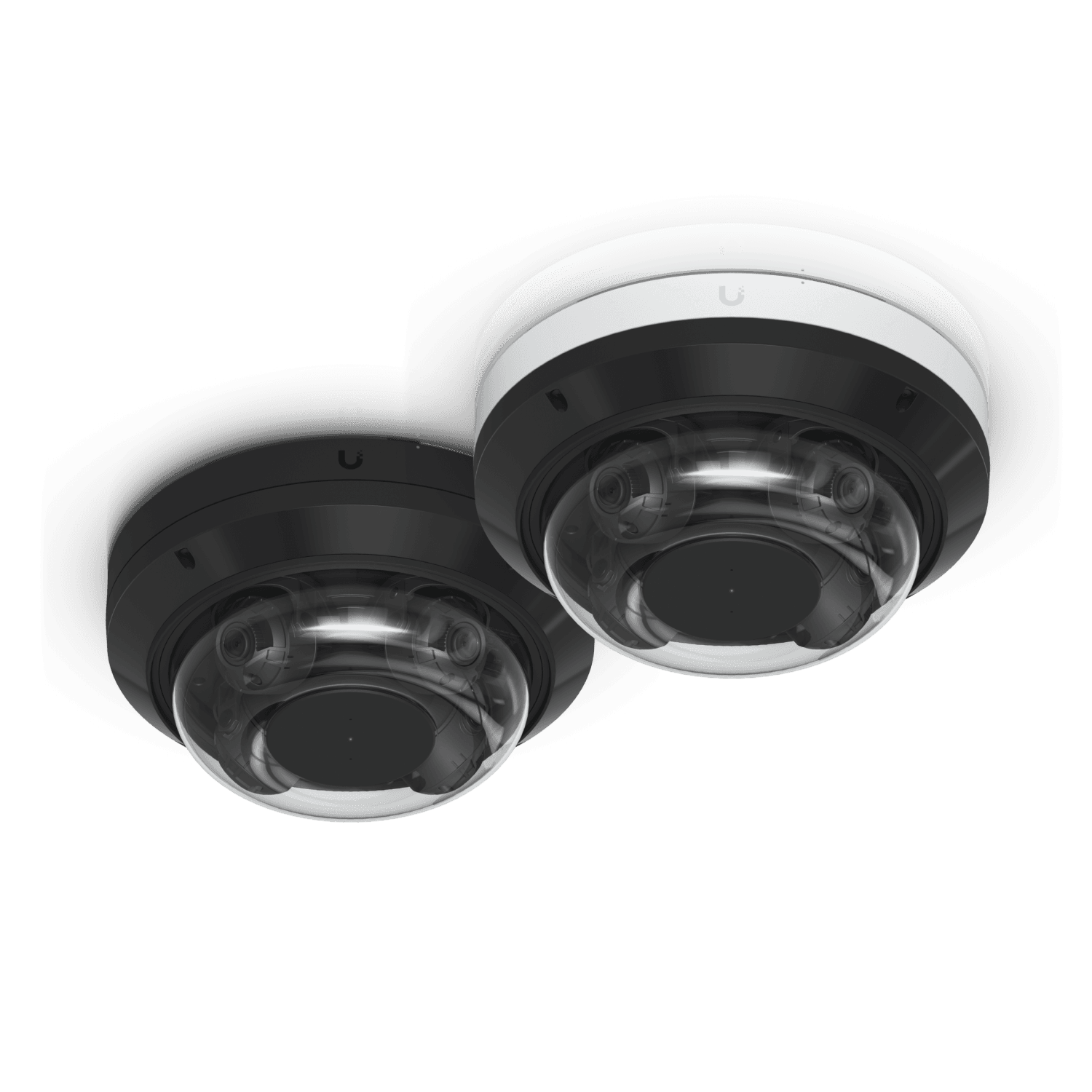
When a multisensor camera helps at a building corner
Compare multidirectional camera heads, corner placement, recorded channels, shared dependencies, and useful detail before combining views.
Quick answer: A multidirectional camera can be useful at a building corner when one suitable mounting position can deliver several required views at the same time. Confirm the direction, useful detail, and recording behavior of every head. Compare that arrangement with separate cameras, including the shared equipment dependency and the places a single mounting point still cannot see well.
A corner is attractive because two approaches meet at one place. It can also be deceptive: a camera mounted neatly on the corner may look down both walls while missing the doorway beneath it or losing a person behind a projecting canopy. The mounting convenience does not settle the evidence question.
The term multisensor is also used broadly in proposals. Some devices combine images into one panorama; others offer independently aimed heads and separate views. Establish which arrangement is being proposed before comparing camera counts, recorder capacity, or installation cost.
Identify the type of combined camera
Ask the supplier to describe the image arrangement in ordinary terms. Does the device produce a stitched panorama, several independently aimed views, or a combination with a moving camera? Those choices affect placement and review, even when the housings appear similar from the ground.
Axis's panoramic-camera paper distinguishes stitched multisensor views from multidirectional heads that can be adjusted toward different areas. Its building-corner example shows why sensor direction matters. Use that distinction to clarify the proposal rather than assuming every multisensor product behaves identically.
Specify the model and the number of useful recording channels. A salesperson's statement that one camera covers the corner may refer to one physical device while the recorder receives several streams. The installation drawing and recording scope should use terms that make both counts clear.
For a hypothetical office corner, two independent heads might be assigned to the front approach and a side service path. A broad stitched panorama could serve a different purpose. Choose between them by the required recorded views, not simply by which product is called panoramic.
Give every head a specific job
List the event each view must explain. One head may provide context along a walkway; another may show a controlled entrance; another may observe a vehicle approach. The assigned purpose determines the angle and useful detail required from that view.
Avoid aiming a spare head somewhere merely because it is available. Additional recorded material has value when it supports an approved purpose. If the location needs only two useful directions, compare an appropriate two-head device with a larger unit and separate-camera alternatives.
The Axis P4708-PLVE page describes two individually adjustable heads and two channels within a single device. That is an example of a specific hardware arrangement, not proof that every corner requires that model or that two views satisfy every entrance task.
Draw each proposed view separately. Label its intended event and the relevant distance or area. A single wide shape around the building corner can conceal that one sensor is aimed at an unimportant wall while the critical handoff between approaches remains poorly observed.
Check whether one mounting point suits both approaches
Stand at the proposed location and inspect each required direction. Consider building projections, doors, signs, landscaping, loading activity, and the normal positions of people or vehicles. A shared mounting point is useful only if it gives each assigned view an appropriate line of sight.
Height is a tradeoff. Moving the unit higher may clear an obstruction while making an identification angle less useful. A lower position may improve detail at an entrance but leave the device more exposed or make the other approach harder to observe. Evaluate both views together.
For a hypothetical retail property, the front sidewalk may be open while the side delivery entrance sits beneath a canopy. A corner-mounted device could provide good sidewalk context and a weak delivery view. A separate camera nearer the delivery task may be a more defensible purchase than insisting one housing handle both.
Use the camera installation checklist to document what remains unproven. If the proposed mounting cannot be evaluated safely during the survey, arrange an appropriate demonstration through the installer instead of treating the floor-plan view as final acceptance.
Follow a movement across the view boundary
Stage an authorized walk or vehicle movement that crosses from one approach to the other. Review the recordings as the event moves between heads. The business should understand whether it can follow the sequence and whether the relevant transition remains visible.
Watch for areas close to the wall or directly beneath the camera. Also inspect the boundary created by a canopy, column, or loading vehicle. Simultaneous recording in two directions does not establish that the space between them is useful for the intended task.
A small overlap may help a reviewer connect events, but the right arrangement depends on the scene and required detail. Ask the designer to demonstrate the result rather than promising a universal amount of overlap. Excessively widening both views can sacrifice the detail each was meant to provide.
Repeat the exercise under the relevant lighting conditions. The front face of a building may be bright while the side path is shaded or poorly lit. Each head's accepted view should work for its own environment; a good image from one channel should not stand in for testing the other.
Confirm how the recording platform treats the device
Ask how the selected recorder identifies and records each required channel. Confirm supported integration, licensing, stream configuration, retention requirements, and playback behavior for the exact model. One device address does not by itself establish one recording stream or one software license requirement.
Open the intended live layout and then inspect saved video. Verify that every accepted view is recording according to the project scope and that an ordinary authorized reviewer can find it. A channel visible during setup can still be omitted from the final recording configuration.
Use this acceptance list for the software side:
- Every required head or combined view appears under a clear name.
- The agreed recording mode and image settings apply to each needed channel.
- Event timing can be compared across the relevant views.
- The reviewer can retrieve and export the required sequence.
- Permissions reflect the intended audience for all included areas.
- Storage planning accounts for the actual streams being retained.
The Axis and Hanwha comparison guide provides a broader framework for comparing integration and operation. Test the specific combination being purchased instead of relying on compatibility claims for a different model in the same family.
Weigh shared installation against shared dependency
Combining views can reduce some physical installation work because the heads occupy one device location. Compare the complete bill of materials, cable routes, mounting work, power requirements, and maintenance access. Avoid assuming that fewer housings automatically produce a lower total cost for the same useful evidence.
The shared arrangement also deserves an availability discussion. If the combined device or its connection is unavailable, several views may be affected together. Separate cameras can have their own shared dependencies, so compare the actual design rather than declaring either option inherently redundant.
For a hypothetical property with a critical entrance on each side, the business may decide that both views should not depend on one physical unit. Another site may accept that tradeoff because the views are supplementary context. Make the decision against the importance of the tasks.
Ask how service affects the remaining views. Adjusting or replacing a combined camera may require checking every head again. Include that scope in maintenance expectations so a repair intended for one direction does not leave another accepted view pointing somewhere new.
Accept useful views instead of a lower camera count
Compare alternatives with the same staged event and the same required conditions. A multidirectional device should not be judged against separate cameras that were aimed at different tasks. The comparison is meaningful when each option is asked to deliver the same evidence.
Include ordinary reviewers in the demonstration. They may find separate named channels easier to follow than a crowded combined layout, or they may prefer a coordinated overview. The software arrangement should support their investigation task without depending on the installer's familiarity with the system.
Record the final purpose and position of each view. Useful photographs of the mounting and accepted images can help identify later changes. Keep the record focused on the system rather than including unnecessary sensitive activity from the property.
After landscaping, building work, or operational changes, revisit the affected views. The camera can remain healthy on the network while a new sign or storage position blocks one direction. Maintenance should include checking what each head can actually see, not only whether the overall device responds.
The takeaway
A building corner can be a good location for a multidirectional camera when each head has a clear task and a useful viewpoint. The shared housing should simplify a sound coverage design, not conceal gaps that a separate mounting position would solve.
Confirm each recorded channel, test movement between views, and compare both installation effort and shared dependencies. The useful outcome is a set of understandable recordings, regardless of how many housings appear on the final drawing.
Review corner coverage before choosing hardware
BlueHouse Telecom helps businesses scope security camera installations nationwide, including multidirectional placement, recording compatibility, and acceptance demonstrations.
FAQ
Are multisensor and multidirectional cameras the same thing? Product terminology varies. Confirm whether the proposed device stitches images into one panorama or supplies separately aimed views. The exact arrangement matters for placement, recording, and review.
Does one IP address mean one recording channel? No. A device can provide multiple channels through one address. Check how the selected recorder handles the actual model, including licensing, stream selection, and retention.
Can a corner camera identify everyone on both approaches? That depends on each view's angle, detail, lighting, and obstructions. Demonstrate the required task on both approaches rather than inferring identification from a broad coverage outline.
When are separate cameras preferable? Consider separate positions when one shared mount cannot provide suitable views, when operational requirements favor independent devices, or when the complete recording and maintenance arrangement works better for the site.