
Hotel common area cameras need a viewing policy
Define hotel camera purposes, staff viewing roles, guest-request handling, and privacy boundaries before accepting common-area coverage.
Quick answer: Plan hotel common-area cameras together with the rules for who can view, search, and share recordings. Give each view a defined purpose and exclude guest-room interiors and other private spaces from the project. Test the footage with normal luggage, queues, and lighting, then practice a guest inquiry using the staff roles that will handle it.
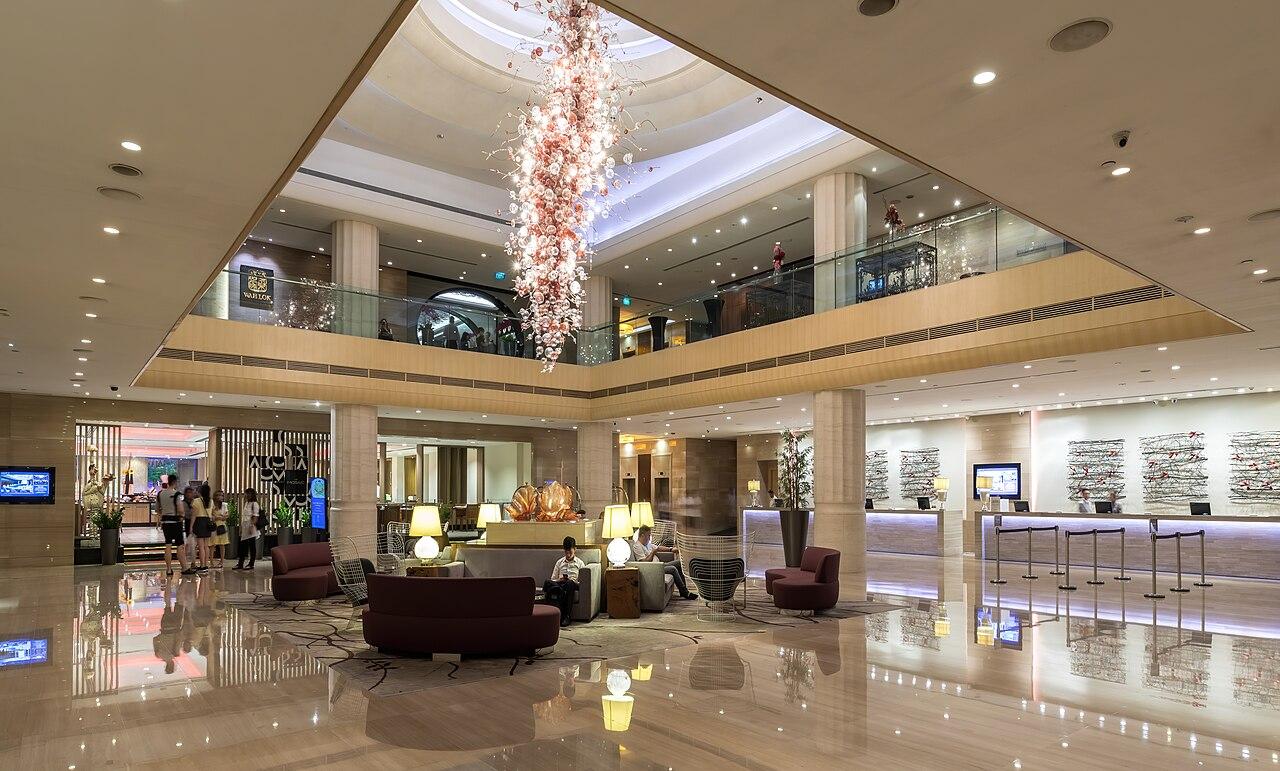
A lobby monitor can put more information in front of a guest than the hotel intended. A screen behind reception may show another entrance, a luggage area, or a recorded event while someone waits to check in. The camera location is only one part of the privacy decision; the viewing location matters too.
Hotels also operate across shifts. The person receiving an inquiry at night may have different responsibilities from the manager who reviews recordings the next morning. A useful system needs to preserve that distinction while making it easy for staff to report a time-sensitive concern.
Assign a purpose to each common-area view
List the events the hotel reasonably expects to review. An entrance camera might establish an arrival sequence. A luggage-area view might help reconstruct a handoff. A loading entrance might support a delivery inquiry. These purposes create different image requirements and different groups of authorized viewers.
Avoid treating common area as permission to capture everything nearby. A view down a corridor may include private interiors when doors open. A front-desk angle may expose reservation details or identification documents. Review the actual field of view and exclude areas that are outside the approved project purpose.
In a hypothetical luggage dispute, the useful question may be which bag was handed over at a designated counter. The camera should be tested with ordinary bags and staff positions, without assuming it can read every small tag or establish the contents of a closed suitcase. The receiving procedure may supply information that the video cannot.
Write a short purpose beside each camera on the plan. If nobody can explain what a view contributes, reconsider whether it needs to be recorded or whether another operating measure would better address the concern.
Walk the lobby during a realistic shift
A quiet lobby photograph misses queues, luggage carts, seasonal decorations, and staff movement. Plan the camera trial around representative conditions using authorized participants. The hotel should not need to collect unnecessary guest information merely to demonstrate the system.
Test the view with a cart in its normal waiting position and people standing where they ordinarily check in. A camera aimed over the desk may see mostly the backs of heads during a queue. Another angle may show the entrance well but miss the baggage handoff. Judge each against its assigned purpose.
Lighting changes deserve a separate look. Lobby daylight, evening fixtures, and adjacent exterior areas can produce different images. Review recorded movement in those conditions, not only a stationary live picture. If a view depends on a particular light remaining on, include that dependency in the operating discussion.
The hotel network planning guide can help coordinate camera connectivity with other property systems. Camera traffic, guest access, and hotel operations need an intentional network design; a working guest Wi-Fi connection is not a complete camera installation plan.
Separate live awareness from investigation
A night manager may need a limited live view to understand activity near a staffed entrance. Another role may investigate recorded incidents, while a smaller group manages camera settings and permissions. Decide these responsibilities before the installer creates one broad account for everyone behind the desk.
Verkada's camera role documentation shows how a platform can distinguish live-only viewing, historical viewing, and administration. The actual effective permission still depends on the account's assignments and inherited access. Use that distinction as a test requirement for the selected system, not as an assumption that every role label means the same thing across brands.
Check both the account and the physical screen. A restricted live-view account is not private if its monitor faces the queue. A manager's playback screen should not casually expose unrelated guest activity to visitors or employees who do not need it.
- Identify which roles need live viewing and which need recorded search.
- Limit export and administrative changes to the approved responsibilities.
- Test permissions using representative staff accounts rather than the installer account.
- Position viewing screens so ordinary guest traffic cannot read them.
Understand the limits of masking and redaction
Masking during capture or viewing and redaction of an exported clip serve different purposes. Axis's privacy paper explains these stages and describes configurations that can provide separate masked and unmasked streams. Ask which streams the actual installation records and who can access each.
A privacy feature should not become an excuse to aim a camera into a space outside its approved scope. Start with appropriate placement. Then use verified controls to address remaining concerns, recognizing that an export mask does not necessarily change the original footage available to internal viewers.
For a guest-related inquiry, a reviewer may need to prepare an authorized output that limits unrelated bystanders. Confirm the platform and workflow can produce that output, and test it using harmless sample footage. Do not promise a requester that any person can be removed perfectly or that every export can be shared without further review.
The hotel's responsible policy and legal teams should determine the applicable use and disclosure requirements. The camera proposal should describe technical capabilities accurately so those teams can make an informed decision. Product marketing about privacy does not settle the hotel's obligations.
Give every shift a useful inquiry process
Staff need a way to capture a concern even when the authorized video reviewer is unavailable. The intake should identify the location, approximate time, event description, and contact for follow-up. It should not require a front-desk employee to search unrelated recordings while guests wait.
Define when an inquiry needs prompt escalation because relevant footage may soon be overwritten or because the event requires another response. Camera review should fit the hotel's established incident process rather than create a parallel system that staff must invent under pressure.
A hypothetical guest who reports a missing bag after checkout may remember an approximate time but not the camera location. Staff can record the handoff area and other useful details, then route the request. The reviewer can decide what is visible and what further approval is needed before any disclosure.
Keep preservation distinct from release. The hotel may need to retain a relevant sequence for authorized review while still evaluating whether and how it should be shared. Staff should not promise direct footage access simply because a guest appears in the recording or requests it at the desk.
Resolve boundaries with other operators in the property
A hotel may share space with a restaurant, retail tenant, event operator, or parking service. Cameras around those boundaries can capture activity relevant to several organizations. Agree on the responsible operator and the route for requests rather than handing every business unrestricted access to the property system.
Consider the actual view, not only where the camera is mounted. A lobby camera might include a restaurant entrance, while an exterior view might show both hotel arrivals and a separately operated valet area. Decide which purpose belongs to the hotel and how the other operator participates in an inquiry.
Review temporary events as well. A conference registration desk can introduce visitor lists and screens into a previously empty area. The camera may still have a valid lobby purpose, but its incidental information changes. Event setup should include a brief view check when sensitive paperwork or equipment moves into the frame.
For a multi-property group, standardize these questions without assuming every hotel owns or operates the same spaces. The camera installation checklist can support the physical review, while each property's agreements define its operating boundaries.
Accept the system through a sample investigation
Use a harmless scenario with authorized participants, such as a sample bag moving through the designated handoff area. Give the reviewer an approximate time and location, then ask them to find the relevant sequence. This tests naming, permissions, retention behavior, and the usefulness of the picture together.
Have front-desk staff practice routing the request without granting themselves extra access. Confirm the reviewer can preserve the needed context and prepare the agreed output. If the task requires another view, identify that gap before accepting the camera layout as complete.
Retain a concise description of the accepted purpose and representative image conditions. Revisit them when furniture moves, a concession changes, or the property changes its staffing structure. A camera can remain online while its view or authorized audience gradually becomes inappropriate.
Avoid treating the test as proof that every future inquiry will be resolved. It demonstrates a defined workflow under representative conditions. Clear limits help staff give honest answers when an event occurred outside the view or when the recording cannot establish a requested detail.
The takeaway
Hotel common-area cameras need both a useful image and a workable viewing policy. The project should explain what each camera is for, who can see its outputs, and how a guest inquiry moves from the front desk to an authorized reviewer. Those decisions matter on every shift.
Choose placements that exclude private spaces and unnecessary desk information, then test realistic queues, luggage, and lighting. Across multiple properties, keep the review method consistent while respecting each building's layout and operating boundaries. The result should support a specific inquiry without creating casual access to unrelated guest activity.
Plan hotel common-area coverage
BlueHouse Telecom can help scope security camera installation for hospitality properties nationwide. Bring the common-area layout, staffing workflow, and the events your team needs to review.
FAQ
Should hotel cameras cover guest-room interiors? Guest-room interiors and other private spaces should be excluded from this common-area project. Review the full field of view, including what becomes visible when doors open, before accepting a placement.
Does every front-desk employee need playback access? Not necessarily. A limited live view and a clear inquiry process may fit some roles, while recorded search and export remain with designated reviewers. Test the permissions supported by the selected platform.
Can a guest receive a recording immediately at reception? Staff should follow the hotel's approved request and disclosure process. The existence of footage does not remove the need to review the request, relevant context, and information about other people.
When should hotel camera views be checked again? Recheck after layout, lighting, event setup, concession, or staffing changes that affect the approved purpose or access. A short sample inquiry can reveal whether the footage and workflow still serve the intended task.