
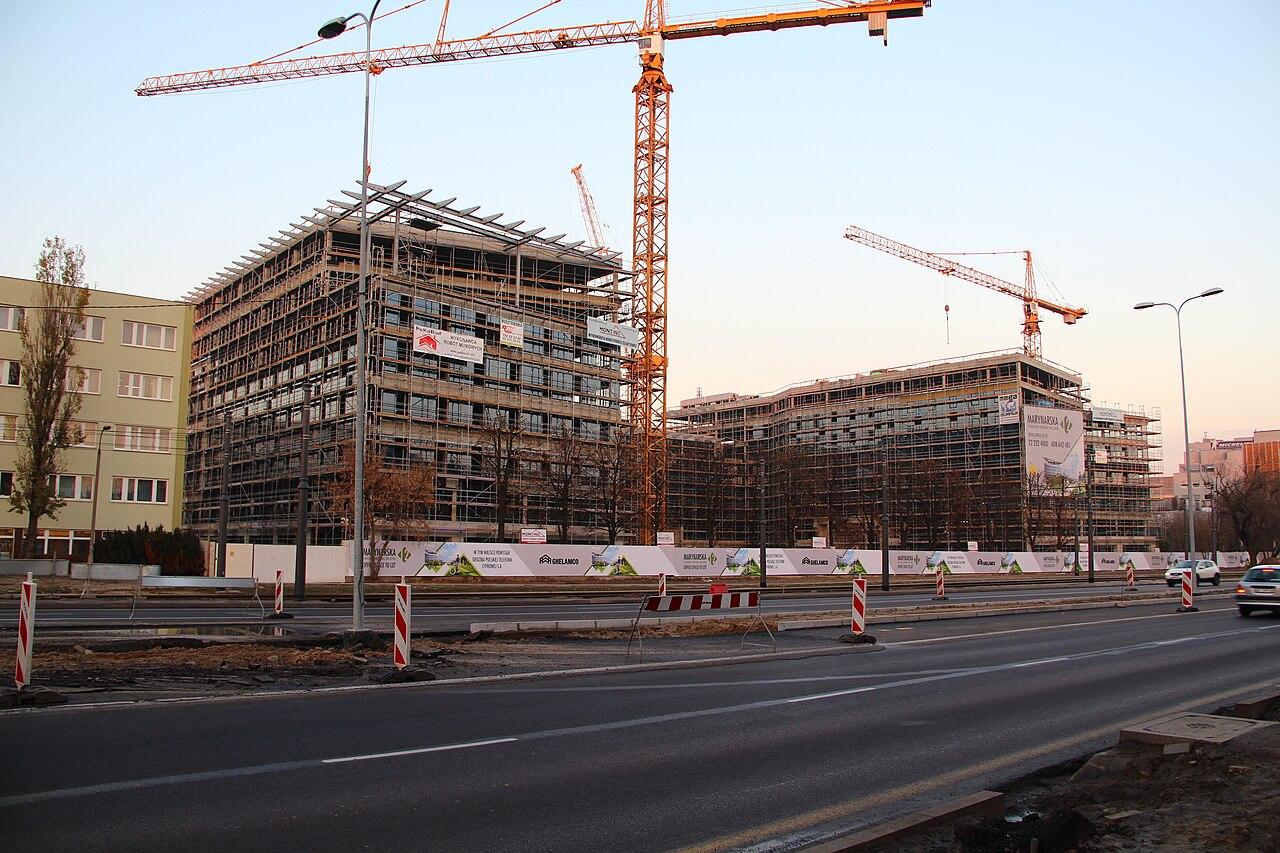
Construction cameras: change the plan as the site changes
Plan construction cameras around site phases, moving gates, temporary power, connectivity, and the final transition to permanent systems.
Quick answer: Design construction camera coverage by project phase, not only by the first site drawing. Gate moves, material storage, new walls, and changing power can make an initial camera position ineffective. Include relocation triggers, connectivity checks, and the final equipment disposition in the scope before choosing a temporary system.
A camera that has a clear view of a jobsite on Monday may look directly into stacked material by Friday. Later, a new wall can divide the scene, the delivery gate can move, and temporary power can be removed before the permanent network is ready. The camera may remain online throughout those changes while its useful coverage disappears.
Construction security therefore needs a changing plan. The value of a temporary camera is not simply that it can be installed early; it is that the project team understands when its purpose, location, or supporting infrastructure must change. That is a more useful buying question than whether a product is marketed as jobsite ready.
Start with the phase that needs coverage now
Describe the current site activity: early ground work, structural construction, enclosed finishing, or final turnover. Each phase changes what needs protection and what a camera can reasonably see. Early equipment storage may be spread across a large open area, while later work may concentrate valuable material behind walls that did not exist during the first survey.
Choose a small number of specific review tasks for the current phase. For example, the team may need to reconstruct a delivery at the vehicle gate or review access to a material enclosure after work hours. A single panoramic view can provide context but may not supply the detail needed for either task.
A hypothetical project that moves its storage compound halfway through construction should treat that move as part of the camera scope from the beginning. Otherwise, a camera positioned for the old compound can remain in place because nobody has explicitly connected the construction milestone to surveillance coverage.
Put moving gates and obstructions on the drawing
Mark the expected sequence of site entrances, delivery paths, storage areas, temporary offices, and occupied work zones. The drawing does not need to predict every daily change. It needs to show the changes already known to affect the camera task and identify who will flag new ones during normal site coordination.
Review the scene from the proposed camera position, including objects that may not be present during the first visit. Tall deliveries, parked equipment, scaffolding, temporary signage, and new structures can block a view. A high mount can reduce some obstructions while making the intended subject too small or steeply viewed for useful detail.
Use a short set of relocation triggers:
- A gate or delivery route moves beyond the tested view.
- Materials or new construction block the approved subject area.
- The supporting power or network connection changes.
- The project enters a phase with a different after-hours exposure.
A trigger should lead to a coverage review, not an automatic instruction for site staff to move equipment. Mounting, access, and electrical work need the appropriate qualified personnel and site controls.
Distinguish an overview from a usable event record
A broad view can help someone understand what occurred across the site. A delivery record may need to show a particular handoff or vehicle path. A camera used for project progress imagery may be positioned for an attractive construction overview and still be poorly placed for an incident near the gate.
Define those outputs separately. If progress images are a project requirement, decide how they will be captured and shared without assuming the security recording system automatically supplies the desired result. Similarly, do not promise readable plates or identifiable faces everywhere in a large yard from one distant viewpoint.
Test the approved event using arranged movement through the relevant area. Review the recording at the normal viewing size and at the time of day the task matters. The camera installation checklist is useful for framing that demonstration around an outcome instead of a camera count.
Treat temporary power as a changing dependency
Ask what powers the camera, recorder, communications equipment, and any other required component. A camera on a battery-supported pole does not automatically keep the remote connection or associated recording path available. Likewise, a temporary circuit may be reliable during working hours but deliberately switched off when crews leave.
Map planned changes in power responsibility. The electrician may remove a temporary feed during a construction milestone, or a generator arrangement may end before permanent service is ready. Make the camera dependency visible to the people scheduling those changes so loss of coverage is not discovered during an incident review.
Where a proposed system uses batteries or solar equipment, request a site-specific operating basis, service plan, and recovery process. Expected load, placement, weather, and the period without charging affect suitability. A generic autonomy claim should not stand in for an explanation of what the quoted configuration can support at the actual site.
Keep electrical design and safe installation within the qualified project scope. The buyer's task is to make the intended operating period and dependencies clear, rather than improvising temporary power to keep a camera online.
Test cellular connectivity where the equipment will operate
Axis's temporary-surveillance discussion describes construction deployments using cameras, cellular connectivity, and remote video management. Those are possible components of a solution, not proof that a particular carrier or camera package will perform at a particular jobsite.
Evaluate the actual installation location with the proposed service and equipment. An office phone's signal indication near the trailer is not a measurement of sustained video upload from a camera mounted elsewhere. Consider normal site activity and the periods when remote users are expected to review footage, including any carrier plan restrictions relevant to the workload.
Ask what happens if connectivity is lost. Does the chosen configuration continue recording locally, how long can it do so, and how is that footage recovered? If remote review returns later, demonstrate the available record instead of assuming every platform automatically uploads all missed footage.
The construction connectivity guide can help separate office internet needs from camera traffic. Both may use the same upstream service, but large file transfers and remote video review can compete during a busy period. Priorities should be explicit.
Decide what an alert will cause someone to do
An activity notification is useful only when its recipients understand the response. Specify which events deserve attention, who receives them, and what the project expects during working hours and after hours. Do not let a camera feature imply that BlueHouse or another party is continuously watching the site unless that service is explicitly contracted.
Construction creates ordinary activity that can generate noise: authorized late deliveries, moving machinery, windblown materials, and workers entering through a changed route. Tune any supported alert rules against the approved purpose and review them after the layout changes. A long list of ignored notifications does not demonstrate useful protection.
For an arranged test, have the intended recipient review a harmless event and follow the agreed communication route. Confirm that the message identifies the right site and camera. A national project team should not need to infer which of several similarly named temporary gates generated a notification.
Keep camera response separate from the site's established emergency and worker-safety procedures. Footage can support a review, but the project should not depend on an unverified analytic or remote viewer for a safety-critical function.
Close the temporary system deliberately
The end of construction is a camera project milestone. Axis's deployable-surveillance overview identifies temporary and remote use cases, but moving equipment to another job still requires decisions about recording, accounts, configuration, and physical condition. Reusability is a project choice, not an automatic clean handover.
Before removal, decide whether any approved incident material must be preserved and who controls it. Clarify what happens to ordinary recordings, cellular service, remote accounts, and shared links. A camera moved to a new site should not retain names and permissions that make yesterday's project accessible to today's team.
If the building will receive permanent cameras, compare their purpose with the temporary installation. The final lobby, delivery area, and occupied spaces may require different viewpoints and privacy boundaries. Do not accept a temporary layout as the permanent design simply because the equipment is already available.
Budget for removal, relocation, testing, and any transition period in the original proposal. Those tasks are predictable parts of a phased construction project, even when the exact dates remain provisional.
The takeaway
Construction camera coverage is only as current as the site conditions behind it. The plan should connect useful views with known phase changes, stable power, appropriate connectivity, and a response that somebody can actually carry out. A camera that remains connected while looking at the wrong area has not met the project need.
Ask proposals to address moves and final removal as clearly as initial installation. Across nationwide projects, the repeatable standard should be the decision process and acceptance test, while each jobsite supplies its own changing layout and operating conditions.
Scope cameras for the life of the project
BlueHouse Telecom can help plan security camera installation nationwide. Share the site phases, intended camera tasks, temporary power arrangements, and expected project duration so the proposed scope can account for change.
FAQ
Can one camera cover an entire construction site? It may provide an overview, but the required detail depends on the event and distance. Demonstrate the actual review task rather than treating a wide image as complete coverage.
Does a cellular camera keep recording when internet fails? That depends on the selected camera, recording architecture, storage, and configuration. Test the quoted system's offline behavior and recovery instead of assuming it.
Should site staff move cameras when materials block them? Report the changed view and use the agreed relocation process. Mounting, power, access equipment, and site safety requirements need appropriate qualified review.
Can temporary cameras become the permanent building system? Sometimes equipment can be reused, but the occupied building needs its own coverage and operating review. Verify compatibility, condition, account ownership, and the new camera tasks before deciding.