
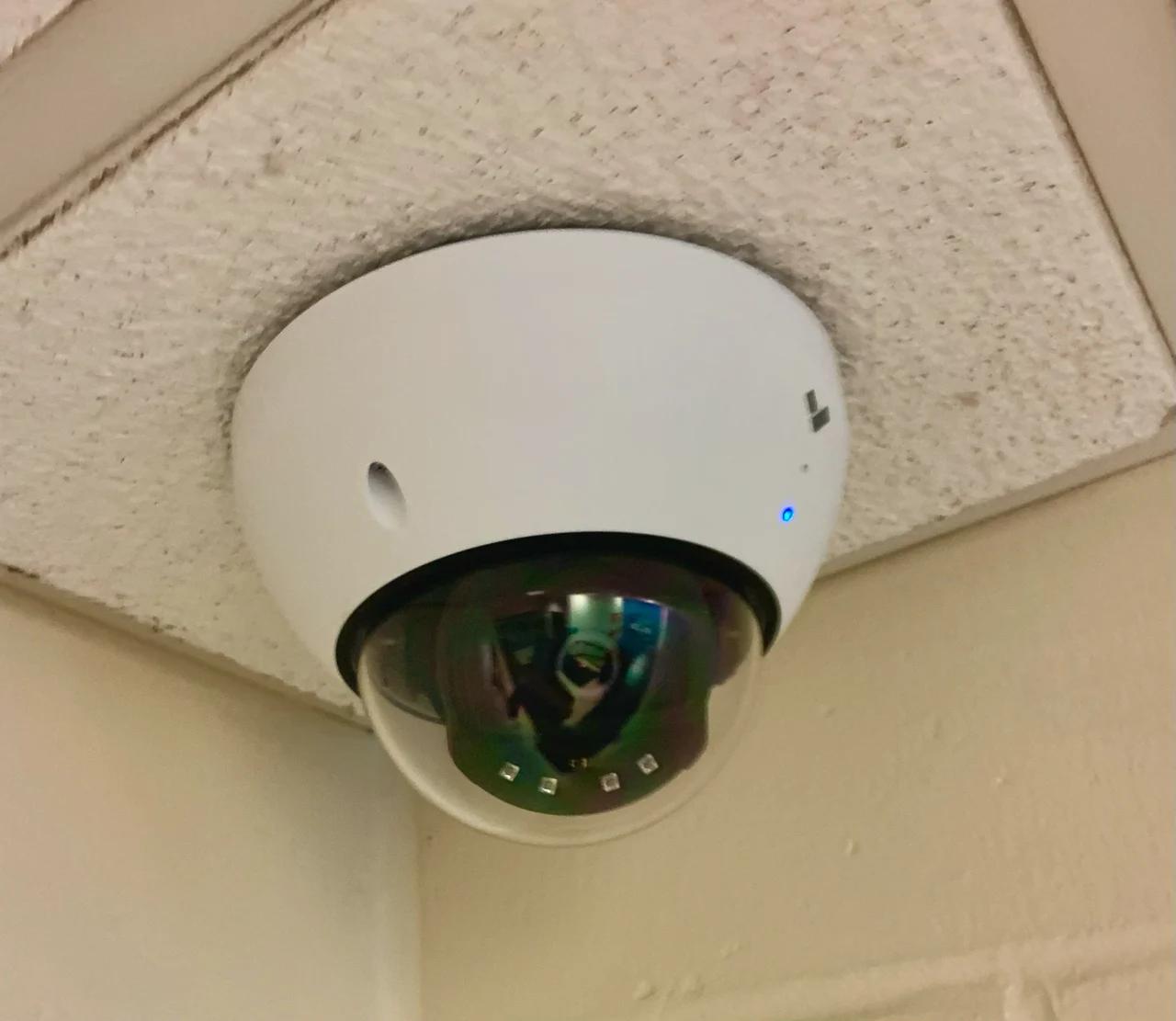
Decide whether camera audio is needed before enabling it
Separate camera audio recording, live listening, intercom use, and sound analytics; approve the purpose and verify the actual saved and shared result.
Quick answer: Enable camera audio only for a defined, approved purpose after reviewing the locations, people affected, and applicable requirements with the organization's responsible advisers. Distinguish stored audio from live listening, two-way communication, and sound analytics. Verify the actual configuration, playback, and exports; muting a viewer's speaker does not establish that audio is no longer collected or retained.
A camera project can acquire audio capability almost accidentally because the selected model contains a microphone. The installation conversation may focus on the image while a separate setting determines whether conversations are captured, stored, or shared with an exported clip.
That choice deserves an explicit decision. More recorded material is not automatically more useful, and audio can reach beyond the event the camera was meant to explain. The business should understand the function it wants and the controls it needs before turning the feature into part of routine operations.
Name the audio task precisely
Separate four possible functions: recording sound for later review, listening to a live stream, speaking through a device, and using sound in an analytic. These functions can have different controls and dependencies. A proposal described as camera audio should explain which ones are included.
For a hypothetical reception entrance, staff may need two-way communication with a caller before an approved remote entry decision. That operational need does not automatically establish a reason to record every nearby conversation throughout the day. Define the communication and recording decisions separately.
Ubiquiti's two-way audio guidance directs users to the device's specification or product listing to confirm support. The same discipline applies to the rest of the design: verify the exact model and function instead of assuming that every camera in a product family has identical audio behavior.
If the business cannot state what decision the audio will support, leave that requirement unresolved rather than enabling it by default. The project can still deliver its approved video scope while the responsible team determines whether an additional audio function is justified.
Decide whether audio adds necessary evidence
Describe the incident question the proposed audio would answer. Then consider whether the approved video view, an intercom interaction, or another existing business record already supplies what is needed. This keeps the decision tied to a useful outcome instead of the availability of a microphone.
Audio may capture information unrelated to the visible event. Ask who normally occupies the area, what kinds of conversations may occur there, and whether nearby spaces could also be heard. Do not assume that the edges of the video image describe the boundaries of the sound being collected.
For a hypothetical customer counter, a wide camera view may be intended to establish the sequence of an exchange. Adding continuous sound changes the information involved. The responsible business team should evaluate that change explicitly instead of treating audio as a harmless improvement to the same requirement.
Use the camera installation checklist to keep the approved purposes visible. A clear scope helps the installer configure the system correctly and helps future administrators understand why a microphone is enabled or disabled in a particular location.
Obtain the appropriate policy review for each location
Have the organization's responsible legal, privacy, and operational advisers assess the proposed audio use for the actual locations and circumstances. This article does not determine which notice, consent, retention, or access arrangements apply to a particular business. Those decisions should precede routine collection.
Cisco Meraki's audio-recording documentation also identifies the camera operator's responsibility for applicable recording requirements. A feature appearing in a manufacturer's dashboard should not be treated as approval to use it in every workplace or public-facing area.
Give reviewers a concrete proposal: the locations, intended function, operating hours, audience, retention, and sharing workflow. A general request to approve security cameras can fail to surface the separate audio decision. The more precise description makes the review useful to both the business and the installer.
For a nationwide organization, preserve location-specific decisions where needed. A standard equipment model can simplify purchasing while the approved audio configuration differs among sites. Do not silently copy one branch's settings into every other location merely because the hardware is the same.
Translate the decision into actual device controls
Ask the installer to show how the chosen platform controls the approved functions. Determine whether live audio, stored audio, communication, and analytics can be managed separately for the exact model and software. Where they cannot, explain the limitation before accepting a configuration that exceeds the intended scope.
Meraki documents a physical microphone cut-off on third-generation MV cameras as well as dashboard audio settings. That illustrates why the device generation and physical state can matter. It is not a reason to assume all cameras have the same switch or that a software setting overrides every hardware control.
Differentiate muting playback from changing collection. A reviewer turning down a workstation's volume changes what that person hears. It does not, by itself, demonstrate what the camera sends to the recorder or what an export contains. Verify the relevant settings and the saved result.
Where audio is not approved, confirm the supported method for keeping it disabled and identify who may change that state. Avoid relying on an informal instruction that staff should simply avoid clicking the speaker icon. The configured system should express the business's decision directly.
Test with an authorized sample and realistic noise
Use a controlled test with informed participants and suitable sample speech or sounds. Do not collect unrelated conversations merely to see how far the microphone reaches. The exercise should demonstrate the approved function without expanding the collection beyond the test's purpose.
Evaluate ordinary environmental noise. Equipment, ventilation, traffic, and several simultaneous speakers can affect usefulness. Meraki's documentation specifically notes that the environment changes effective audio performance; a quiet demonstration is not evidence that the same conversation will be understandable during normal activity.
Ask the intended reviewer to interpret the sample without being coached about what was said. If the sound is ambiguous, record that limitation. Avoid describing unclear audio as a reliable transcript or using volume amplification as proof that a particular word was spoken.
Check the following during acceptance:
- The exact approved function works on the selected device.
- Unapproved functions remain disabled where required.
- The sample is usable under representative conditions.
- Live, recorded, and exported behavior matches the decision.
- The relevant user roles have the intended permissions.
- The test materials are handled under the organization's approved process.
Inspect sharing and export separately
An exported clip may carry audio even when the reviewer normally watches video silently. Meraki documents audio playback in exported footage as well as live and historical dashboard views. Inspect an actual sample export instead of assuming the viewer's current volume setting determines the file's contents.
Decide who may share audio-bearing footage and for what purposes. The organization may require a different review from ordinary video sharing because conversations can introduce additional information. Apply that approved handling process before sending a clip outside the intended audience.
If a version without sound is needed, use the platform's supported export or editing workflow and verify the resulting file. Keep any required original under the organization's evidence and retention procedures. Removing sound from a presentation copy is a separate action from changing what the camera originally recorded.
Explain the scope of the exported material to its authorized recipient. A short selected interval may omit context, and an unclear sound should remain described as unclear. The technical ability to include audio does not justify conclusions beyond what the recorded evidence supports.
Recheck audio after system and site changes
Include audio in the review of camera replacement, software changes, profile cloning, and significant configuration updates. A new device may expose different functions or inherit a setting from another location. Confirm the approved behavior after the change rather than assuming the old decision carried over automatically.
Revisit the purpose when the space changes. An entrance area converted into a waiting room or a counter moved beneath a camera may alter the information involved. The relevant team should decide whether the previous audio configuration remains appropriate for the new use.
Keep a concise configuration record that states the approved function, affected devices, responsible approver, and verification reference. Store sensitive materials in the organization's controlled systems. The record should explain the decision without preserving unnecessary recordings of staff or customers.
Train the people who administer and review the system on the distinction between audio controls. They should know how to report an unexpected recording, obtain an approved configuration change, and share footage correctly. That operational understanding is more useful than leaving an unexplained microphone icon in the dashboard.
The takeaway
Camera audio should be an intentional part of the system's purpose and operating policy. Recording, live listening, intercom communication, and analytics are separate questions that deserve clear approval and model-specific verification.
Configure only the approved functions, test them with an appropriate sample, and inspect what leaves the system in an export. Keep the decision current as equipment and room use change so a convenient feature does not become unintended routine collection.
Include audio decisions in the camera scope
BlueHouse Telecom helps businesses plan security camera installations nationwide, including recording requirements, device capabilities, and operational acceptance checks.
FAQ
Does muting the camera viewer stop audio recording? Do not assume it does. Playback volume and collection settings can be separate. Verify the device configuration, saved recording, and exported file for the actual system.
Does two-way communication require continuous recording? The answer depends on the selected device and platform. Define the communication need separately and confirm which functions can be controlled independently before approving the configuration.
Can one audio policy be copied to every branch? Use the organization's responsible review for the actual locations and use cases. Standard hardware does not automatically establish that identical audio collection and handling are appropriate everywhere.
What is a useful audio acceptance test? Use an authorized sample under representative noise conditions, then inspect live, recorded, and exported behavior with the intended permissions. Confirm both the approved capability and the functions that should remain disabled.