
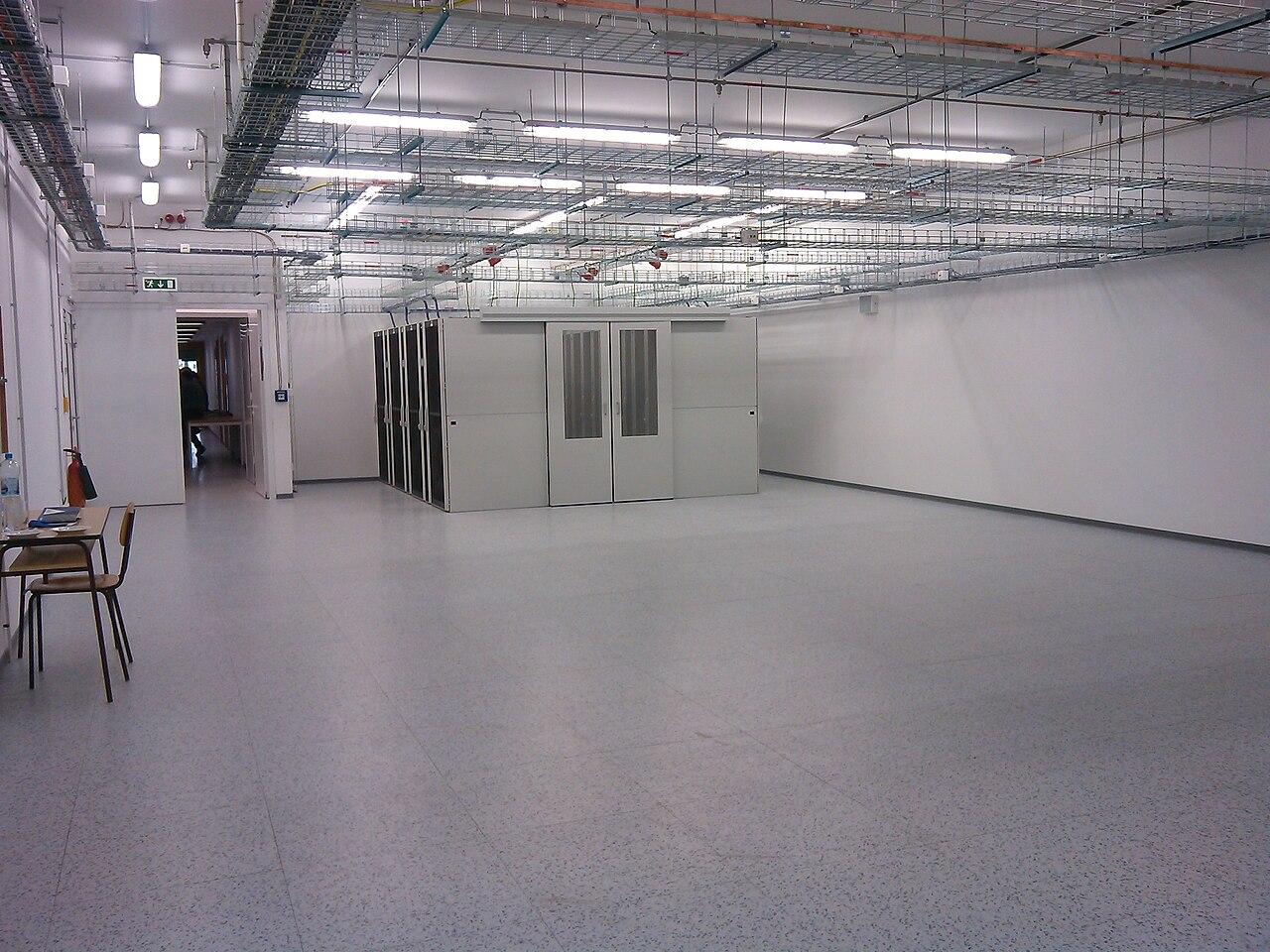
Get the equipment room ready before fiber installers arrive
Confirm mounting space, power responsibilities, cable paths, access, and handoff requirements before a business fiber installation appointment.
Quick answer: An equipment room is ready when the approved mounting space, route, power arrangements, environmental conditions, and access are available for the actual installation. Confirm those requirements with the equipment and service providers rather than using a generic room checklist as the final specification. Readiness also includes knowing where each party's work begins and ends.
A locked door can stop an installation as effectively as a missing cable route. So can a rack that looks empty in a photograph but has already been reserved for another project. Room readiness needs a current check close enough to the appointment to reflect what the installer will encounter.
The preparation is manageable when each dependency has a defined outcome. Avoid treating the room as one green checkbox. A site can have suitable mounting space and still lack approved power, usable access, or a confirmed path from the service handoff.
Confirm the destination and installation boundary
Identify the exact room, rack or backboard, and intended equipment position. Include the building and suite where a campus contains similar room names. The address on a service order may get someone to the property without telling them where the work belongs.
Clarify whether the project installs private building fiber, extends a carrier handoff, installs network equipment, or combines several of these activities. The fiber installation and internet service guide explains the distinction. Each activity can have different responsibilities and prerequisites even when everyone calls the project a fiber installation.
Lumen's readiness guidance says that precise project requirements come from a site survey. It also explains that the contract determines inside-wiring responsibilities. Treat that as a provider-specific example of why a building owner should request the actual surveyed requirements and service scope, rather than assume a carrier appointment includes every cable connection inside the property.
Reserve usable mounting space
Check the proposed equipment dimensions, mounting method, access needs, and cable entries against the actual location. A rack-unit count alone does not answer whether the equipment fits with doors closed, whether cables can be dressed appropriately, or whether maintenance access remains practical.
Account for items that are easy to omit from a sketch: fiber housings, cable management, termination hardware, equipment supports, and any separate power equipment in the approved design. A space plan that counts only the active network device may leave the installer deciding where the supporting components should go.
Physically identify reserved positions before installation. In a hypothetical shared room, the network project and a security-camera project may both have selected the same open rack area. A labeled reservation and an agreed layout resolve that conflict earlier than two deliveries arriving together.
Have the responsible facilities or design professional address structural and mounting suitability. Photographs are useful planning evidence, but they do not establish that a wall, rack, or support arrangement is appropriate for the proposed installation.
Resolve power and environmental requirements with the right people
Collect the equipment's requirements and the provider's project instructions, then have qualified personnel assess the proposed power arrangement. Record which outlets or power distribution points serve the installation and which preparatory work must finish before equipment arrives. Do not improvise an electrical design from a network article.
The Lumen guide separately addresses mounting, power and grounding, environmental conditions, and cable paths. Its site-specific framing is more useful for planning than copying individual dimensions or operating limits into every project. Different equipment and installations can require different arrangements, and applicable requirements need professional review.
If backup power is part of the project, identify the actual devices expected to remain operating and the intended operating scenario. A protected switch does little for a connection whose other required equipment loses power. Capacity and runtime need an appropriate design; a statement that the room has a UPS is not enough information.
Check the room under normal operating conditions. A temporarily open door or portable cooling arrangement may conceal an unresolved environmental issue. Ask who will monitor and maintain the accepted conditions after installation, especially where the room is shared with other building uses.
Walk the route into the room
Trace the planned cable path from the relevant entry or upstream endpoint to the termination position. Confirm which parts have been observed and which depend on drawings, building records, or later access. A route that reaches the room ceiling still needs an approved way to reach the fiber housing.
Identify access restrictions, pathway obstructions, and work by other trades that could change the route before installation. Record property approvals and any preparatory work as specific dependencies. Qualified project personnel should resolve penetrations, supports, firestopping, and other applicable installation requirements; these are not details to leave to an improvised arrival-day decision.
Protect ongoing operations while the route is being prepared. Agree how work areas will be accessed and how existing services will be identified before anyone disturbs cabling. Labels can help, but uncertain records should trigger investigation rather than a guess about whether a cable is unused.
For a route assessment that extends beyond the room, use the fiber project specification discussion to connect cable construction and component choices to the observed environment. The brand choice does not remove the need for a complete route design.
Check readiness as evidence, not a promise
A useful readiness review records what has been completed and what proves it. A purchase order for a rack is evidence that a rack was ordered; it is not evidence that the installation position is ready. Apply the same distinction to access permissions, electrical work, and route preparation.
Before confirming the installation appointment, check:
- The exact room and mounting position against the approved layout.
- Required preparatory work and any inspection or approval records.
- The full cable path, including the final entry into the equipment area.
- Access arrangements for the scheduled hours and all relevant rooms.
- Equipment delivery, storage, and handling arrangements.
- Unresolved items and the person authorized to change the appointment.
Use recent photographs where they help show completion, but retain supporting documents for matters a photograph cannot prove. A picture of an outlet does not establish its suitability, and a picture of a locked room does not establish after-hours access.
For a nationwide rollout, use consistent evidence categories while preserving each site's actual requirements. This lets the coordinator compare readiness without asking every location to satisfy an invented identical room design.
Plan the arrival and shared-room handoff
Provide an arrival brief that explains parking or loading arrangements, check-in procedures, the correct contact, and any escort requirements. Confirm that the person listed can authorize access during the actual appointment. A daytime reception number may be useless for an approved evening installation.
Agree where deliveries can wait safely and who will verify the received items against the project list. Separate customer-owned material from provider equipment where ownership affects handling or return obligations. Keep packaging and identifying records as the responsible parties require; do not discard them merely to make the room look finished.
In shared rooms, identify who controls keys, scheduling, and permission to change existing infrastructure. The building manager, tenant IT team, and carrier may each control a different part of the work. A short responsibility map helps the installer reach the correct person without turning an access problem into a technical troubleshooting exercise.
Keep the immediate work area clear through the appointment. Readiness can be lost between the final survey and installation if another project uses the reserved space or blocks the agreed route.
Finish with a room that can be maintained
The room should remain understandable after the installation team leaves. Update the layout with actual equipment positions, identify the installed fiber endpoints, and retain the relevant service and maintenance information. The final record should describe what exists, including approved changes made during the work.
Separate the room's completion from the network's operational acceptance. The mounting and cabling can be complete while configuration, carrier activation, or application checks remain pending. State which milestone has been achieved so users do not mistake a tidy room for an available service.
Discuss routine access with the team that will support the site. They need to know how to reach the room, which equipment they may operate, and where current records live. Avoid placing sensitive credentials in openly visible room labels or general delivery instructions.
Schedule unresolved room work through the project process. Temporary arrangements should have an agreed resolution rather than become permanent simply because the network is now working.
The takeaway
Equipment-room preparation is a collection of dependencies, each tied to the actual installation. Confirm the destination, approved space, supporting infrastructure, route, and access before treating the appointment as ready. Use project-specific requirements and qualified review for electrical, environmental, and building decisions.
A final readiness check should make uncertainty visible while there is still time to address it. The resulting room needs to support both installation day and the people responsible for operating the network afterward.
Prepare your fiber installation site
BlueHouse Telecom can help coordinate the scope and readiness questions for business fiber installation nationwide.
FAQ
Does an empty rack mean the room is ready? No. Confirm that the proposed equipment and supporting components fit, the space is reserved, and the required power, route, environment, and access arrangements are complete.
Who decides the power requirements? Use the equipment and service-provider requirements with qualified electrical and facilities review. A generic checklist cannot establish the correct electrical arrangement for a specific building and installation.
Will the internet provider extend the cable to our rack? Confirm that in the surveyed design and contract. Provider scope and building arrangements vary, and an extension from the service handoff may require separately defined work.
How close to installation should readiness be checked? Choose a review point that allows remaining work to be resolved, then reconfirm conditions that can change before the appointment. Shared space, access permissions, and route obstructions deserve particular attention.