
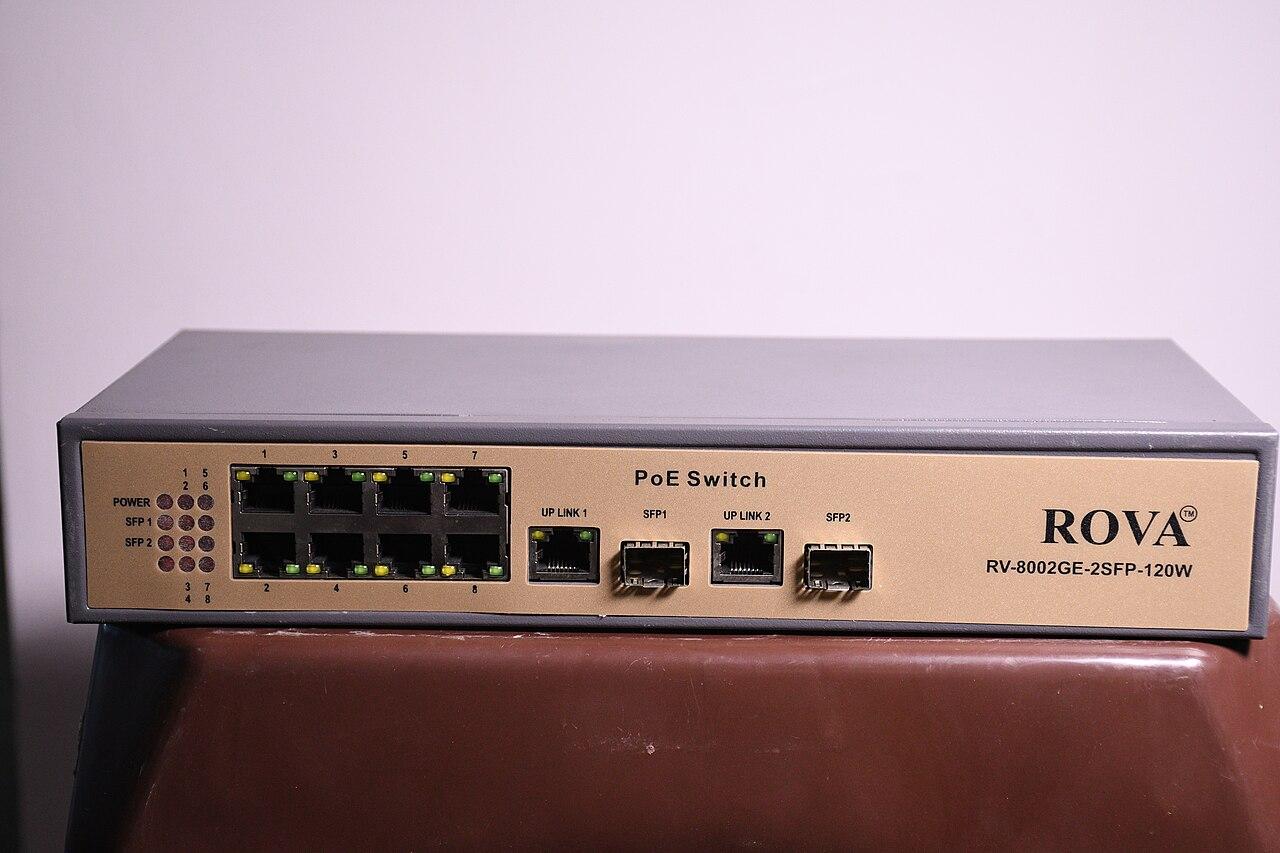
Replace a camera PoE switch without losing the recording plan
Check camera power allocation, uplinks, port configuration, recording gaps, and recovery before replacing a surveillance switch.
Quick answer: Treat a camera-switch replacement as a power, network, and recording change. Confirm every device's supported power requirements, the switch's usable budget, uplink configuration, and the expected recording interruption. Stage the replacement and verify saved footage after the cutover before removing the recovery option.
A switch with enough physical ports can still be the wrong replacement. It may lack the required power on a particular port, use a different uplink arrangement, or return cameras to the wrong network. The visible patch cables explain only part of the system being changed.
The work also affects what the business can record while equipment is disconnected. Plan that interval explicitly and coordinate any other devices sharing the switch. An apparently camera-only replacement can interrupt an access hub or another service if the inventory is incomplete.
Identify every connection before disconnecting anything
Trace and document the devices attached to the existing switch. Use reliable identifiers for cameras, uplinks, management connections, and any other equipment. A patch-panel label is a useful clue, but verify it where records are uncertain rather than copying an old assumption into the new plan.
Match physical ports to the network configuration and the camera platform. The installer should know which device is expected on each connection and which network settings it needs. A photograph can help with layout, but it does not explain an undocumented port profile or a hidden downstream switch.
Look for shared dependencies. The same power source may support a camera bridge, an access-control component, or a device that is not obvious from the cable name. Identify those services and coordinate their own acceptance requirements before choosing the maintenance window.
Use the PoE camera planning guide to build a clear device and power list. The replacement should be selected from that actual list, including the devices the business intends to add, rather than from a guess based on occupied ports.
Compare power capability at the port and switch levels
Check each device's supported power method and required allocation against the proposed switch port. Then check the total available budget under the intended switch and power-supply configuration. A high total wattage does not mean every individual port supports every connected device.
Axis's power-consumption paper distinguishes typical conditions from maximum conditions and identifies maximum demand as relevant to power-equipment selection. It also notes that camera-side figures exclude cable losses. An idle daytime reading is therefore incomplete evidence for replacement sizing.
Ask the designer to account for the actual powered features and the source-side allocation. A camera may operate differently when supported illumination, heating, or other functions are active. The exact device documentation and system design should govern the selection, not a blanket percentage applied to every model.
If capacity is reserved for growth, label that reserve clearly. It should not be counted simultaneously as available expansion power and power already required by today's devices. The business needs to know which future additions fit the proposal and which would require another assessment.
Inspect the uplink and management requirements
Confirm how recorded video reaches the recorder or other required destination. Identify the uplink medium, supported speed, transceiver where applicable, and configuration at both ends. A replacement with the same connector shape does not establish compatibility with the existing optical module or link design.
Review the actual network assignments. Cameras may depend on particular address arrangements, network segments, or approved communication rules. The installer and network administrator should agree on the intended configuration before devices are moved, especially if another team owns the upstream infrastructure.
Include switch management and authorized support access. The new device should enter the organization's approved management process with appropriate accounts and records. Avoid leaving a temporary setup credential as the long-term administrative arrangement simply because all camera thumbnails have returned.
The business network hardware guide can help compare equipment responsibilities. A managed switch purchase includes an operating decision about configuration and support; it is not only a box with a particular port count.
Explain the recording interruption in advance
Determine which cameras will lose power or connectivity during the work and what that means for recording. Some designs may have other recording behavior, but it must be confirmed for the exact system. Do not promise uninterrupted evidence simply because a product supports local storage in some configurations.
Give the business a clear maintenance scope and expected sequence. Identify the affected areas and the point at which normal recording should be verified. The schedule is a plan subject to the work, not a guarantee that every device will return within an invented universal interval.
Discuss any approved temporary operating measures with the responsible site personnel. Those measures should fit the business's normal procedures and the actual risk. The switch technician should not improvise a security policy to compensate for an unplanned camera outage.
For a hypothetical loading operation, the business may choose a quieter period or arrange an approved alternate process while cameras are unavailable. The useful decision is made before the cable move, when operations can still adapt rather than discovering a recording gap afterward.
Stage the replacement with a recoverable configuration
Prepare the supported switch configuration before the cutover where practical. Confirm the software version, port assignments, management access, and any required upstream coordination. Check representative devices in a controlled arrangement if that can reduce uncertainty without disrupting the live system.
Create a replacement checklist:
- The selected ports support the required device power and network settings.
- Uplink equipment and settings match the approved design at both ends.
- The configuration record and authorized management access are available.
- The team understands when to continue, investigate, or restore the prior arrangement.
Keep the prior working equipment and configuration available until the agreed acceptance is complete, where feasible. A recovery plan should describe a real supported path, not a promise to reconnect something whose configuration has already been erased or whose dependencies have changed.
If the replacement requires a broader network redesign, separate that scope from a simple equipment exchange. Combining several untested changes can make a fault harder to isolate. The business should understand whether it is buying a like-for-like restoration or a different operating architecture.
Verify recordings as well as power and link lights
After the cutover, confirm that every expected device appears with the correct identity in the camera platform. Then inspect saved video after reconnection. A camera can be reachable and showing live video while its recording configuration or path remains incorrect.
Use a staged activity at representative views to verify timing, useful detail, and retrieval. Include devices with different power needs or network paths. Do not let one successful indoor camera stand in for an outdoor unit with additional supported features or a distant uplink.
Check relevant power behavior using the qualified team's approved test method. The goal is to establish that the selected equipment supports the required operating configuration. Avoid unsafe attempts to simulate extreme conditions or force device modes outside manufacturer instructions.
Document the actual interruption and any unresolved device. If a camera remains unavailable, report that clearly with the affected area and next action. Declaring the switch replacement complete while quietly leaving an important view offline creates a false impression of restored coverage.
Leave the next replacement easier to understand
Update port mappings, device lists, switch details, and relevant configuration records. Retire obsolete labels that would mislead the next technician. Keep sensitive management information in the organization's approved system rather than embedding it in public photographs or unrestricted documents.
Confirm who receives equipment-health alerts and how a missing camera is escalated, within the service scope actually agreed. The business should know whether it is responsible for routine checks or has purchased a specific support arrangement. Do not infer monitoring from the fact that someone installed the hardware.
Review the accepted reserve after future additions. A switch that was comfortably sized on installation day can become constrained as cameras or other powered devices are connected. New equipment should enter the same power and network assessment rather than being treated as harmless because a spare socket remains.
For a nationwide estate, preserve a consistent replacement record while allowing model and site differences. Clear port and power evidence helps local teams act accurately. A single national switch model is useful only where it actually satisfies the requirements at the location being changed.
The takeaway
Replacing a camera switch involves more than restoring link lights. Verify power at both the device and switch levels, preserve the network design, and make the recording interruption visible. Staging and a practical recovery option reduce uncertainty when the live system is changed.
Accept the result through recorded footage and complete device checks. The project is ready to close when the required cameras operate under the approved configuration and the next technician can understand what was installed. A populated live-view screen is an encouraging sign, not the entire acceptance test.
Review the camera network before replacing equipment
Discuss security camera installation and network scope with BlueHouse Telecom, including the current device list, switch model, and recording requirements.
FAQ
Is matching the old switch's port count sufficient? No. Check individual port power capability, total usable power budget, uplinks, management features, and the configuration needed by every attached device. Include other services sharing the switch.
Can idle camera power readings determine the new PoE budget? They are observations under those conditions. Use the exact device requirements and appropriate source-side allocation, including relevant operating features and cable loss, when evaluating the replacement equipment.
Does live video prove recording resumed after the switch change? No. Inspect saved footage after reconnection and verify the required camera identity, interval, and retrieval behavior. Live connectivity and successful recording are related but separate checks.
Should the old switch be discarded immediately after the cutover? Retain a practical recovery option through the agreed acceptance where feasible. Once the new arrangement is verified, handle retired equipment and configuration data through the organization's approved disposal process.