
Keep warehouse application dependencies visible in the circuit plan
Map scanners, shipping systems, cloud services, and local wireless paths before choosing or troubleshooting warehouse internet service.
Quick answer: Trace each warehouse workflow from the device through the local network to the application it needs. Separate scanner coverage and roaming issues from carrier capacity, cloud availability, and application response. Use that dependency map to buy the right service, define backup priorities, and route problems to the team that can investigate them.
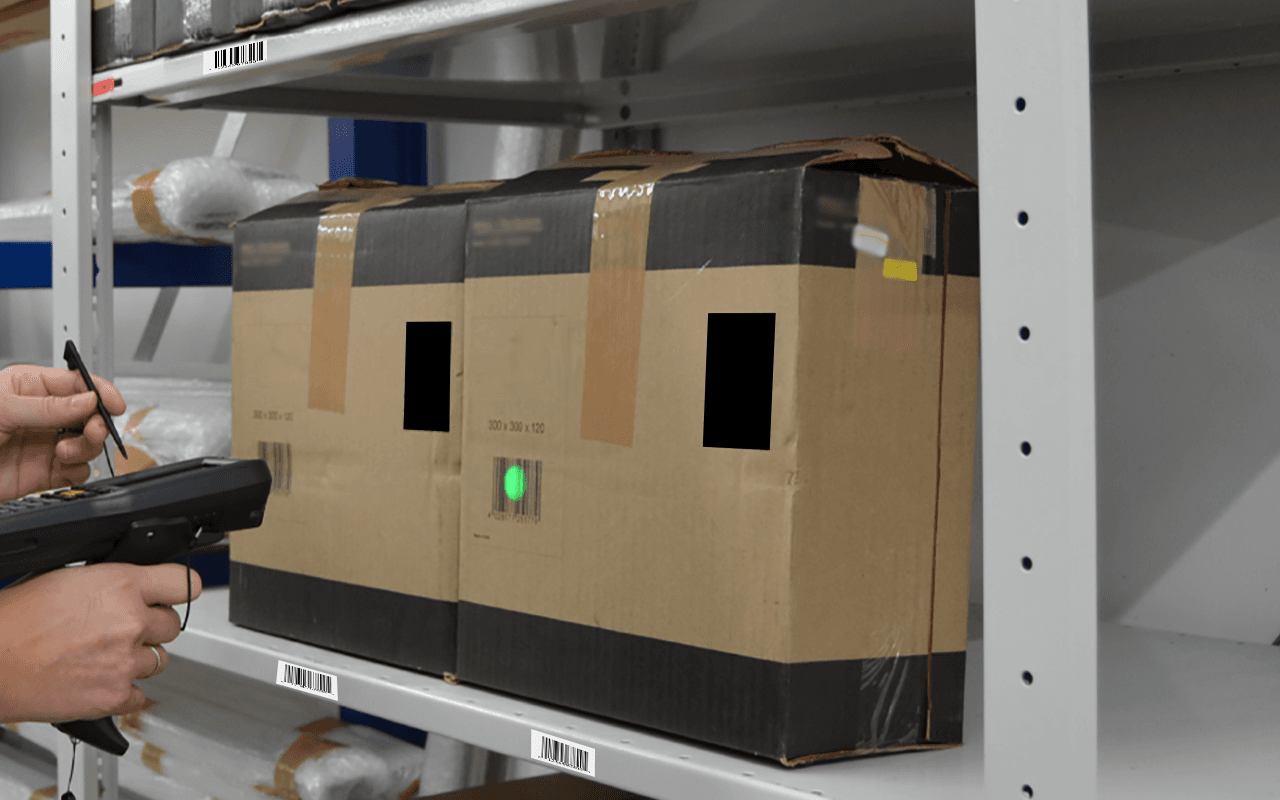
A stalled scan can be reported as slow internet even when the carrier connection is healthy. The device may have lost wireless connectivity in an aisle, the application may be waiting on a remote system, or a local printer may be unavailable. Those failures can look similar to the employee trying to finish an order.
The circuit plan needs to reflect the work moving through the warehouse. Receiving, replenishment, picking, packing, and dispatch can depend on different systems and experience different peaks. A single speed recommendation based on floor area will miss those distinctions.
Follow one transaction all the way through
Choose a representative workflow and draw its sequence. For a hypothetical packing operation, a handheld might confirm the item, a workstation might request a carrier label, and a printer might produce it. Identify which steps occur locally and which require an external application or service.
Ask the application owner to confirm the path instead of inferring it from equipment placement. A server in the building may depend on remote authentication or a cloud integration. A cloud application may also rely on a local component. Record the relevant dependencies without exposing credentials or unnecessary business data in the diagram.
Repeat the exercise for the workflows whose interruption would materially affect operations. The result should show where a carrier connection matters and where another component is the deciding factor. It also gives the business a concrete way to explain why one function deserves priority during a reduced operating mode.
Separate radio problems from internet problems
Warehouse wireless conditions vary with racks, stored goods, layout, devices, and the environment. HPE Aruba Networking's warehouse guidance identifies those factors as design concerns. The guide supports a site-specific wireless assessment; it does not provide a universal internet speed requirement for every warehouse.
When a scanner fails in one aisle but works at a nearby desk, capture the location, device, time, and task. Compare the behavior with other relevant devices and approved technical measurements. A good carrier speed test at the office cannot rule out a wireless issue where the employee is working.
Conversely, a problem affecting wired packing stations and wireless scanners at the same time deserves investigation beyond one access point. The warehouse connectivity guide helps organize the broader survey. Keep wireless design, local switching, carrier service, and application support as connected but distinct areas of responsibility.
Measure the busy window that matters to shipping
Average daily traffic can hide the period that determines whether orders leave on time. Identify cutoff windows, shift changes, batch processing, inventory synchronization, and any large scheduled transfers. Compare those events with available network and application records.
Look at both traffic volume and transaction behavior. A workflow may transfer little data yet be sensitive to interruptions or slow responses. Another task may move large files without needing immediate completion. The application owner should identify the relevant requirements, while the network team measures the path under representative conditions.
Do not let an unrelated bulk transfer become invisible background load. A backup, software distribution, or camera export can overlap a shipping peak. Before buying more service, determine whether approved scheduling or traffic management can reduce that conflict. Such changes need their own review; they should not be improvised by warehouse staff during production.
Translate workflows into the carrier request
Give potential providers the actual service address, handoff requirements, current connection details, and the business's measured or explicitly assumed demand. Include upload needs and any approved remote-access or application constraints. Request the available product and written terms for that address rather than assuming a national brand offers one uniform service everywhere.
A hypothetical warehouse may need a stronger upload path because it sends substantial business data during a fixed window. Another may need a recovery option more urgently than a larger primary tier. The dependency map helps distinguish those cases so the proposal responds to a business requirement instead of a generic upgrade request.
Use the same information when comparing AT&T, Verizon, Comcast, Spectrum, Lumen, or another available provider. Product availability, installation arrangements, interfaces, and support scope can differ. The dedicated internet comparison guide explains the service questions to resolve before reducing the decision to advertised speed.
Specify a reduced operating mode for backup service
Decide which workflows should remain available when the primary connection fails. The answer may be a limited set of shipping and receiving functions rather than every device and background transfer. Have operations and application owners approve that priority list before the network team designs the alternate path.
Use this worksheet to make the decision concrete:
- Name the workflow and the business deadline it supports.
- Identify the application, local equipment, and external services it requires.
- Confirm the application's supported behavior on the proposed alternate connection.
- State which nonessential transfers may pause under the approved policy.
- Define who can activate or approve the reduced operating mode.
- Identify how pending transactions are checked when normal service returns.
A second carrier connection will not necessarily help if the shared firewall or local power is unavailable. Review those dependencies alongside the backup purchase. Describe the failure scenarios covered by the design so the warehouse does not mistake a limited recovery improvement for an assurance that every process will continue.
Make incident reports useful to all support teams
Create a short reporting format that captures the failed task, approximate time, location, device identifier, and visible error. Add whether the problem affects one device, one zone, one application, or the entire site. Those details help the first responder choose an investigation path.
Avoid asking employees to collect sensitive payloads or make network changes outside their role. A photograph of a shipping screen can contain customer information. Use the approved support process for sharing evidence, and keep routine incident notes focused on operational facts rather than unnecessary personal or commercial data.
Correlate the report with carrier status, local network observations, and application service information. None of those alone proves the cause. A carrier that reports its handoff healthy may still need evidence about a specific path, while an application outage may explain a site-wide symptom without any circuit fault.
When several teams are involved, assign one coordinator to maintain the timeline and the next requested action. That prevents repeated questions to floor staff and conflicting changes during the investigation. The coordinator does not need to diagnose every layer; they need to preserve a shared account of what has actually been observed.
Verify the application after the circuit is working
A newly activated circuit is not the final business acceptance test. Exercise representative workflows through the approved environment, including the relevant scanners, workstations, and printers. Use suitable test transactions and have the application owner define how they are identified and cleared.
Include movement where it is part of normal work. A stationary scanner test at the packing desk does not verify the experience along an actual picking route. Likewise, successful device connectivity does not show that a label request or inventory update completes correctly. Each test should answer a specific operational question.
After a failover exercise or real outage, verify pending work before encouraging staff to repeat it. Some applications may retain or retry activity, while others require an approved recovery action. The vendor and application owner should define that behavior. A generic instruction to rescan everything can create a different problem from the original interruption.
Keep the final findings tied to the current layout and application deployment. New racking, changed inventory, a different handheld model, or a migrated application can alter the assumptions behind the service plan. Those changes should trigger a focused review of the affected dependencies rather than another blind bandwidth increase.
The takeaway
Warehouse internet planning starts with transactions and their dependencies. Trace the work, measure the relevant busy periods, and distinguish local wireless conditions from carrier and application behavior. That evidence makes both the service purchase and the support process more accurate.
Define what the warehouse should accomplish on backup service and verify those workflows after activation or recovery. A useful circuit plan explains how connectivity supports shipping, receiving, and inventory work, while keeping the limits of each component clear.
Scope service around warehouse operations
BlueHouse Telecom helps warehouses and businesses nationwide compare business internet services using site requirements, application dependencies, and practical operating priorities.
FAQ
Will a larger internet circuit fix scanner disconnects? Not necessarily. Scanner issues can involve wireless coverage, movement, device settings, or the application path. Investigate the affected location and workflow before attributing the problem to carrier capacity.
Should warehouse internet be sized by square footage? Floor area matters to physical and wireless design, but internet demand depends on applications, traffic, concurrency, and operating windows. Use those requirements to compare carrier services.
Can backup internet keep every warehouse system running? That depends on the complete design and each application's supported behavior. Define priority workflows, confirm shared dependencies, and test the approved alternate path rather than assuming full operation.
What should staff report when a scan stalls? Capture the task, time, location, device identifier, and error through the approved support process. Note whether other devices or applications are affected, while avoiding unnecessary customer information in routine notes.