
Fiber Planning for a Warehouse Expansion
Plan warehouse fiber around new work zones, realistic pathways, network closets, and the scanner and camera tasks that must keep working.
Quick answer: Start warehouse fiber planning with the work moving into the new space, then place the network distribution points that can serve it. Define cable routes, endpoint conditions, equipment, and acceptance tests before comparing proposals. A successful fiber link still needs the downstream wireless and wired network to support the actual scanners, cameras, and workstations.
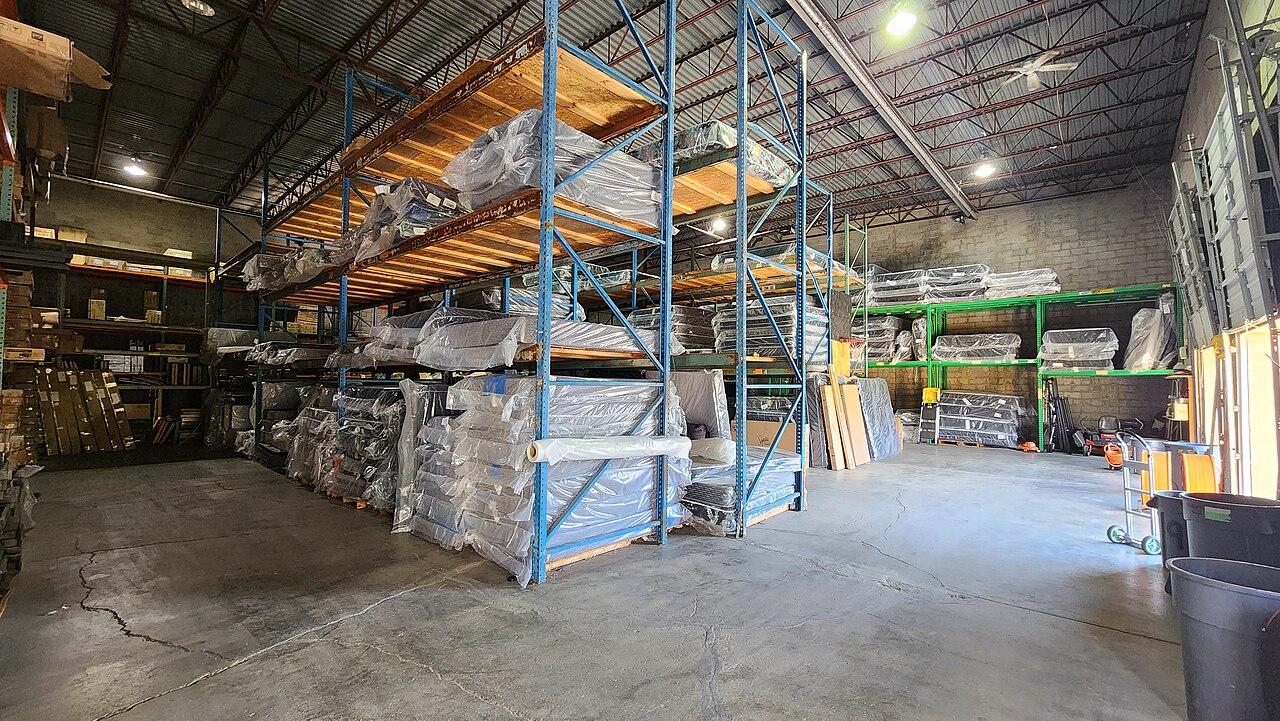
An expansion can look straightforward on a floor plan while changing how the warehouse operates. Receiving may move to another wall. A new pick area may use different handhelds. Additional cameras may send traffic through a closet that was previously adequate for a small office.
Those changes belong in the fiber brief before the cable length is priced. This article explains how to connect the physical expansion to a usable distribution network, including the checks that help avoid a clean optical test followed by frustrating operational problems.
Map the new work zones before choosing cable routes
Mark the locations where people and devices will actually work. Include receiving, storage, picking, packing, dispatch, maintenance, and any offices or controlled equipment areas within the project. Identify whether each zone needs fixed connections, wireless service, or both. A scanner at a loading position creates a different endpoint requirement from a fixed workstation beside a conveyor.
Ask operations to describe movement between zones. A handheld session that travels through several aisles needs more than coverage at its starting point. Cameras may record continuously even when a shift ends. A dock workstation may need a printer or local application that sits elsewhere in the building. These dependencies help determine which connections need to reach which network locations.
HPE Aruba Networking's warehouse planning guidance calls attention to racking, building dimensions, stored materials, client devices, and use cases. Use that information to build the project brief. It does not turn a generic floor plan into a finished wireless or fiber design.
Decide where the distribution equipment belongs
A new area may be served from an existing network closet, a new local distribution point, or another arrangement developed through the survey. Compare the actual pathways and endpoint conditions. The apparent center of the expansion may be a poor equipment location if it lacks suitable access, power, environmental conditions, or a practical path back to the main network.
At each proposed location, identify the cabinet or rack, usable space, power arrangement, network switch requirements, and who can reach the equipment for support. Consider how work around that location will change as inventory fills the building. A location accessible during construction may become awkward once racks, barriers, or operational equipment are installed.
Include the connecting equipment in the decision. A fiber cable arriving at a cabinet does not by itself provide the switch ports, power for connected devices, or uplink capabilities the area needs. The warehouse connectivity guide can help organize those broader requirements alongside the physical fiber work.
Survey the route in the warehouse you will operate
Trace the route from termination point to termination point. Record how it crosses the existing building, reaches the expansion, enters the endpoint locations, and remains accessible where needed. Plans should identify obstacles and interfaces with other work, including walls, building services, operational equipment, and restricted areas.
Survey the future operating layout as well as today's open space. A proposed route that is easy to install before racking arrives may become difficult to service afterward. Changes to rack height, aisle arrangement, or equipment movement can affect access and protection. Coordinate the route with the relevant site teams instead of treating cable installation as an isolated activity.
The Fiber Optic Association's design guidance treats communications requirements, route, components, installation, and testing as related design decisions. For a warehouse buyer, that means asking how the proposed route and cable construction fit this site. Avoid accepting a generic cable description as evidence that all environmental and installation conditions have been considered.
Separate backbone capacity from wireless performance
Fiber can provide a connection between network locations while the last connection to a handheld remains wireless. An uplink upgrade therefore cannot be assumed to solve every delayed scan, dropped session, or weak aisle connection. The project needs to distinguish the backbone requirement from coverage, client behavior, application performance, and access point placement.
Describe traffic in operational terms before converting it into equipment requirements. Count the expected workstations, access points, cameras, and other connections served by each area. Explain which systems send information locally and which depend on an external service. Ask the designer to document the assumptions used to select uplinks, switches, and optics.
For a hypothetical expansion, the new packing zone might add fixed terminals and cameras while the additional storage aisles add moving handhelds. Those groups may share upstream equipment, but their acceptance checks should differ. The first group needs the defined fixed connections and application functions. The second also needs testing along representative movement paths with the actual device types.
Put the scope into a location-based checklist
A useful proposal makes it possible to reconcile each work zone with its network infrastructure. Organize the scope by endpoint and route, then list the parts and work associated with each. This makes a missing cabinet, termination, or switch requirement easier to spot than a single total cable quantity.
Use a concise review checklist before approving the installation:
- Identify both ends of each fiber link, including the rack, cabinet, or panel location.
- Show the surveyed route and any work that another project team must complete first.
- State the cable, strand count, termination method, and planned use of spare capacity.
- Confirm responsibility for cabinets, power, switches, optics, and downstream connections.
- Define labeling, test reports, drawings, and the operational checks required for handover.
- List access windows and warehouse activities that constrain installation or testing.
Ask for explicit assumptions where the final layout remains unsettled. A proposal can accommodate an unresolved rack area by defining a decision deadline or an allowance. It becomes harder to manage when the same uncertainty is hidden inside a fixed-looking scope.
Install around the warehouse operating sequence
Plan how the new link will be introduced while existing work continues. Identify whether installation, testing, or activation affects current connections. Determine which tasks can happen before a change window and which require coordination with operations. A cable can often be prepared separately from a live equipment change, but the actual project sequence must be agreed.
Use representative operational periods when planning the cutover. Receiving, dispatch, inventory checks, and shift changes may have different sensitivity to disruption. The right window is the one approved for the affected workflows, rather than an assumption that the building is quiet after office hours.
Define a fallback decision before the change starts. State what would cause the team to stop, who makes that call, and how existing service would be preserved or restored under the approved plan. This does not promise a disruption-free change. It gives the people running the warehouse a clear basis for controlling one.
Accept the fiber and the workflows separately
The physical link needs agreed optical acceptance evidence, correct labeling, and documentation that matches the installed endpoints. Review reports against the link identifiers and the test method specified for the project. A report with an unfamiliar label is difficult to use later even when the recorded result appears acceptable.
Then test representative warehouse tasks through the completed network. Use the intended scanners, workstations, printers, and camera workflows where they are part of the scope. Check the new area and any existing areas affected by the change. A test from an installer laptop at the cabinet answers a narrower question than a worker completing a normal transaction.
Record failures in terms of the task, device, location, and observed behavior. That helps distinguish a fiber problem from a downstream network or application issue. The fiber acceptance guide explains how to request optical evidence without confusing it with a complete application acceptance test.
Leave a usable expansion record
Handover should allow a future technician to identify what was installed without reconstructing the project from invoices. Keep the route drawing, endpoint labels, strand assignments, test files, relevant component information, and photographs of the completed distribution points together. Record which spare capacity is actually available.
Add a short explanation of the expansion assumptions. Note which future zones were considered and which were excluded. If spare strands were installed for a possible later phase, identify their endpoints and termination status. Spare strands in a cable are different from ready-to-use switch capacity or a separate physical route.
Give operations a clear way to report subsequent changes. New racking, relocated workstations, added cameras, or a different handheld model can change the network requirement. The record should make those changes easier to assess, rather than imply that the original installation will suit every later use.
The takeaway
Warehouse fiber planning works best when the new work zones determine the infrastructure brief. The route, equipment locations, component selection, and installation sequence should follow the actual warehouse layout and the tasks that depend on the network.
Require separate evidence for the optical link and the operational workflows. That distinction helps the project team accept good fiber work while still identifying any wireless, switching, device, or application issues that need attention before the expansion is fully handed over.
Plan the fiber for your warehouse expansion
BlueHouse Telecom works nationwide. Start with fiber installation planning and bring the expansion layout, current network locations, and the workflows that need to reach the new space.
FAQ
Will adding fiber fix scanner problems throughout the warehouse? Not necessarily. Fiber can improve the connection between network locations, but scanner performance also depends on the wireless network, client devices, applications, and conditions along the work route.
Should every warehouse expansion have a new network closet? The survey should determine that. Compare the actual routes, equipment requirements, power, environmental conditions, and support access before choosing an existing closet, a new distribution point, or another arrangement.
Can the network be accepted using only a fiber test report? That report supports acceptance of the defined optical link. The warehouse also needs the agreed application and device checks to establish whether the completed network supports the intended work.
What information is most useful before requesting a quote? Bring a current layout, planned rack and work-zone changes, existing network locations, expected device types, and operating constraints. Identify uncertain items so the proposal can address them openly rather than assume they are settled.