
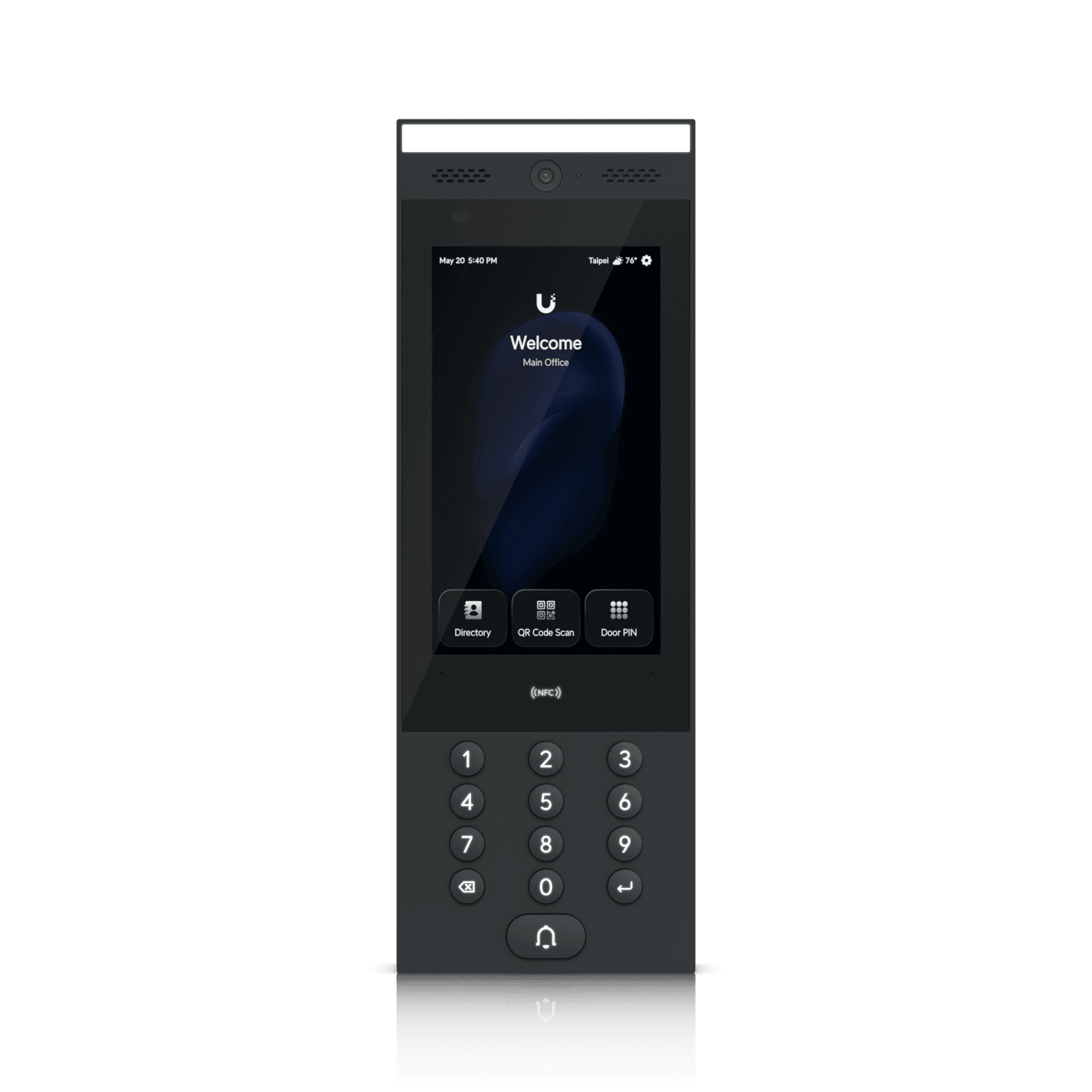
Business intercoms: plan who answers before buying
Design business intercom calls around visitor instructions, receiver availability, permission to release doors, and the unanswered-call response.
Quick answer: Choose a business intercom around the complete arrival workflow: how a visitor calls, who receives the request, how that person decides whether to admit them, and what happens if nobody answers. Test the actual receiver accounts and devices. A working camera and call button do not by themselves establish a usable entry process.
An intercom demonstration is easy when the installer stands outside and a colleague waits beside the receiving screen. Ordinary arrivals are less predictable. The receptionist may be helping another visitor, the designated manager may be away, or a mobile phone may suppress the notification that was supposed to replace a staffed desk.
The right buying conversation starts with those conditions. Hardware quality matters, but the business needs a call route and an admission decision that continue to make sense during lunch, shift changes, and unexpected deliveries. Otherwise, staff often compensate with broad access or an unnecessarily unlocked entrance.
Write the arrival from the visitor's side
Describe how a visitor reaches the correct door and identifies the intended recipient. A single-tenant office may need one clear call action, while a shared building may need a directory or another approved routing method. The visitor should not have to guess which department controls the entrance.
A hypothetical courier arriving at a building with three similar doors illustrates the problem. The intercom can function perfectly at the main entrance while deliveries keep appearing at a service door with no useful instructions. Camera and call routing cannot fix an arrival path the business has not explained.
Walk the approach and consider signage, lighting, weather exposure, and the space where somebody will wait. Keep placement and accessibility requirements within the appropriate project review. A device mounted where cabling is convenient may be difficult for the intended users to reach or understand.
Decide what information the visitor should supply. A name, host, or delivery purpose may be enough for the next step. Avoid designing the routine around unnecessary personal information that the business does not need to admit or assist the person.
Choose receivers by availability and responsibility
Identify who is expected to answer during each operating period and whether that person can actually decide to release the entrance. A staff member may be available to speak with a visitor but lack the authority or context to admit them. Those responsibilities should be resolved before a call group is populated.
Ubiquiti's receiver documentation describes receiver schedules and sequential call groups. It also documents exceptions for Door Attendants that can defeat an assumption that an ordinary receiver schedule limits all calls. Test the effective behavior of the exact accounts, not just the calendar displayed in one configuration screen.
A backup receiver should know when they are the backup and what they are expected to do. Sending every call to a large group can create uncertainty about who is answering, especially if staff assume somebody else has handled it. More recipients are not automatically a better response plan.
Review how staffing changes affect the group. If the first receiver is absent for a week, the business needs an authorized way to update the route without granting broad system administration to anyone who happens to be available.
Decide which receiving device fits the work
A dedicated display can suit a regularly staffed desk, while mobile receiving may fit a person who moves around the facility. A phone call can serve a different purpose from a video-equipped interface. Compare the information and controls available on each proposed receiving path rather than assuming they are equivalent.
UniFi's Intercom Viewer documentation describes visitor viewing, communication, and remote release with compatible adopted equipment. That is a particular supported arrangement. Existing desk phones, tablets, and third-party systems need their own compatibility review before they appear in the installation scope.
Test the real device in its intended location. Can the receiver hear the visitor over office noise? Is the image useful under normal entrance lighting? Does the person know which opening will be released? A demonstration on the installer's phone does not answer whether the receptionist's workstation works.
The business access-control guide helps connect the receiving device to broader permissions and door operation. Keep the intercom decision tied to the complete opening instead of purchasing a screen in isolation.
Make admission an explicit staff action
The intercom supplies information and a way to communicate; the business still needs a basis for admitting someone. Define what the receiver checks for an appointment, delivery, unfamiliar caller, or requested access to a staff-only area. Avoid relying on a generic instruction to use judgment without explaining the expected procedure.
A hypothetical visitor who knows an employee's name may still need the host to confirm the appointment. The appropriate process depends on the business, but it should not treat a confident caller or a clear video image as automatic authorization. The receiver needs a usable way to contact the host or route the request.
Clarify the scope of the release. Which door opens, for what intended passage, and how does it return to the normal state? Have qualified personnel verify the installed hardware behavior and applicable requirements. A button press in the app is not proof that the person entered or the door subsequently closed.
Train staff on the event record without overstating it. A call log and a release event establish system activity; they may not establish the identity of every person who followed through the entrance. Any additional review should use the organization's approved evidence and privacy procedures.
Give unanswered calls a defined outcome
The business should know what a visitor experiences when the first receiver does not answer, all recipients are unavailable, or the receiving path has a fault. A predictable unanswered-call process is more useful than an expectation that staff will discover missed requests later and improvise.
Decide the outcome for ordinary cases:
- An expected visitor arrives while reception is briefly occupied.
- A delivery arrives outside the approved receiving period.
- A host cannot be reached and the visitor needs further instructions.
- A device or connection prevents the normal call from arriving.
These cases may require different messages or contact routes. Keep instructions concise and appropriate for the public entrance. Do not publish sensitive internal contacts or broad access details simply to solve an after-hours inconvenience.
If the system supports escalation, demonstrate it with the first receiver intentionally unavailable under a planned test. Confirm which device actually receives the next call and whether the person understands that it is theirs to handle. A configured second group that nobody monitors is not a working fallback.
Test calls under the conditions that usually break them
Use the intended account, device, network, and notification settings. Ubiquiti's guidance specifically includes phone and browser notification configuration. Operating-system permissions and app settings can therefore matter even when the door station and controller are functioning normally.
Include ordinary device states in the exercise: the receiving screen locked, the browser not in the foreground, or the person away from the dedicated desk, as relevant to the supported arrangement. Test within the manufacturer's documented capabilities rather than assuming every background state behaves alike.
Plan an authorized network or component interruption test where appropriate. Ask the technical team to explain which call, video, release, and local door functions remain available in that arrangement. Do not accept a general offline claim without identifying the component that is offline and the function being discussed.
The door survey checklist adds the physical details needed for a complete acceptance exercise. Resolve unclear audio, misleading door names, missed notifications, and unintended permissions while the project team can still reproduce the problem.
Maintain the call route as the business changes
An intercom directory can become stale faster than the door hardware. Departments move, hosts leave, receiving hours change, and a shared building gains new tenants. Include the directory and receiver groups in those routine changes so visitors are not sent to people who no longer have the relevant role.
Review the public information as well as the internal configuration. A new directory entry may expose a name the business did not intend to display, while removing an employee from the directory may leave their account authorized to release doors. Treat display, receiving, and release permission as related checks.
For nationwide locations, use a consistent workflow and naming approach while matching the staffing model at each site. A small unstaffed office and a busy reception building should not inherit the same call group simply because they use the same platform.
Keep a short test that local staff can repeat through normal use. It should verify the intended call route and admission process without requiring them to change hardware or administrative settings. This makes a changed phone or notification setting visible before it frustrates the next visitor.
The takeaway
A business intercom works when the visitor reaches the right place, the right person receives the request, and that person can make and carry out an appropriate admission decision. Hardware features support that workflow, but they do not define it.
Test the actual receivers, devices, schedules, and unanswered-call behavior before acceptance. Then maintain those details as staffing changes. That produces a more dependable entry process than adding recipients or leaving the entrance unlocked when calls become inconvenient.
Plan the intercom and door workflow together
BlueHouse Telecom can help scope electronic access control nationwide. Share the arrival paths, receiving hours, staff roles, and existing door hardware so the proposal can cover the complete visitor-entry process.
FAQ
Can any desk phone answer a new video intercom? Compatibility depends on the exact platform, phone, service, and configuration. Verify the proposed receiving path rather than assuming an existing handset supports all call and release features.
Should every manager receive doorbell calls? Use defined responsibility and availability. A large recipient list can create confusion, while a clear primary and supported fallback route makes the response easier to operate.
Does a receiver schedule always limit every intercom role? Not necessarily. Platforms can have role-specific exceptions. Check current documentation and test the effective behavior of the actual account.
Does a remote unlock event prove the visitor entered? No. It records a system action. Physical passage, closure, and identity may require other approved observations or evidence.