
Count more than doors when sizing an access controller
Evaluate door, reader, input, output, power, user, and location requirements before treating an access controller capacity figure as a design.
Quick answer: Size an access controller from the complete opening requirements, not only the advertised door count. Check readers, inputs, outputs, power, supported users, location, and the architecture needed for future additions. A spare door position is useful only when the other required resources and installation conditions are also available.
An eight-door controller can sound like a complete answer to an eight-door project. The missing questions appear when some openings require additional readers, different hardware interfaces, or more power than the initial schedule assumed. Capacity is a set of limits that must work together.
The buyer's role is to make those requirements visible and ask for an explained design. Detailed electrical and life-safety decisions belong with the appropriate qualified professionals. A capacity review should reveal incomplete assumptions before equipment is ordered, rather than turn a headline specification into an unverified installation plan.
Count controlled openings consistently
Start with a door schedule that describes the physical openings and their intended operation. Make clear how the project counts paired leaves, separate entry and exit readers, gates, and other interfaces. A floor-plan symbol alone may not explain how many supported controller resources the opening will use.
Confirm the meaning of the manufacturer's door count for the exact model and operating mode. Different products and integrations can allocate resources differently. Avoid carrying an assumption from a previous installation into a new platform simply because the marketing labels sound similar.
Separate current requirements from probable expansion and speculative possibilities. A future opening with an approved location and hardware plan deserves a different level of detail from an idea that has not been evaluated. The design can allow growth without pretending every future requirement is already known.
The business door access guide helps organize the operating questions behind the schedule. Use those answers to define what each opening must do before comparing controller quantities.
List the resources each opening consumes
For every opening, identify the required readers, lock interface, door-position information, request-to-exit functions, and other approved connections. The detailed arrangement depends on the selected equipment and the opening's design. Keep the list tied to the actual proposed hardware.
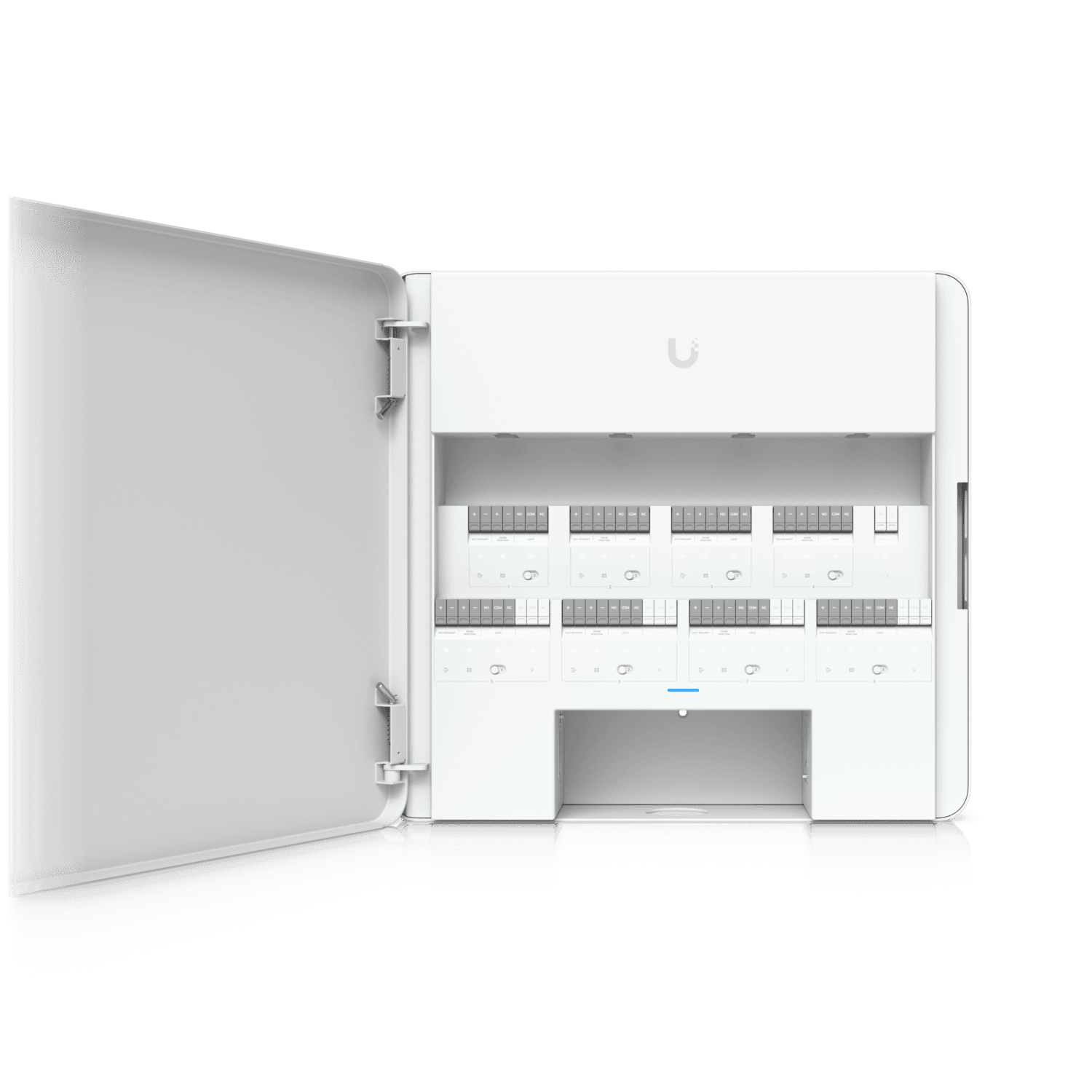
The UniFi Enterprise Access Hub specifications illustrate why this matters. The EAH-8 lists eight supported doors alongside separate input, lock, auxiliary, and network resources. Those categories must be evaluated together; the door figure does not describe every possible configuration by itself.
Ask the designer to show how each requirement maps to a supported resource. If an opening needs an additional interface or a different controller arrangement, include it in the proposal. A vague allowance for accessories is difficult to compare and may hide a necessary component.
Do not assume that an unused terminal can be repurposed for any desired function. The manufacturer's supported use, configuration, and electrical limits apply. Procurement should request a complete supported arrangement rather than direct improvised wiring to fit an initial equipment count.
Review per-device power and the total budget
A power source can have both an individual output limit and a shared total limit. Each attached device must fit the relevant output, while their combined requirements must fit the source as a whole. Use the actual supported allocation and operating requirements, not a casual estimate of idle draw.
For example, the EAH-8 specification lists PoE outputs at up to 30 watts per port with a 190-watt aggregate maximum. Eight times 30 watts is 240 watts, which exceeds that shared figure. The arithmetic shows why a per-port headline cannot be multiplied into an assumed total capacity; it is not a recommendation to assign those loads to a real installation.
Have the qualified design team account for the selected readers and other powered equipment using current documentation. Lock power, auxiliary functions, and any separate supplies need their own appropriate review. Keep backup-power objectives separate from the normal operating capacity calculation.
If future devices are included, identify the assumptions used for them. A general spare percentage cannot prove that a particular later device will be compatible. The expansion decision must still confirm the relevant interfaces, power, and supported arrangement when the requirement becomes concrete.
Consider location before concentrating every opening
A central cabinet can simplify some maintenance tasks, but the route to each opening still matters. Cable paths, equipment placement, access restrictions, and the physical layout may favor a different arrangement. The highest-capacity controller is not automatically the most practical choice for every property.
Ask how the proposed grouping affects installation and support. A cabinet in a restricted room may require access coordination for work on several otherwise unrelated areas. A remote building may need local equipment and power rather than an assumed extension of the main site's arrangement.
Review the consequence of a shared failure or planned maintenance event. Grouping many openings on one component can concentrate the operational impact when that component is unavailable. The appropriate response depends on the site's requirements and approved design, not a universal rule that more controllers are always better.
The access control door survey checklist helps gather the location and pathway details needed for that discussion. Capacity should be evaluated against the surveyed site rather than an equipment spreadsheet detached from the building.
Check platform limits beyond physical connections
The complete system may have limits related to users, credentials, controllers, sites, or software features. Confirm the current specifications and licensing scope for the exact proposed platform. A sufficient number of physical door connections does not automatically establish that every organizational requirement is supported.
Include integrations that affect the operating design. Wireless locks, elevators, gates, and identity systems can introduce their own supported combinations and capacity rules. Treat them as defined interfaces, not as generic doors added to a single total.
A focused proposal review should show:
- The current opening schedule and supported controller allocation.
- Required readers, inputs, outputs, and any additional interfaces.
- Individual and aggregate power assumptions with their source.
- Relevant platform, user, credential, and licensing limits.
- The specific resources reserved for identified expansion.
Ask which figures are verified and which remain provisional. A responsible proposal can contain an unresolved item awaiting survey or manufacturer confirmation. The important point is that it does not present that assumption as completed engineering.
Compare expansion options by the work they require
An unused controller position may reduce the work needed for another opening, but it is only one part of expansion. The future project can still require cabling, a reader, suitable lock hardware, configuration, power review, and acceptance testing.
For a hypothetical office, reserving capacity for a known adjacent entrance may be practical because the route and operating requirement are already understood. Reserving the same nominal capacity for a distant building may provide much less benefit if the physical architecture will differ.
Price reasonable alternatives against those known scenarios. One option may install capacity now; another may add a supported controller later. Compare the likely installation disruption, equipment changes, and operating consequences alongside the initial price.
Avoid buying large amounts of unassigned equipment solely to make the system appear future ready. Growth planning is strongest when it identifies a plausible change and explains which part of the design will make that change easier. Unknown future products still require a new compatibility assessment.
Verify the installed allocation at handover
The final records should show which openings and components use each controller resource. Compare that mapping with the installed configuration and labels. Any design change made during installation should appear in the handover information rather than remaining in a technician's memory.
Test the agreed opening functions through the approved acceptance process. Capacity calculations support the design, but they do not replace functional verification of the completed arrangement. The appropriate qualified parties should assess hardware and safety requirements within their responsibilities.
Identify remaining spare resources accurately. An empty connector is not necessarily available if the shared power or platform limit is already committed elsewhere. The expansion record should explain the usable reserve and any condition that must be reconsidered before adding equipment.
Keep this information current when devices or opening functions change. Replacing a reader, adding an interface, or altering the power arrangement can affect the capacity assumptions. A maintained allocation record helps the next project begin with evidence instead of another estimate based on the cabinet's appearance.
The takeaway
Controller sizing is a review of combined resources and operating requirements. Door count matters, but readers, interfaces, power, location, and platform limits determine whether the proposed arrangement is complete and supportable.
Ask for a clear allocation tied to the surveyed openings, then preserve the verified result at handover. Future capacity should describe a usable, supported reserve rather than an empty position that may lack the other resources an expansion needs.
Scope the openings before choosing controllers
Discuss your door schedule and expansion plans through BlueHouse's access control installation service for nationwide business projects.
FAQ
Does an eight-door controller always support any eight openings? No universal conclusion follows from the headline count. Confirm the exact product, operating mode, readers, interfaces, power, and hardware requirements for the proposed openings.
Can per-port power ratings be added to find total capacity? Only within the product's shared limits. A device can specify an individual output maximum and a lower aggregate budget. Check both against the actual supported equipment allocation.
Is an unused controller position enough for future expansion? It helps only if the other requirements also fit. Cabling, readers, lock interfaces, power, software scope, and installation conditions still need review for the future opening.
Who should approve the detailed controller design? The appropriate qualified technical and building professionals should assess the proposed arrangement. The business should confirm operating requirements and receive a clear explanation of capacity, assumptions, and acceptance scope.