
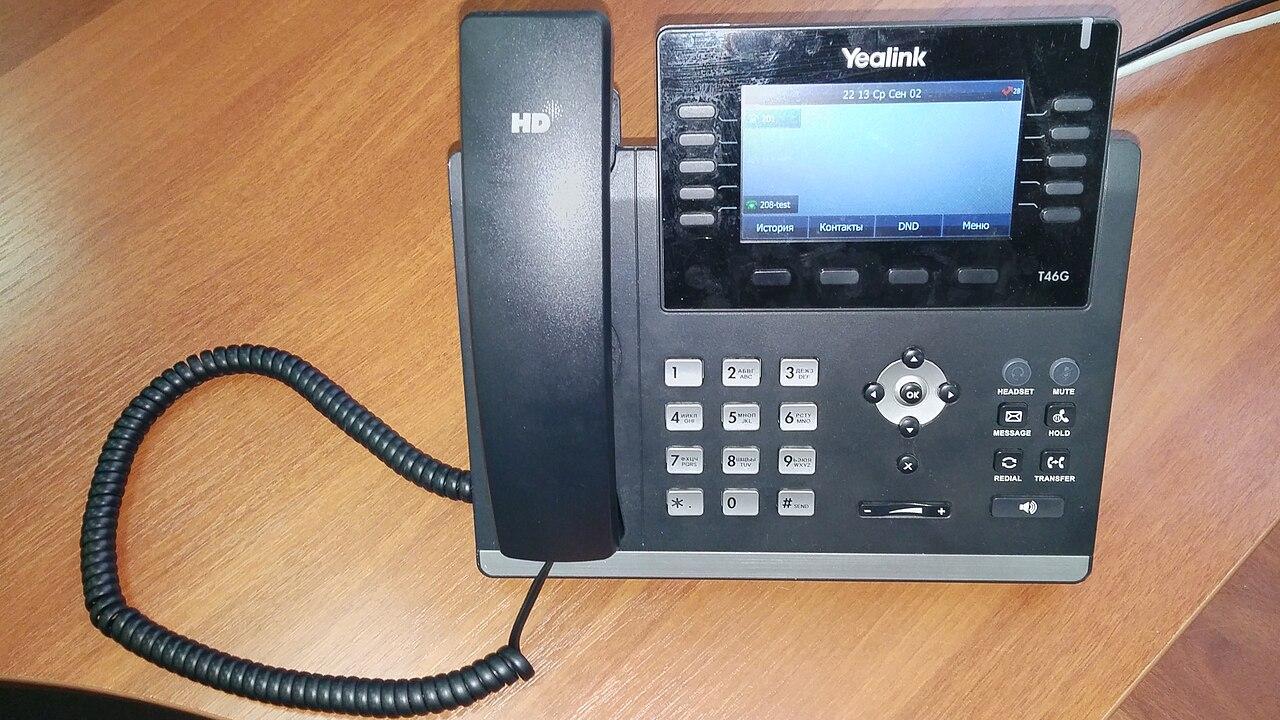
Check Yealink Phone Provisioning Before Ordering Handsets
Check exact Yealink models, provisioning ownership, platform support, and shipment records before ordering business handsets at scale.
Quick answer: Order Yealink handsets only after the calling provider confirms the exact model, software requirements, provisioning route, and required calling features. Resolve device ownership and management assignments before shipping, then prove a sample can reach the intended service and complete real calls.
A handset can arrive on time and still be the wrong purchase. The model may look familiar while its intended platform, software, or previous management assignment prevents the setup the buyer expects. A box count catches none of those problems.
The purchasing decision should include a working path from the supplier's inventory to the employee's first accepted call. This is especially useful for nationwide deployments, where a provisioning mistake can be repeated across dozens of shipments before anyone notices it. The objective is to buy equipment that the chosen service can actually operate and support.
Put the complete model identity on the purchase request
Use the manufacturer's exact model and the supplier's orderable part number. Ask which platform or software edition ships on the device, what accessories are included, and whether the proposed unit is new, refurbished, or previously deployed. A broad description such as “Yealink business phone” leaves too much room for substitution.
Match that identity against the calling provider's current supported-device information. Include any feature that influenced the purchase: expansion modules, wireless accessories, shared-line behavior, or a particular sign-in experience. Support for basic calling does not establish that every accessory and workflow in the sales discussion is available.
Have the provider document the accepted combination before the order is released. If a supplier offers an alternative because the preferred unit is unavailable, repeat the check for that alternative. A similar display and button layout are not enough evidence that it will fit the existing deployment instructions.
Establish who prepares the provisioning assignment
Provisioning connects a device to its intended configuration and calling service. Decide whether the supplier, service provider, or your authorized administrator will prepare that connection. The handoff should identify the device records needed, when they are delivered, and who confirms that the assignment is complete.
Yealink's RPS documentation describes device records that direct equipment to a selected provisioning server. It also addresses devices associated with another enterprise platform. Treat those capabilities as a supported administrative process with ownership checks, not permission to change equipment that the business does not control.
Ask the calling provider which route applies to the exact order. A manufacturer management account and the provider's phone inventory may perform different jobs. The purchasing team should not assume that adding a serial number to one portal completes every assignment needed in another.
Require usable identifiers before distributing the boxes
Agree when the supplier will provide the identifiers required by the supported workflow. Reconcile those records with the order, model, quantity, and destination. Keep identifiers in an approved project location with access appropriate to the information, rather than circulating unrestricted files among every site contact.
For a hypothetical shipment of forty phones, suppose the supplier provides thirty-eight usable device records and two records with mismatched models. The business has forty boxes to receive, but only thirty-eight assignments ready for preparation. Keep the two exceptions separate until the supplier resolves them; do not fill the gaps with guessed identifiers.
Include replacement shipments in the same reconciliation. A damaged unit exchanged during transit can leave the original identifier assigned to a user while the replacement has no configuration. The shipment process needs a way to update the device-to-destination mapping without losing the history of what changed.
Make prior management ownership a purchasing question
Used or previously assigned devices deserve an explicit ownership check. Ask the seller to explain whether any previous provider or management service must release the equipment and who will resolve an assignment conflict. Get the answer before distributing the phones to remote employees.
Yealink's documented occupied-device workflow uses device identity and authorized platform permissions. That is a reason to obtain legitimate purchase and ownership records, not to improvise a reset sequence. A factory reset and a management-service release are different questions; the provider should confirm the supported steps for the actual device and service.
Set an acceptance condition for unresolved ownership. For example, the procurement record can require the supplier to correct the assignment or replace the affected unit before it is counted as deployable. This makes a practical issue visible while the purchasing team still has a clear commercial route to resolve it.
Test first boot on the network the phone will use
A device prepared correctly in a portal still needs the network access required by its supported setup process. Yealink's description of its redirection service explains how a device can be directed to a preassigned configuration server. Confirm the applicable network requirements for the actual phone and platform rather than copying a generic firewall list without review.
Run the sample on a representative business network with the IT administrator involved. Confirm the approved power arrangement, network connection, time settings, and permitted access to the relevant services. Avoid weakening security controls simply because a phone has not yet reached its destination; capture the failure and investigate the specific dependency.
For home shipments, test the employee instructions as well. The employee should know which port or approved connection to use, whether a power accessory is supplied, and when to stop and request help. Instructions written beside a fully prepared office switch may omit steps that matter at a remote desk.
Turn the sample into a purchasing gate
Choose a sample from the actual model and intended supply route. A demonstration unit already configured by a vendor can prove a feature, but it may not prove the preparation and shipping process your order will follow. Ask for a realistic rehearsal of that process.
Use a short purchasing gate:
- Confirm the received model, platform edition, and included accessories.
- Match the device identity to the provider's intended assignment.
- Complete the supported startup and sign-in or provisioning process.
- Verify the calling features that justified choosing this model.
- Demonstrate the recovery and support route for a failed setup.
Keep the outcome specific. “Phone online” is weaker than a record showing an inbound call, outbound identity, transfer, and the required accessory working under the intended account. The business phone buying guide can help connect those checks to the wider calling requirements.
Separate shipment readiness from user readiness
A prepared device does not guarantee that its recipient is ready to use it. Confirm the employee or shared-space assignment, the planned activation date, and whether the existing phone must remain available during the transition. Shipments should follow an agreed sequence instead of becoming an accidental cutover schedule.
Give site contacts a receiving task they can complete without accessing administrative credentials. They can confirm package condition, count, destination, and the visible asset label. The calling administrator can verify the restricted configuration separately. This keeps a useful separation between physical receipt and service administration.
For multiple locations, hold a small quantity of verified spare equipment where it can support the rollout. Determine how a spare receives an approved assignment and how the replaced unit is removed from the active inventory. A spare that cannot be provisioned through the normal process may offer little help during an exception.
Price the complete deployment responsibility
Compare quotes using the same scope: handset, required accessories, preparation, shipping, management arrangement, and support. Ask which party handles a unit that arrives assigned incorrectly, which software updates are part of the deployment, and whether a substitution needs written approval. Avoid reducing the decision to the handset line alone.
Identify the operational work your company must still perform. A service provider may prepare calling records while your team supplies location information and receives the equipment. The purchase should make those handoffs clear enough that both sides can recognize a missing prerequisite before installation day.
Use the existing phone migration checklist when the order combines new and reused equipment. Keep the categories separate in the purchase record so a successful new-device sample does not silently approve every older handset in the business.
The takeaway
A sound Yealink purchase has an exact supported model, an agreed provisioning route, legitimate control of the equipment, and a sample that completes the intended calling tasks. Those details belong in the order preparation, while the supplier and provider can still correct a mismatch before it spreads across locations.
Release wider shipments when the preparation process is proven and the receiving team can reconcile each device. That gives the business a repeatable deployment path and a clear way to handle exceptions, instead of a collection of phones whose appearance suggests more readiness than the evidence supports.
Prepare your business phone order
Bring the proposed models, calling platform, and location list to BlueHouse Telecom's deployment planning service to discuss a coordinated equipment and readiness scope.
FAQ
Does a Yealink model name alone prove compatibility? No. Confirm the exact model, platform edition, supported software, accessories, and required features with the chosen calling provider before ordering.
Should every phone be factory reset before deployment? Follow the supported instructions for its condition and destination platform. A reset can affect an active device and does not by itself establish ownership or resolve every management assignment.
Who should supply the provisioning identifiers? Agree that responsibility with the supplier and provider before purchase. Reconcile the identifiers against the actual received equipment and handle them through the approved project process.
Can remote employees receive phones directly? Yes, when the supported preparation, power and connectivity requirements, employee instructions, and help route have been tested. Direct shipping still needs a reliable record of which device reached which person.