
Check Whether Existing Desk Phones Can Move to a New Platform
Check existing desk phones for exact model support, firmware, provisioning ownership, required features, condition, and a supported migration pilot.
Quick answer: Verify the exact model, hardware variant, firmware, provisioning control, and required features before promising to reuse desk phones on a new platform. Test a representative device through the supported migration process and price the full effort. Matching a brand name or seeing a SIP setting is not enough to establish supported reuse.
A box of working phones can look like an obvious saving until the new provider asks for the model variant, current provisioning account, and required firmware. The phones may be serviceable, but the information needed to move them may be scattered among a former administrator, an old contract, and labels under the devices.
Start the reuse decision before signing the new phone proposal. That gives the company time to distinguish equipment worth retaining from devices that would cost more effort or introduce more limitations than a replacement. The goal is supported service, not preserving every handset at any cost.
Inventory the actual device, not the family name
Read the label and current administration information through an authorized process. Record the model, part number or variant, hardware revision where relevant, serial or asset identifier, and current firmware. Include the present user or shared location so the device can be matched to its business task.
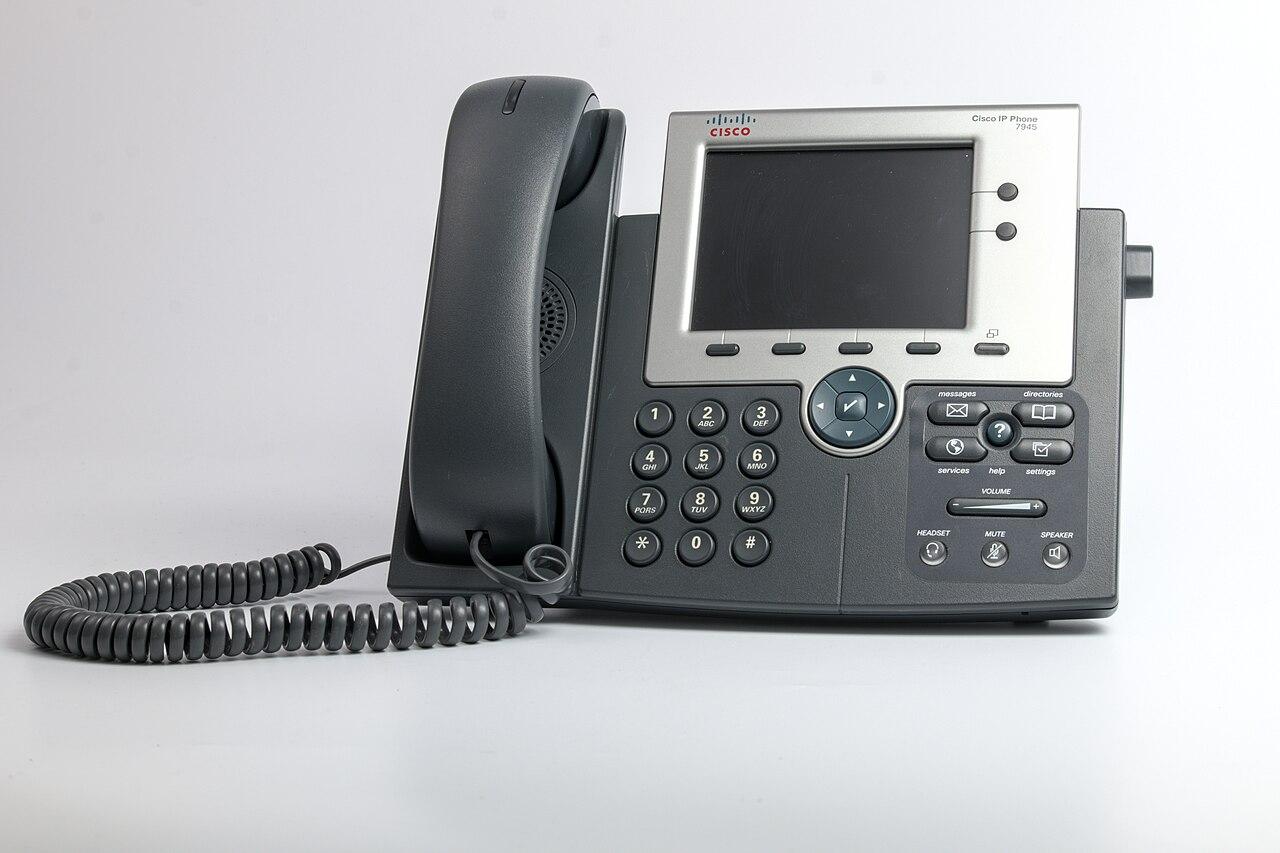
Avoid an inventory entry that says only Poly phone, Yealink phone, or Cisco phone. Manufacturers offer different products and variants under similar names, and a platform's support can depend on the specific model. Photographs of the label can help resolve uncertain entries without requiring someone to transcribe every character during a busy site visit.
Record accessories at the same time. Expansion modules, headsets, power supplies, and mounting equipment may matter to the existing workflow. A supported handset can still lose an essential function if its accessory combination is not supported in the new arrangement.
Separate the installed population from stored spares. A device in a cupboard may have a different configuration or history from an apparently identical phone in daily use. The inventory should identify those differences before selecting a pilot unit that turns out not to represent the wider fleet.
Check the receiving platform's current support
Use the receiving provider's official supported-device information, then ask for confirmation where the model or variant is unclear. Support is a relationship between a device and a service configuration; it should not be inferred from the manufacturer being widely recognized.
Zoom's desk-phone provisioning guide identifies supported models from several manufacturers and notes that desk-phone models support only some phone features. It also distinguishes zero-touch and assisted provisioning. That is a useful reminder to check both whether the phone can register and whether it can perform the work required.
Ask the supplier to identify the supported firmware and provisioning method for each proposed reuse group. If a device requires conversion, an upgrade, or another preparation step, include that work explicitly. Do not accept a broad assurance that all phones using a particular protocol are interchangeable.
Keep the confirmation current through ordering and deployment. If support information changes or the supplier substitutes another service plan, revisit the affected device decision. A compatibility statement from an old proposal may describe a different version or service than the one ultimately purchased.
Establish ownership and provisioning control
Confirm that the business has the authority to reuse the equipment and understands any lease, return, or contractual obligation. A phone on the desk is not necessarily owned outright. Resolve those commercial questions before resetting or shipping devices to another location.
Identify who currently controls provisioning and administration. The existing provider may manage the device configuration or an automated enrollment relationship. Ask the current and receiving providers what supported release or reassignment is required. Do not attempt to bypass a lock or rely on an unknown administrator password from an informal source.
Preserve the configuration information needed for the approved migration and recovery plan. This does not mean copying secrets into a public spreadsheet. Keep credentials and sensitive records in the organization's approved systems while documenting who can access them during the change.
A factory reset is a consequential step for a working phone. Schedule it only after the receiving configuration and support plan are ready. Resetting an entire office to discover whether devices can move turns a buying question into an avoidable service interruption.
Test the functions that justify keeping the phone
List what employees use beyond basic dialing. Reception staff may depend on line keys, colleague status, transfers, or expansion modules. A shared station may require a specific identity and restricted access. A conference position may rely on audio behavior or accessories that a standard desk-phone test will not exercise.
Use the current workflow as evidence, while allowing sensible improvements. The new platform may implement a task differently. The question is whether staff can complete the task reliably in the supported configuration, not whether every button has the same label as before.
Build a focused feature check:
- Required inbound and outbound calling through the correct identity.
- Hold, transfer, voicemail, and directory behavior used by the role.
- Shared-line, delegation, or monitoring functions where required.
- Supported headset and expansion accessories.
- Approved location configuration and verification process.
- Administration, updates, and replacement provisioning.
Record limitations in the reuse recommendation. A phone that supports ordinary calling but lacks a required reception function may be suitable for another role. That can preserve useful equipment without pretending every device is appropriate everywhere.
Pilot the full provisioning sequence
Choose a representative device and an approved change window. Confirm that the old service can be interrupted for the trial and that a supported alternative is available if the test does not succeed. Assign someone who can work with both providers and the internal network administrator.
Follow the receiving platform's current instructions for that model. Zoom's guide, for example, tells administrators to add the phone in the portal before the initial power-on or reset that triggers the applicable provisioning process. The exact sequence matters; a general instruction to plug in the phone leaves important preparation unstated.
Observe the entire process, including any restarts, firmware changes, and assignment steps. Record the time and assistance actually needed, but do not turn one trial into a guaranteed duration for every phone. Older hardware, different network conditions, and incomplete records can create exceptions.
Test the required functions after registration. A device appearing online in an administration portal is not acceptance of its calling workflow. Have the intended user complete the relevant tasks and confirm the result from an external test caller where appropriate.
Compare reuse costs with the remaining useful service
Price the migration work, required licenses or conversion, accessories, shipping, local assistance, and expected support using actual quotes. Include replacement of damaged or unreliable units. A zero-dollar hardware purchase can still involve substantial deployment effort.
Assess physical condition. Worn handsets, damaged connectors, missing stands, or unreliable keys can make an otherwise compatible phone a poor candidate. Have the appropriate technician evaluate the device rather than assuming registration success establishes its condition.
Consider the planned service period and manufacturer support information. Ask the supplier how updates, security maintenance, and replacement support will be handled for the retained model. Avoid inventing a universal retirement age; the relevant evidence is the actual product's support status and the organization's needs.
A hypothetical office might retain supported phones for ordinary desks while replacing reception units that cannot meet the required handling workflow. That mixed result can be more defensible than either reusing everything or replacing everything without evaluation. Keep the reason for each group visible in the purchasing record.
Roll out by verified groups and reconcile the leftovers
Group devices by the configuration that matters to migration: exact model or revision, firmware path, accessories, and site conditions. Use the pilot result to prepare instructions for that group, with an exception route for devices that differ. Do not force an unidentified phone through a procedure intended for another model.
For nationwide sites, confirm who can read labels, connect equipment, and perform the approved user checks locally. Remote support can guide a supported process, but the project still needs someone able to identify the physical device and report what it displays. Schedule around business operations and the availability of that help.
Update the equipment register as each device is accepted, deferred, reassigned, or retired. Handle returned or retired equipment through the approved data-removal and disposal process. Close old provisioning relationships where required so the final device state matches the new administration model.
The business network hardware buying guide offers a broader way to compare compatibility and support. Keep the phone-specific pilot evidence attached to the final decision so a future replacement order does not repeat the same uncertainty.
The takeaway
Desk-phone reuse is a compatibility and operating decision, not a judgment based on brand recognition. Identify the exact devices, establish ownership and provisioning control, and test the features that make them useful. A supported registration is necessary but may not be sufficient for the role.
Compare the complete migration effort with replacement and the intended service period. Across multiple locations, proceed in verified groups and preserve exceptions instead of treating them as mistakes to hide. The best outcome may be selective reuse backed by clear evidence.
Review existing phones before choosing the replacement system
Use BlueHouse Telecom's business VoIP phone system guide to organize device inventory, call-handling requirements, and migration questions for your nationwide project.
FAQ
Does SIP support mean a phone will work on any platform? No. Verify the receiving provider's exact model, firmware, provisioning, and feature support. A protocol label does not establish the complete supported configuration.
Should we factory-reset phones before asking for a quote? Keep working equipment intact while evaluating it. Reset only through an approved migration plan after ownership, receiving configuration, and support or recovery arrangements are confirmed.
Can an old phone be reused for a different employee role? Potentially. A device that cannot meet a demanding reception workflow may still suit ordinary calling if the platform supports it and its condition is acceptable. Document the verified limits.
How do we estimate the effort for a nationwide reuse project? Inventory the devices, group meaningful differences, and run a representative pilot. Use observed work and supplier quotes to plan deployment, while retaining time and support for documented exceptions.