
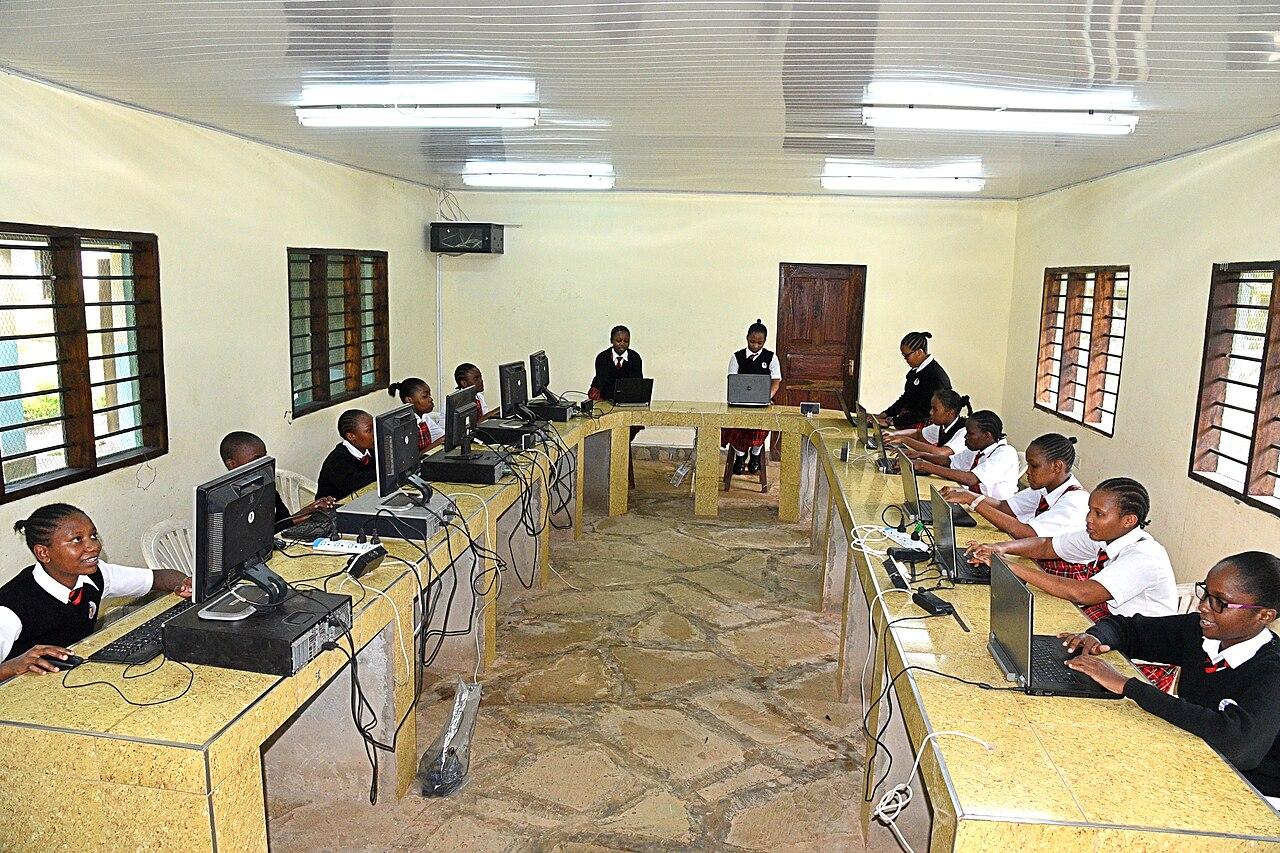
Plan school internet around concurrent learning activities
Plan school internet for the learning activities that happen together, with real devices, approved controls, and usable evidence.
Quick answer: Build the school's internet requirement from activities that occur at the same time, not enrollment alone. Identify the applications, endpoints, traffic direction, and scheduled demand at each campus. Test representative learning tasks through the intended network and approved controls, then review the evidence with the school's technical and instructional owners.
Enrollment is an incomplete bandwidth specification. Two schools with the same number of students can use their connections very differently during an ordinary morning. One may have several classes uploading work while another has a smaller group joining interactive video sessions and the rest working locally.
The buying decision needs a picture of that concurrent activity. This article proposes a planning process for school internet service. It keeps instructional requirements, campus network performance, and approved security controls in the same discussion while leaving their design and policy decisions with the responsible school teams.
Map the busiest learning periods
Start with the timetable and ask instructional staff which activities depend on outside services. Identify periods when several classes use the same application or submit work at once. Include staff activity that shares the connection during those periods rather than treating teaching and administration as unrelated demand.
Record what is actually simultaneous. A list of every application used during a semester will overstate some combinations and miss others. The useful unit is a representative period with identifiable tasks, devices, and expected completion behavior.
Keep the scenarios understandable to teachers. A description such as several classes submitting media projects is easier to verify than an unexplained aggregate bandwidth estimate. The technical team can translate the scenario into network requirements after the instructional participants confirm that it resembles the school's planned use.
Count endpoints and activities separately
A student or staff count does not always match the number of active devices. A classroom may use a shared display alongside individual laptops, and staff may join a session from more than one endpoint. Record the actual arrangement rather than applying an automatic one-device-per-person assumption.
Microsoft's Teams network guidance describes bandwidth requirements per endpoint and notes that one user can have multiple endpoints in a meeting. Use current guidance for the specific applications involved, with the school's own device and activity assumptions made explicit.
I would keep those assumptions beside the estimate. If the device model changes next term, the team should be able to see which part of the calculation needs review. An unexplained speed recommendation becomes difficult to update as teaching practices evolve.
Distinguish uploading from receiving content
Identify which tasks send material out of the campus and which primarily receive it. Video participation, student submissions, cloud synchronization, and content downloads can place different demands on the connection. Compare both directions in the proposed service rather than focusing only on the advertised download figure.
Ask application owners about the expected file sizes, timing, and supported behavior when a transfer is interrupted. Keep representative examples free of unnecessary student information. A test package can establish the workflow without using real private records or collecting more content than the evaluation needs.
Use the school connectivity guide to connect these requirements with the wider campus plan. Internet capacity is one part of the path. The school also needs to understand how the devices reach the connection and which approved controls apply along the way.
Separate the campus path from the carrier path
A slow classroom task may involve the device, wireless connection, local network, outside service, or several of them. Have the technical team choose measurements that help distinguish those parts. A larger internet tier does not automatically correct every condition inside a building.
Test from the relevant classrooms and device types under an approved plan. Where useful, compare a controlled reference connection with the ordinary learning path. Record the difference in conditions so the results can be interpreted instead of presenting unrelated tests as if they measured the same thing.
Keep the carrier's service boundary explicit. The provider may be responsible for the delivered connection while the school or another designated team manages the campus network. The operating plan should identify who investigates each part and who coordinates when the available evidence does not yet locate the problem.
Include approved content and identity controls
Have the school's responsible administrators identify the controls the learning applications must pass through. Test with the intended account types and permissions, using current application requirements. A demonstration on an unrestricted administrator device may not represent the experience of an ordinary student or teacher.
Do not treat bypassing a control as an acceptable capacity solution. If an application does not function through the approved design, have the responsible teams investigate the requirement and decide the supported response. Preserve the distinction between a performance problem and an access-policy decision.
A useful application scenario record includes:
- The learning activity and its expected concurrent endpoints.
- The ordinary device, account type, and campus location.
- The approved controls and outside services in the path.
- The observed result and the owner of any unresolved issue.
This record gives the technical team a specific problem to investigate. It is more useful than a general complaint that the school needs faster internet, while still allowing the evidence to show when additional service capacity is justified.
Schedule background demand with its owners
Identify software distribution, backups, and other background activity that may overlap with learning. Ask the responsible administrators how those tasks are scheduled and which constraints apply. Do not assume that every transfer can simply be moved to night or paused without consequence.
Review the ordinary school day and the exceptional periods separately. Device preparation, a term change, or a large assessment can produce demand unlike a typical lesson. Put those scenarios in the plan so the buying decision does not depend on one quiet measurement period.
Consider changes to timing only through the relevant operating process. The school may be able to reduce unnecessary overlap, but the resulting schedule should still meet its maintenance and instructional needs. A capacity plan should explain the approved workload, not depend on hidden restrictions that staff have never agreed to follow.
Compare service offers against the same scenarios
Give providers the same site information and operating requirements. Ask for the actual available service, upload and download characteristics, delivery scope, and applicable support terms. Keep the response tied to the campus address and proposed handoff rather than comparing brand names in the abstract.
Use the dedicated internet comparison guide to frame questions about service models. The decision should follow the school's requirements and the actual proposal. A label such as dedicated or fiber should not replace review of what the provider is offering at that location.
Identify the evidence needed after installation. The school should know how the service will be accepted and which classroom tasks will be checked through the finished network. Include the people needed for those tests in the schedule rather than assuming instructional staff will be available at the end of an unexpected visit.
Revisit the baseline when learning changes
Preserve the accepted scenarios and results as a baseline for future review. Update them when the device fleet, application mix, timetable, or campus occupancy changes materially. A connection that suited last year's teaching pattern may need reassessment without implying that the original decision was careless.
Collect specific observations when staff report a problem. Time, location, application, and affected task can help the technical team compare the event with the baseline. Avoid collecting unnecessary student content in support reports; the relevant behavior can often be described without exposing private work.
Review unresolved patterns with instructional and technical owners together. The answer may involve service capacity, local network changes, application requirements, or a different approved schedule. The evidence should guide that decision instead of allowing every complaint to become an automatic request for a higher headline speed.
The takeaway
School internet planning should reflect concurrent learning activities and the actual endpoints performing them. Keep upload and download needs, campus conditions, and approved controls visible in the same requirements record.
Test the finished path with representative tasks and preserve the results for later review. The school gains a more useful buying and support process when the connection is evaluated against what classes need to accomplish, rather than a single enrollment-based speed estimate.
Plan connectivity for your campus
Discuss your school locations and internet requirements with BlueHouse Telecom.
FAQ
Can enrollment determine the internet speed a school needs? It is one input, but it does not establish concurrent device use or application demand. Build scenarios from the actual timetable, endpoints, and learning activities before choosing a service requirement.
Does more internet bandwidth fix weak classroom Wi-Fi? It does not by itself establish the cause of a wireless problem. Have the technical team distinguish the campus path from the carrier connection and test the affected classroom workflow.
Should tests use ordinary student and teacher accounts? Use approved test accounts and permissions that represent the intended experience. An unrestricted administrator demonstration may not reveal the access controls and application behavior ordinary users will encounter.
When should the school review its capacity plan? Revisit it when devices, applications, occupancy, or teaching schedules change materially, and when recurring evidence shows the accepted baseline no longer represents actual use. Keep the relevant owners involved in the review.