
Plan remote-site access recovery before the connection fails
Prepare remote-site door recovery around local permissions, management updates, power, approved physical access, and post-outage checks.
Quick answer: Prepare remote-site recovery around the access state already stored at the controller, the updates that may not reach it, and the approved way an authorized person gets assistance onsite. Confirm power and communication dependencies separately. After service returns, verify permissions, events, and physical-door behavior before closing the incident.
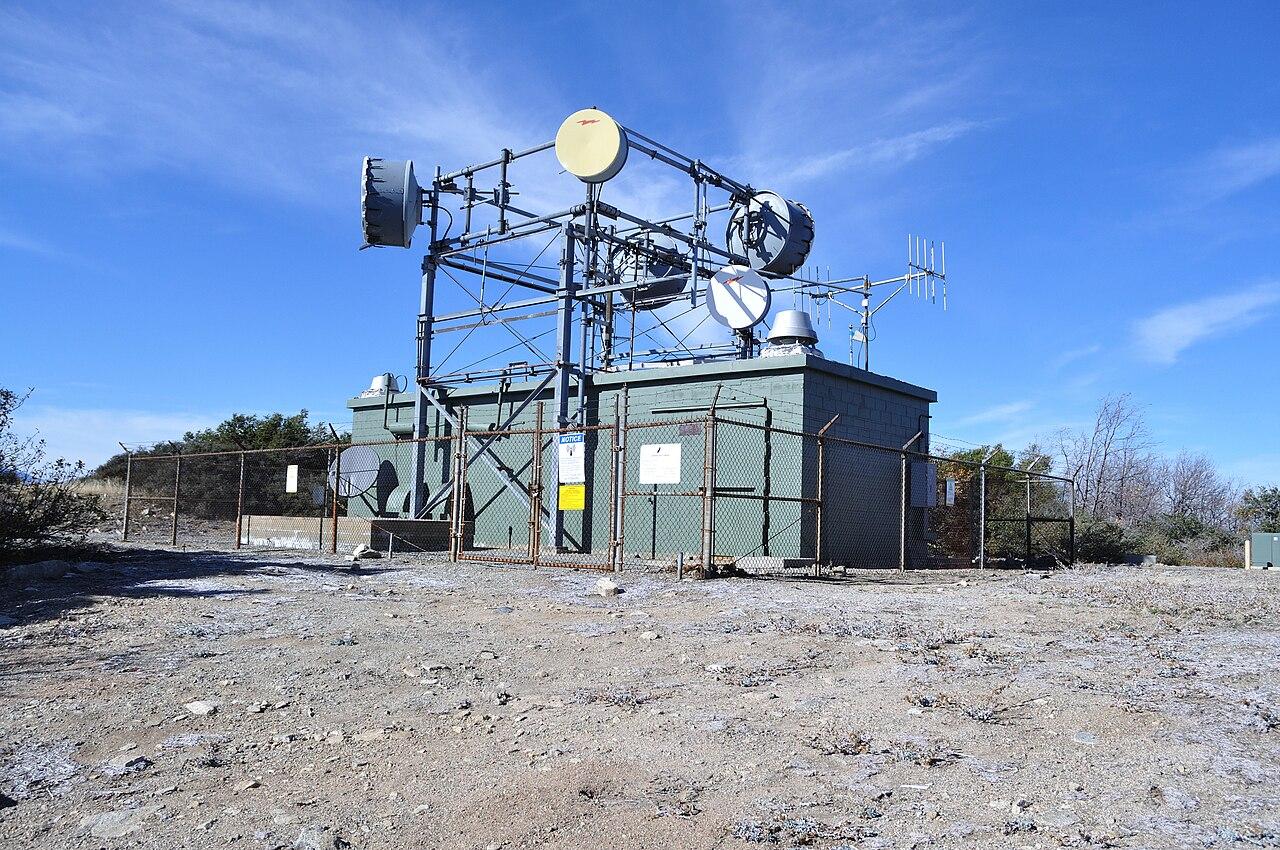
At a staffed office, a failed credential can reach the front desk quickly. At a distant equipment building, the authorized technician may have traveled for hours to find that a newly issued credential never reached the controller. The management dashboard can show the intended permission while the site still operates on an older configuration.
A useful recovery plan accounts for that distance and uncertainty. It should explain what can be done remotely, what requires a person onsite, and who is authorized to make each decision. The plan needs the actual controller and opening configuration, not a general claim that the platform supports offline access.
Establish the accepted operating state before a visit
Identify the opening, controller, readers, lock arrangement, and relevant power sources. Confirm the current approved permissions and the management path used to update them. Keep the record accessible to authorized support staff without exposing credentials or sensitive site details broadly.
For a planned visit, verify readiness early enough to resolve a problem before the technician departs. That includes the appropriate access approval and evidence that the required configuration reached the site under normal conditions. A completed invitation in a cloud interface may represent only one step.
Include the physical route and contact arrangements in the visit process. The authorized person should know which entrance is intended and how to obtain help if the approved method fails. Do not rely on an unverified phone number or someone who is available only during headquarters hours.
The remote-site connectivity guide helps frame communication and equipment dependencies. Door recovery adds a distinct question: how an authorized person reaches the site equipment when the ordinary remote management path is unavailable.
Understand which permissions remain local
Verkada's offline-operation documentation describes controllers using the last configuration received from the cloud and storing events locally during internet loss. On reconnection, configuration and events synchronize. The distinction between approved in the portal and received at the controller is therefore operationally important.
Ubiquiti's Access guidance similarly describes use of credentials already synchronized to a powered hub when console connectivity is unavailable. New credentials need synchronization before taking effect. The page includes model-specific recovery qualifications, so confirm behavior for the selected hardware.
Do not extend those statements to every credential method or every failure. Internet loss, loss of the console connection, loss of controller power, and a failed lock are different conditions. Ask the supplier to explain which documented behavior applies to each scenario in the project.
Record the supported outcome in plain language. The business needs to know whether an existing authorized credential can be used, whether a new grant can be delivered, and which actions must wait for communication to return.
Treat pending permission changes as unresolved work
A permission change made during an outage may not yet affect the remote device. This matters for both a new grant and a removal. The support process should distinguish the requested state, the configured management state, and the state confirmed at the controller.
If the organization needs an urgent change while communication is unavailable, escalate through the approved physical-security and operational process. Do not claim the remote system has enforced a change that has not been verified. The appropriate response depends on the site and the responsible authorities.
Avoid repeatedly issuing new credentials without understanding the synchronization problem. That can leave a confusing collection of intended permissions when service returns. Keep the authorized request precise and let the administrator resolve the relevant delivery path.
For a hypothetical remote service building, a visiting technician's new credential might be approved after connectivity is lost. The planning lesson is to verify the required access before dispatch or use the site's approved contingency. It is not a reason to share another person's credential informally.
Separate power recovery from communication recovery
A powered controller with no internet connection is not the same as a controller without power. Trace the selected hub, readers, lock power, network equipment, and any approved backup arrangement. The complete opening's required behavior needs review by the qualified project team.
Determine which observations can be made remotely and which require an onsite check. An unreachable device could reflect several causes. The support team should avoid treating every offline indicator as proof of a carrier outage or every failed entry as a credential error.
Include restoration behavior in the design. When power returns, the controller, network, and management connection may not recover simultaneously. Ask how the selected equipment behaves and which checks establish that the intended configuration is active again.
Any electrical or physical-door work should follow the site's approved procedures and the manufacturer's instructions. A remote support call should not turn an authorized visitor into an improvised installer or encourage changes to required exit behavior.
Prepare an approved onsite contingency
The business should decide how authorized access is handled when the normal credential method is unavailable. That decision belongs with the site's responsible security, facilities, and operational personnel. Keep the method controlled and appropriate to the complete opening.
A practical contingency review asks:
- Who authorizes the onsite response and verifies the person's assignment?
- Which qualified person can inspect the opening and supporting equipment?
- How does the visitor contact support if normal connectivity is unavailable?
- What conditions require the visit to stop or be rescheduled?
- How is the site returned to its approved operating state afterward?
Do not publish sensitive recovery details in ordinary project summaries. The general plan can identify the responsible role and secure location of instructions without exposing keys, codes, or bypass information. Staff should receive only what they need for their authorized responsibility.
Test the coordination process in advance. A tabletop exercise can reveal an unavailable contact or unclear authority without changing the door. Functional tests should then follow an approved scope with the responsible people present.
Verify the site after communication returns
Check whether pending configuration changes reached the controller and whether the relevant access behavior matches the approved state. Use supported administrative evidence and authorized testing. A green online indicator is not a complete substitute for confirming a significant permission update.
Review available event information from the interruption and note any limitations. A backlog may require time or have model-specific behavior. Do not assume every product retains and restores an identical event history under all conditions.
Inspect the physical opening when the incident involved a hardware or power problem. A controller can reconnect while a closer, latch, sensor, or lock condition still needs attention. Keep the door's accepted behavior separate from the management system's connectivity status.
Record what was restored and what remains open. If a temporary operating measure was authorized, identify when and how it ends. The next technician should not arrive at a site still running an unexplained workaround from the previous outage.
Use the recovery experience to improve dispatch readiness
After an incident, examine what delayed the response. The issue may have been an inaccurate site identifier, a credential approved too late, a missing local contact, or an overlooked power dependency. Correct the specific weakness rather than adding a generic instruction to be more careful.
Keep a concise readiness check for future visits. It should confirm the approved assignment, relevant site status, access synchronization where applicable, and a reachable support path. Avoid gathering unnecessary personal data or copying credentials into the dispatch record.
Review the plan when controllers, credential methods, communication services, or support responsibilities change. A recovery procedure written for one hardware generation may not describe the replacement. Use current manufacturer documentation and retain the accepted site-specific result.
For a nationwide fleet of remote locations, use a common incident and readiness structure while retaining local differences. Travel distance, staffed hours, power arrangements, and permitted onsite procedures can vary substantially. Consistency should help support find those differences quickly.
The takeaway
Remote-site access recovery depends on knowing what the controller has actually received and what remains pending elsewhere. Confirm the selected equipment's local behavior, separate power from communication failures, and prepare an approved onsite response before distance makes the problem urgent.
Recovery is complete when the relevant permissions, records, and physical opening have returned to the accepted state, with unresolved items clearly assigned. A practical dispatch check and controlled contingency make the system easier to support without relying on broad offline promises or informal credential sharing.
Plan access at remote business sites
Bring the locations, selected platform, visit patterns, and support requirements to BlueHouse's nationwide access-control installation service.
FAQ
Will an existing credential work during an internet outage? It depends on the selected hardware, credential method, stored configuration, power, and type of interruption. Confirm the documented behavior and test the approved scenario for the actual opening.
Can a new credential be issued while the controller is offline? The management system may accept a change without the disconnected controller receiving it. Verify synchronization before treating the new permission as active at the remote door.
Does an online status prove recovery is complete? No. Confirm important pending permissions, relevant event handling, and the physical opening's behavior. Connectivity is one part of the accepted operating state.
Should the visiting technician improvise a way inside? Use the site's approved contingency and authorization process. If the supported method is unavailable, contact the responsible team and follow its stop, assistance, or rescheduling decision.